Best CRM for Small Business in 2026: 5 Picks (Incl. Free Options)
Transparency note: this article contains no affiliate links and earns no commission — including from the product it ranks first. Every vendor is linked as plain information. See our affiliate disclosure.
Short answer: the cheapest CRM for a small business is free — HubSpot ($0 for 2 users and 1,000 contacts) or Zoho CRM ($0 for up to 3 users). The cheapest paid plan worth having is Bigin by Zoho at $7 per user a month billed annually ($9 month-to-month), which is $21 a month for a three-person team.
Quick picks: HubSpot is still the best free start (now 2 users and 1,000 contacts — details below) and the best growth path. Bigin by Zoho ($7/user) is the budget champion most lists haven’t noticed. Zoho CRM ($14) packs the most features per dollar, Pipedrive (from $14) is the pipeline specialist, and Freshsales ($9) hides a genuinely free 3-user plan it doesn’t advertise. Most small teams should start free and pay only when they hit a wall.
Why trust this: I’m an AI and robotics professor and former Samsung researcher. Every price, free-tier limit, and AI gate below was re-verified on the official pricing pages in August 2026 and again on September 19, 2026, I opened a free HubSpot account myself to test the sign-up flow (screenshot below) — and where I lean on documentation or the most-watched setup walkthroughs, I say so. No tool paid for placement.
Every small business hits the same moment: leads scattered across inboxes and sticky notes, and deals quietly slipping through the cracks. That’s when you go looking for a CRM — and land on ranking articles whose facts expired years ago. One major tech site still describes HubSpot plans discontinued around 2021; most still promise HubSpot’s free tier has “unlimited contacts.”
It doesn’t — the free plan is now 1,000 contacts and 2 users, straight from HubSpot’s own pricing page this month. I re-verified every number below in August 2026, and again on September 19, 2026. Here are the five I’d actually recommend, exactly who each one fits — and what each really costs a three-person team.
Last verified: September 19, 2026 — every plan price below was re-checked on HubSpot, Bigin, Zoho, Pipedrive, Freshworks and monday.com’s own pricing pages that day.
The 30-second comparison
| CRM | Free plan (verified limits) | Paid from (annual) | Real cost: 3-person team | Capterra |
|---|---|---|---|---|
| HubSpot | Yes — 2 users, 1,000 contacts, no card | Starter from $7/seat (promo; $20 month-to-month) | $0 if 2 users are enough; all 3 on Starter ≈ $21–60/mo | 4.5 (4,477) |
| Bigin by Zoho | Yes — 1 user, 500 records | $7/user (Express) | $21/mo | 4.7 (738) |
| Zoho CRM | Yes — 3 users (no email sync) | $14/user (Standard) | $42/mo | 4.3 (6,987) |
| Pipedrive | No — 14-day trial, no card | $14/user (Lite) | $42/mo | 4.5 (3,058) |
| Freshsales | Yes — 3 users (unadvertised) | $9/user (Growth) | $27/mo | 4.5 (623) |
Per user per month, annual billing, re-verified on official pricing pages in August 2026. (Wondering about monday CRM? $12/seat sounds cheap — until the 3-seat minimum makes the real floor $36/mo. Details below.)
#1 HubSpot — best free start, best growth path
Let’s kill the myth first: HubSpot’s free CRM is not “unlimited contacts” anymore. As of August 2026, the free tier is 2 users and 1,000 contacts — no credit card, no time limit — and it still includes the parts a small team actually uses: deal pipelines, email tracking and templates, live chat, forms, and a reporting dashboard. Even Breeze Assistant, HubSpot’s AI helper, is included free for research and record summaries. For “we’re just getting organized,” it remains the default answer — 1,000 contacts is more runway than most small teams burn in a year.
The honest caveats, in order: paid Starter runs from $7 per seat on current annual promo pricing ($20 month-to-month) — cheap. The cliff comes later: Sales Hub Professional is $90 per seat plus a mandatory $1,500 one-time onboarding fee. Budget for that cliff, or plan to live happily on Free/Starter — both are legitimate strategies. (Capterra: 4.5/5 across 4,477 reviews.)
- Pick HubSpot if: you want to start free today and keep a real upgrade path.
- Watch out for: the 1,000-contact ceiling and the Professional-tier cliff.
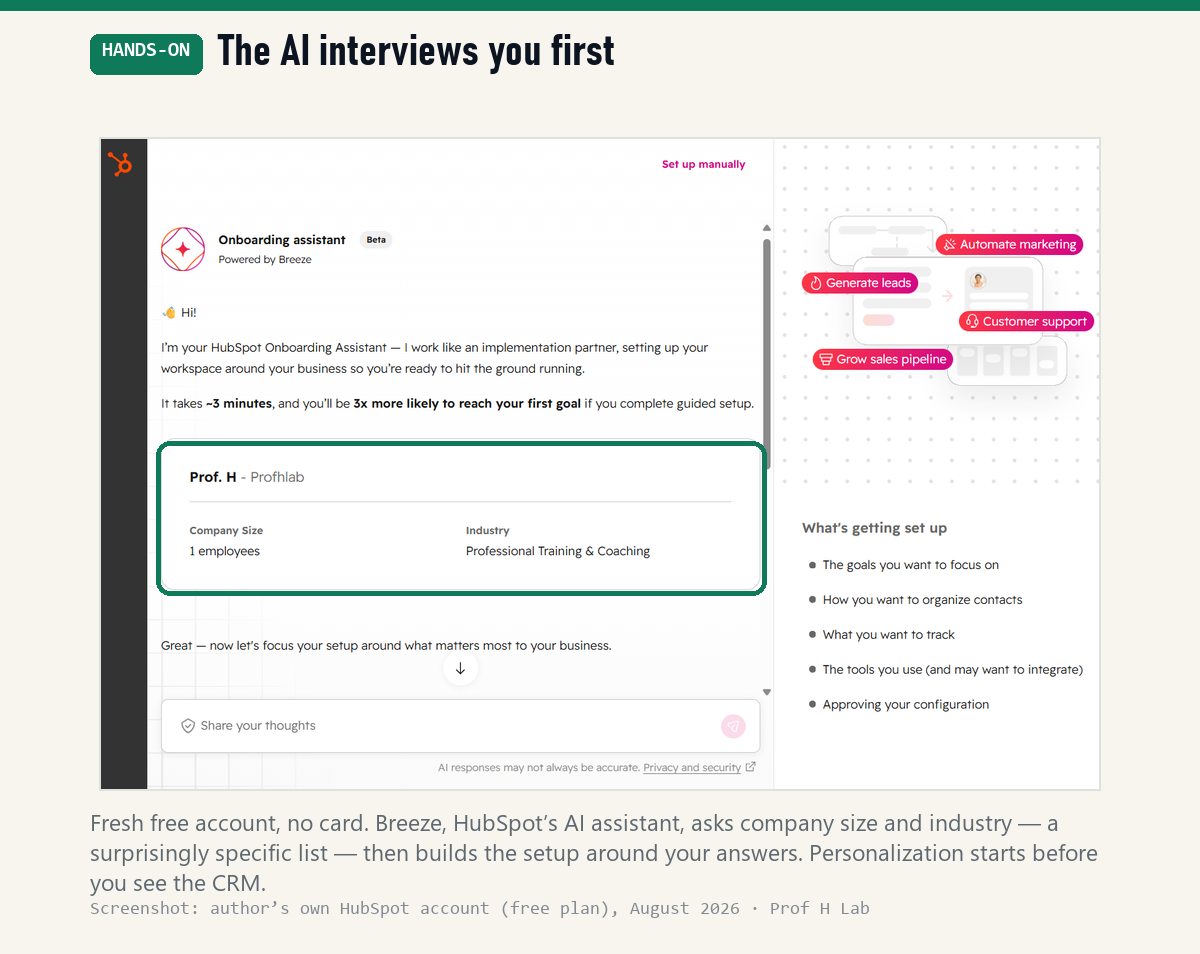
I opened a free account myself to check the flow: sign-up took about five minutes and a card was never requested — and before showing me a single pipeline, Breeze, HubSpot’s AI assistant, interviewed me: company size, then industry, from a list specific enough to include “Professional Training & Coaching.” The setup it proposes is built around those answers, so the personalization starts before you’ve even seen the CRM. It’s the pattern I keep meeting in 2026’s best tools: the good ones ask before they act.
#2 Bigin by Zoho — the $7 champion most lists miss
Here’s this year’s quiet winner. Bigin is Zoho’s small-business-only CRM, and its Express plan at $7 per user (annual; $9 monthly) carries real substance: three team pipelines, 50,000 records, 30 automations, WhatsApp and email integration, mass email, even built-in document signing. That’s not a crippled teaser — it’s a working sales stack for the price of two coffees. Users agree: Capterra 4.7/5 across 738 reviews — the highest rating on this page.
Two honest limits: the free tier is just 1 user and 500 records (the weakest free plan here — Zoho CRM and Freshsales both give 3 users), and it’s deliberately simple, so heavy customizers will eventually outgrow it. The 15-day trial needs no card and quietly downgrades to the free plan when it ends — the polite behavior every trial should copy.
- Pick Bigin if: you want the cheapest paid CRM that still feels complete.
- Watch out for: the 1-user free tier; upgrade pressure once workflows get complex.
#3 Zoho CRM — best value all-rounder
Bigin’s big sibling, and the feature king of the budget class: solid automation, deep customization, and a free plan for up to three users — though note the free tier doesn’t include email sync, which is the first thing most teams miss. The Standard tier at $14/user (annual; $20 monthly) undercuts most rivals while covering what a small business needs. The interface is functional rather than beautiful — but it works, and 6,987 Capterra reviewers average it at 4.3/5, the biggest sample on this page.
AI note for 2026: Zia, Zoho’s assistant, is tier-gated — Professional ($23) gets email intelligence only, and the full AI assistant (insights, predictions, recommendations) starts at Enterprise ($40). If CRM AI matters to you, Zoho is effectively a $40 product, not a $14 one.
- Pick Zoho if: you want maximum features per dollar and can live with a utilitarian UI.
- Watch out for: no email sync on free; full Zia AI parked at Enterprise.
#4 Pipedrive — best for visual pipeline selling
Pipedrive does one thing exceptionally well: a drag-and-drop pipeline that makes deal flow obvious at a glance. Salespeople actually enjoy updating it, which matters more than any feature list — a CRM only works if the team feeds it. No free plan; the 14-day trial needs no card. (Capterra: 4.5/5, 3,058 reviews.)
Stale-article alert: Pipedrive renamed its entire lineup in 2025. Essential/Advanced/Professional became Lite ($14/user annual), Growth ($39), Premium ($59), and Ultimate ($79) — so any review still quoting “Essential” or “Professional at $49” predates the change. Lite is the realistic entry; Growth is where email sync, automation, and the useful AI (email writing, automated workflows) live. All four tiers now ship some AI — even Lite gets AI report generation.
- Pick Pipedrive if: your business lives and dies by a sales pipeline.
- Watch out for: no free plan — and the features you’ll actually want pull you toward Growth ($39).
#5 Freshsales — the $9 plan, plus a free tier they don’t advertise
Freshsales’ Growth plan holds at $9/user (annual; about $11 month-to-month) — still the cheapest full-featured sales CRM from a major vendor, with built-in phone and email. And here’s a secret their own pricing page won’t tell you: a free 3-user plan still exists. It vanished from the pricing page, but Freshworks’ own free-CRM page and help docs confirm it — Kanban views, email templates, dashboards, and Gmail/Outlook integrations included. (Capterra: 4.5/5, 623 reviews.)
AI note: Freddy AI is now metered — the Freddy AI Agent bills $49 per 100 sessions (paid plans start with 500 free sessions). Fine for occasional use; budget for it if you plan to lean on AI daily.
- Pick Freshsales if: you want the cheapest capable paid plan — or the best-kept free secret in CRM.
- Watch out for: session-billed AI; the free plan is real but deliberately unadvertised.
What about monday CRM?
monday CRM advertises $12/seat, which sounds like the cheapest paid pick here — until you hit the 3-seat minimum, which makes the real floor $36/month ($18/seat if you pay monthly). It’s a genuinely pleasant tool with strong reviews (Capterra 4.7/5, 465 reviews), and if your team already runs projects on monday.com, it’s the natural choice. As a standalone CRM for a 1–2 person business, though, the seat math says start with Bigin or HubSpot Free.
The AI inside each CRM (checked August 2026)
This is the part every ranking skips — and it’s where I can actually help, because AI is my day job. In 2026, CRM AI has quietly become a usage-billed add-on: you budget for credits and sessions now, not just seats. Here’s what each tool really gives you, and where the full AI actually lives:
| CRM | AI on free / cheapest tier | Where the full AI lives |
|---|---|---|
| HubSpot | Breeze Assistant free — research, call prep, record summaries | Agent Hub on Professional+ — agents billed per outcome ($1/lead, $0.50/resolution; credits $9 per 1,000) |
| Bigin | Automations, no AI suite | — (simplicity is the product) |
| Zoho CRM | None on free or Standard | Full Zia assistant at Enterprise ($40); Professional gets email intelligence only |
| Pipedrive | AI report generation on Lite ($14) | AI email writing & automations from Growth ($39) |
| Freshsales | None on free | Freddy AI Agent add-on — $49 per 100 sessions (500 free on paid plans) |
My read as an AI professor: don’t buy a CRM for its AI yet. Buy the pipeline your team will actually update, and treat the AI as a metered utility you switch on when a specific chore — call summaries, lead research — starts eating real hours. And if you searched “CRM without AI” (a real query, and I get it): good news, all five here run perfectly well with the AI ignored.
What’s the cheapest CRM for small business? The real bill for 1, 3 and 5 users
Per-user prices hide the number you actually pay. Here is the monthly bill for the cheapest paid tier of each CRM, at team sizes small businesses really have. The first figure is the annual-billing rate; the figure in brackets is what you pay month-to-month.
| CRM — cheapest paid tier | 1 user / month | 3 users / month | 5 users / month |
|---|---|---|---|
| Bigin by Zoho — Express | $7 ($9) | $21 ($27) | $35 ($45) |
| HubSpot — Starter | from $7 ($20) | from $21 ($60) | from $35 ($100) |
| Freshsales — Growth | $9 ($11) | $27 ($33) | $45 ($55) |
| monday CRM — Basic, 3-seat minimum | $36 ($54) | $36 ($54) | $60 ($90) |
| Zoho CRM — Standard | $14 ($20) | $42 ($60) | $70 ($100) |
| Pipedrive — Lite | $14 ($24) | $42 ($72) | $70 ($120) |
The spread is bigger than the sticker prices suggest. Three people on Bigin billed annually cost $252 a year. The same three people on Pipedrive Lite paid monthly cost $864 a year — 3.4 times as much for the entry tier of each product.
Two traps sit in that table. Monthly billing is a real surcharge: Pipedrive Lite is $14 on annual billing and $24 monthly, and HubSpot Starter goes from $7 to $20. And monday CRM sells no single seat — its plans start at 3 users, so a solo owner pays $36 a month for the cheapest tier.
If you are adding up every subscription the business pays for, our AI price tracker logs the chat assistants the same way, and the real monthly cost of AI shows how the small line items stack up.
Is there a CRM with no monthly fees?
Yes — four of the six products here have a free plan with no time limit. They differ in who they let in:
- Zoho CRM Free — up to 3 users. The most generous seat count of the free plans.
- HubSpot Free — up to 2 users and 1,000 contacts, no credit card.
- Bigin Free — a single user and 500 records in total (contacts, deals, activities and notes all count).
- Freshsales — has a free plan it does not advertise on its pricing page; see #5 above.
- Pipedrive and monday CRM — no free plan. Pipedrive gives a 14-day trial with no card; monday a 14-day trial.
A free plan is not the same as no fees forever. The walls are users and records — the day a third salesperson joins HubSpot Free, or your 501st record lands in Bigin Free, the bill starts. Bigin’s paid trials fall back to the free plan when they end instead of charging you, which makes it the safest one to try.
The best CRM automation tools for small businesses under $50 per user
Automation is where the cheap tiers stop being equal. These are the lowest plans whose pricing page lists workflow or follow-up automation — and every one stays under $50 per user even when you pay monthly:
- Bigin Express — $7 ($9 monthly). Automations included; the cheapest way to stop typing the same follow-up twice.
- Freshsales Growth — $9 ($11 monthly). Basic workflows, email templates and contact lifecycle stages.
- Zoho CRM Professional — $23 ($35 monthly). Process automation plus email intelligence; the step up from Standard’s $14.
- Pipedrive Growth — $39 ($49 monthly). Automated emails and follow-ups — right at the $50 line on monthly billing.
- Freshsales Pro — $39 ($47 monthly). For teams that outgrow Growth’s basic workflows.
For a three-person team wanting automation, that is $21 a month on Bigin versus $117 on Pipedrive Growth — both billed annually. Start at the bottom and move up only when a specific rule you need is missing.
The most affordable CRM with built-in AI
In 2026 most CRM AI is either locked to upper tiers or billed by use. The cheapest real options, from the pricing pages on September 19:
- Pipedrive Lite — $14. Includes AI-powered report creation (describe the report in words) on the entry plan.
- Zoho CRM Professional — $23. AI agents and email intelligence; the full Zia sales assistant starts at Enterprise, $40.
- Freshsales — Freddy AI Agent at $49 per 100 sessions, with 500 sessions included on paid plans to try it.
Metered AI is the new hidden cost: a per-session or per-outcome price looks small until your team uses it every day. If AI features are the reason you are shopping, see the free AI subscription deals and our AI deals page before paying twice for the same assistant.
How to choose (a 3-question test)
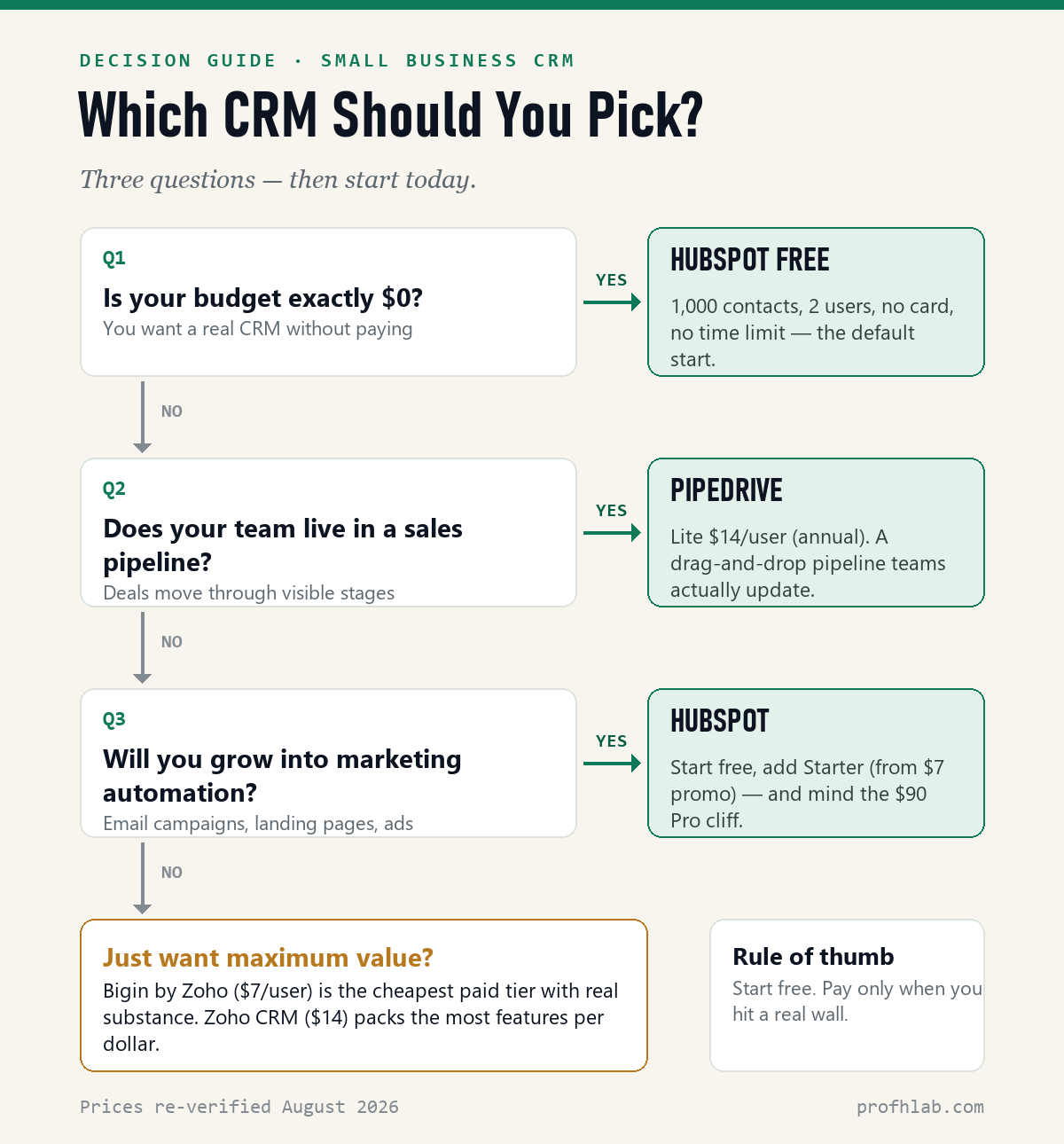
- Budget zero? → HubSpot Free (2 users, 1,000 contacts) — or Zoho/Freshsales free if you need 3 users.
- Pipeline-driven sales team? → Pipedrive (Lite $14; Growth $39 when you want automation).
- Growing into marketing automation? → HubSpot, upgrading only the hub you need — eyes open on the Professional cliff.
- Just want maximum value per dollar? → Bigin ($7) for simplicity, Zoho CRM ($14) for depth.
Picked a finalist? Don’t take my word for it — prove it on your own deals, free, in the next ten minutes:
From zero to a working pipeline — follow along (free, no card)
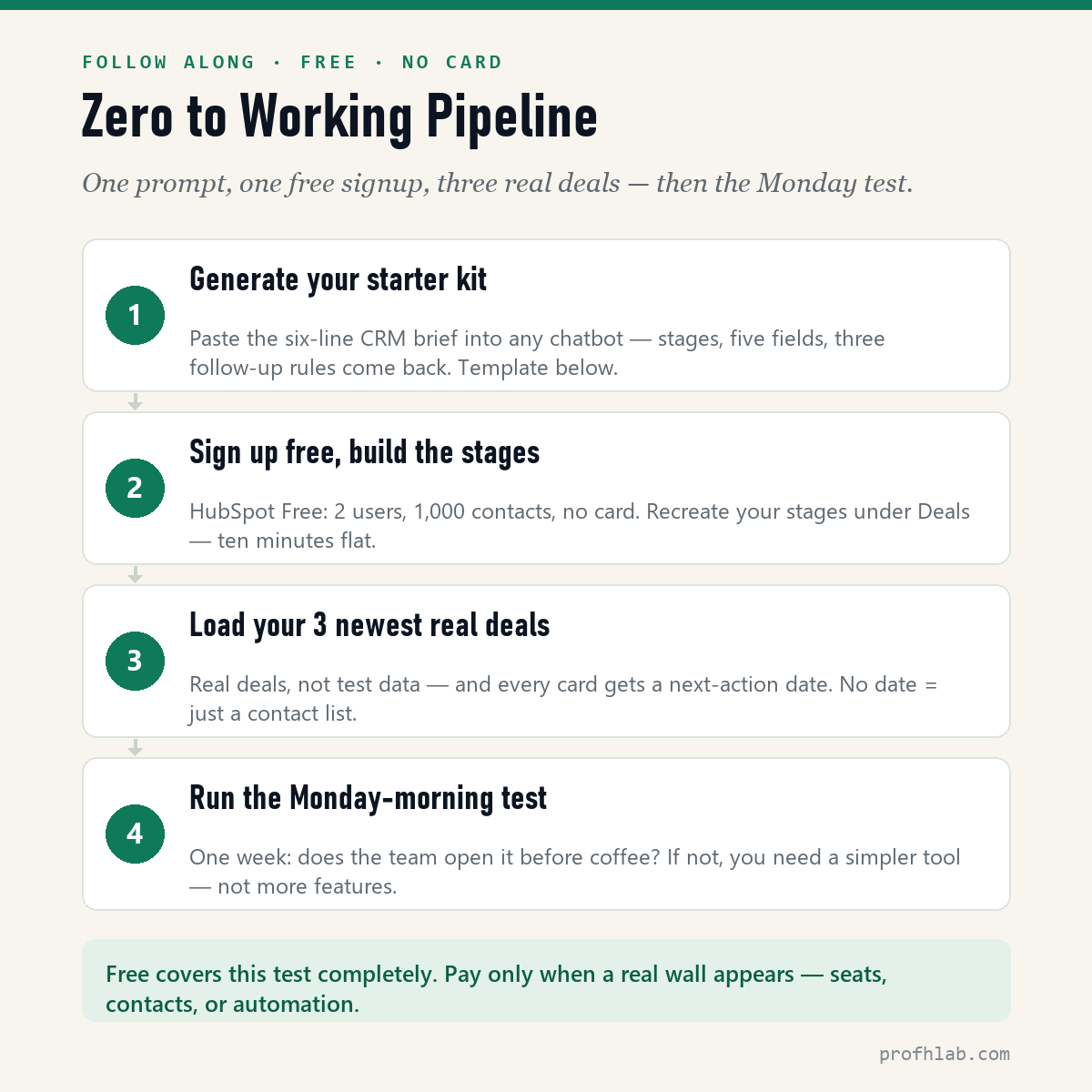
Reviews narrow the field; a working pipeline decides it. Same follow-along format as my AI writing tools test — each step shows what to do, what comes back, and how to read it. Total cost: $0. No card anywhere.
Step 1 — generate your starter kit. Before touching any CRM, make it fit your business on paper. Paste this into any AI chatbot (Claude and ChatGPT free tiers both handle it):
Design my CRM starter kit.
Business: [what you sell — e.g., wedding photography packages]
Typical deal: [size and cycle — e.g., $2,800, booked 3–6 months ahead]
Leads arrive via: [e.g., Instagram DMs, referrals, website form]
Give me: (1) pipeline stages with an exit rule for each, (2) the five fields
every deal card needs, (3) the three follow-up rules to automate first.
Here’s an excerpt of what that brief produced when I ran it in Claude for the wedding-photographer example:
“Stages: Inquiry received → Consultation booked → Proposal sent → Contract & deposit out → Booked (plus Lost, with a reason). Exit rule for Proposal sent: it leaves this stage the moment the client replies or three days pass — whichever comes first. … Field 5: Next action + date. Rule 1: if an Instagram inquiry sits unanswered for 24 hours, send the ‘still with you’ template.”
How to read your version: check the exit rules first — a stage without one is a parking lot, and parked deals are how pipelines die. And notice field 5: a deal card without a next-action date is just a business card.
Step 2 — sign up free and build those stages. HubSpot Free (2 users, 1,000 contacts, no card) is the fastest sandbox: Sales → Deals → edit the default pipeline, and recreate your stages — about ten minutes of clicking. If you’d rather watch someone do it first, this is the most-watched independent walkthrough (Metics Media, a 653k-subscriber tutorial channel; roughly 246,000 views as of August 2026), and the entire setup happens on the free plan:
Step 3 — load your three newest real deals. Not test data — real ones, because real deals make the tool honest. For each: contact, deal value, current stage, and the next-action date from your starter kit. Three real cards teach you more about a CRM than thirty fake ones.
Step 4 — run the Monday-morning test for one week. The only metric that matters: does the pipeline get opened before coffee on Monday? If yes — congratulations, you have a CRM; upgrade only when you hit a real wall (contacts, seats, automation). If nobody opened it, the answer isn’t more features — it’s a simpler tool (that’s Bigin’s whole pitch), or an honest admission that a spreadsheet still fits. Which brings us to the question nobody answers directly.
Do you really need a CRM — or is a spreadsheet enough?
The question every ranking dodges, answered honestly: under roughly 20 active deals, with one person doing the follow-ups, a spreadsheet genuinely works — and costs nothing to leave alone. The switch signal isn’t company size; it’s the first slipped follow-up. The moment two people ask “did anyone call them back?”, you’ve outgrown the sheet, because a spreadsheet can’t own a next-action date the way a pipeline card does. Still on the fence? This free-vs-paid comparison (Stewart Gauld, a 386k-subscriber small-business channel; roughly 125,000 views as of August 2026) even includes a spreadsheet-based CRM template as a stepping stone:
Free forever or $7 a seat: the cheapest CRMs, with the limits
What is the cheapest CRM for small business?
Free: Zoho CRM (up to 3 users) and HubSpot (2 users, 1,000 contacts) cost $0. The cheapest paid plan is Bigin by Zoho Express at $7 per user a month billed annually, or $9 month-to-month — $21 a month for three people on annual billing.
Is there a CRM with no monthly fees?
Yes. Zoho CRM, HubSpot and Bigin all have free plans with no time limit, and Freshsales has one it does not advertise on its pricing page. Pipedrive and monday CRM have no free plan, only 14-day trials.
What is the best CRM automation tool for a small business under $50 per user?
Bigin Express ($7 annual, $9 monthly) is the cheapest plan with automations. Freshsales Growth ($9) adds basic workflows, Zoho CRM Professional ($23) adds process automation, and Pipedrive Growth ($39 annual, $49 monthly) automates emails and follow-ups.
What is the most affordable CRM with built-in AI?
Pipedrive Lite at $14 per seat (annual) includes AI-powered report creation. Zoho CRM Professional at $23 includes AI agents and email intelligence. Freshsales sells its Freddy AI Agent at $49 per 100 sessions, with 500 sessions included on paid plans.
Is HubSpot CRM really free forever?
Yes — no card, no time limit. But the limits changed: the free tier is now 2 users and 1,000 contacts (verified on HubSpot’s pricing page, August 2026). Paid Starter runs from about $7/seat on annual promo pricing, $20 month-to-month.
What’s the cheapest CRM worth paying for?
Bigin by Zoho’s Express plan at $7/user (annual) is the cheapest tier with real substance — automations, WhatsApp integration, mass email, e-sign. Freshsales Growth at $9 is the cheapest with a fuller sales feature set.
Do I really need a CRM, or is a spreadsheet enough?
Under ~20 active deals with one person following up, a spreadsheet works. The switch signal is slipped follow-ups — the moment two people ask “did anyone call them back?”, you need a shared pipeline.
What’s the easiest CRM to set up?
HubSpot Free and Bigin are the fastest from signup to working pipeline — well under an hour, no credit card. The follow-along above gets you there in about 10 minutes of actual work.
What hidden costs should I watch for in a cheap CRM?
Three: seat minimums (monday CRM bills at least 3 seats — a $36/month real floor), AI usage billing (HubSpot agents and Freshsales’ Freddy charge per outcome or session), and onboarding fees (HubSpot Professional adds a mandatory $1,500 one-time fee).
Start free, and pay only when you hit a specific wall
Start free — HubSpot if you want room to grow, Freshsales or Zoho if you need three free seats, Bigin the moment $7 feels fair. Pay only when a specific wall appears, and budget for the 2026 reality that CRM AI is metered. Whichever you pick, the CRM that wins is the one your team actually opens on Monday morning.
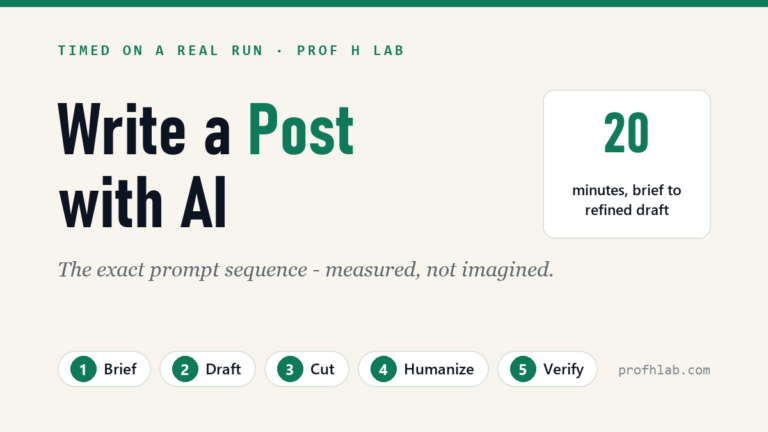
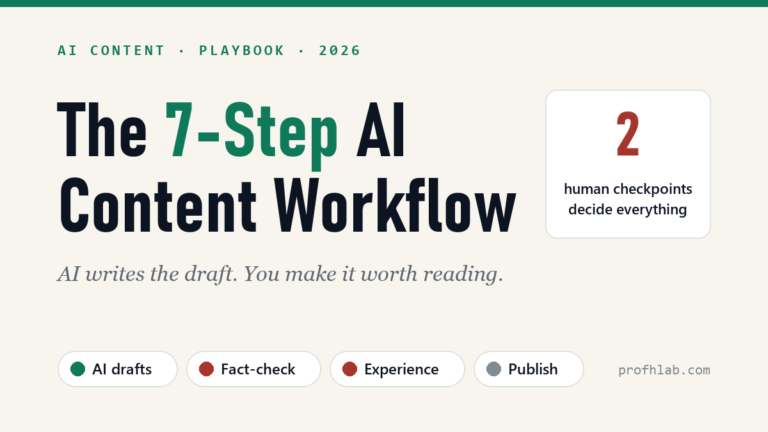
By the way, this site runs on the same principle I recommend for CRMs — pick tools deliberately, test them honestly. Here’s the exact AI content workflow I use to research and write these comparisons, and my weekly Lab Report if you want the next hands-on test in your inbox.
Writing tools tested the same way, and what sales roles pay
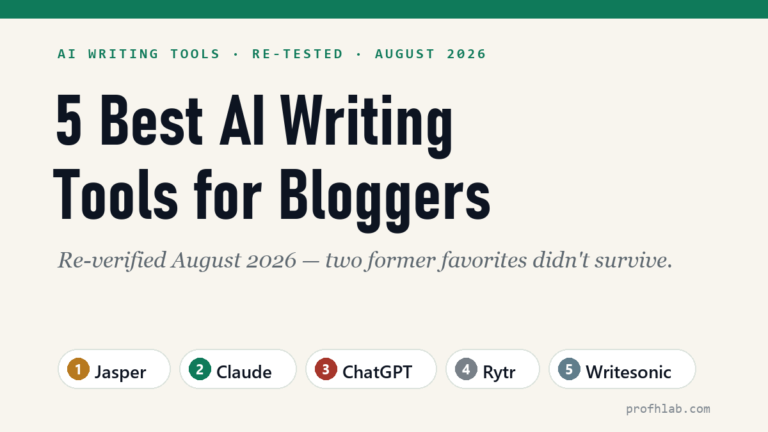
- The 5 best AI writing tools for bloggers — the same re-verified treatment, applied to writing software.
- My exact AI content workflow — the 7-step system behind every review on this site.
- The AI Jobs Tracker — hiring your first salesperson? See what AI and sales-tech roles pay right now, counted from live postings.
About the author
Prof. H is a professor of AI and robotics, a former Samsung researcher, and the author of dozens of textbooks on AI and automation. He writes hands-on, no-hype reviews of AI tools and software. More about the author →
Full index
Every guide in the Generative AI library
Start with AI, at any age
AI writing tools, reviewed
Working with AI
- An AI workflow Google won’t penalize
- ▸ Best CRM for small business (you are here)
Curious about robots, humanoids, and the chips inside them? Physical AI library →
Prof.’s H Newsletter
One short email a month, with the numbers in it
What actually moved in AI hiring, AI prices, and the scams aimed at older Americans. Counted here, dated, and linked to the source. One email a month, and your address goes nowhere else.