What AI Really Costs You per Month (Once You Claim What You Already Have)
Yesterday we published the matrix for which mode of AI to use for which job. It answers the first half of choosing.
This is the other half, and it is the half people get wrong in the more expensive direction: what any of it should actually cost you.
The short version is that the list price on a pricing page is a number most households have no business paying. Not because of coupons – because the same subscription is already sitting inside things you pay for.
Jump to what you need
Start with the job, then price it
The matrix said: assistants win where a person is the only real judge; agents win where a machine can check the machine. Put a price on each row and the budget writes itself.
| What you mostly do | What you need | List | What it should cost you |
|---|---|---|---|
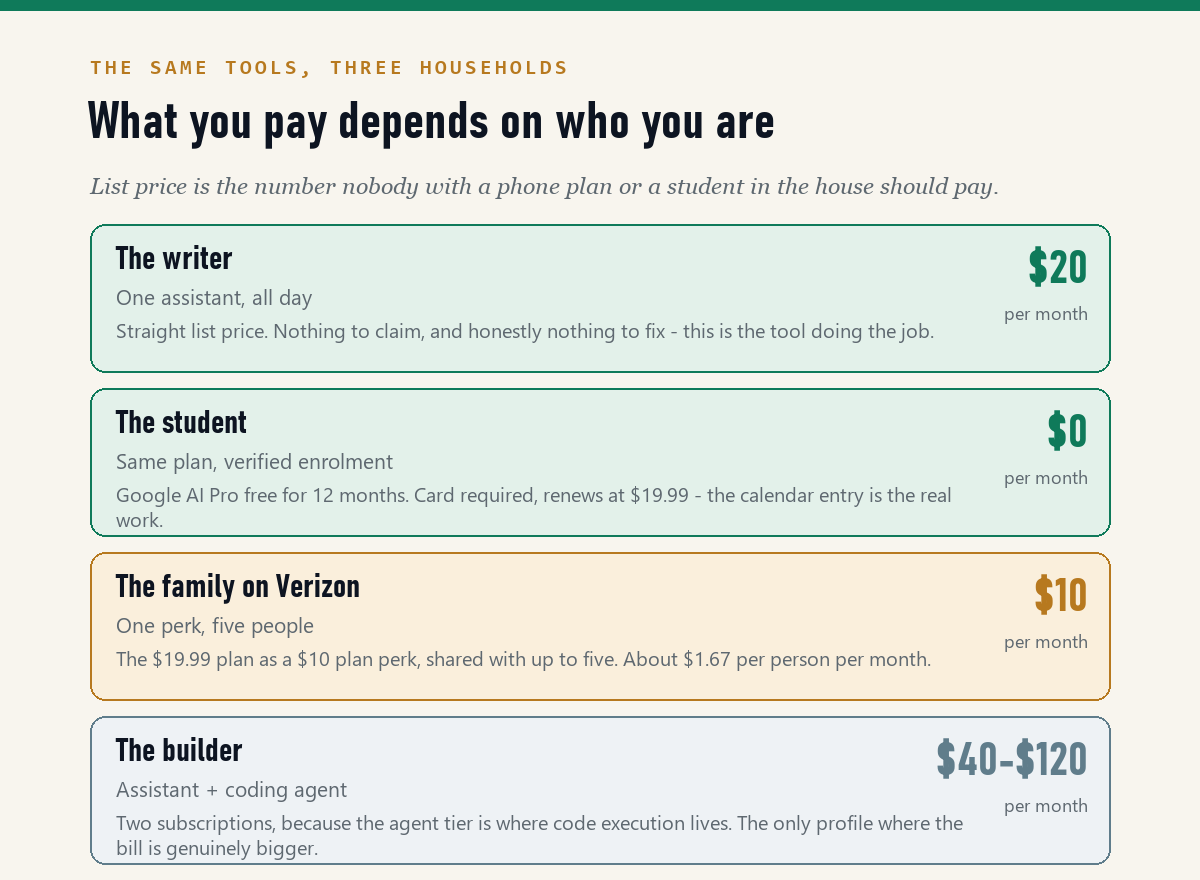
| Write, research, answer email | One assistant plan | ~$20/mo | $0 if a student is in the house, $10 on an eligible carrier perk, or included if you already pay for Microsoft 365 |
| Occasional questions, a few a day | Nothing | $0 | $0. The free tiers are genuinely fine at this volume, and every provider has one |
| Build and run code | Assistant + an agent tier | $40-$120/mo | Roughly list. This is the one profile where the bill is honestly bigger, because loops cost more than answers |
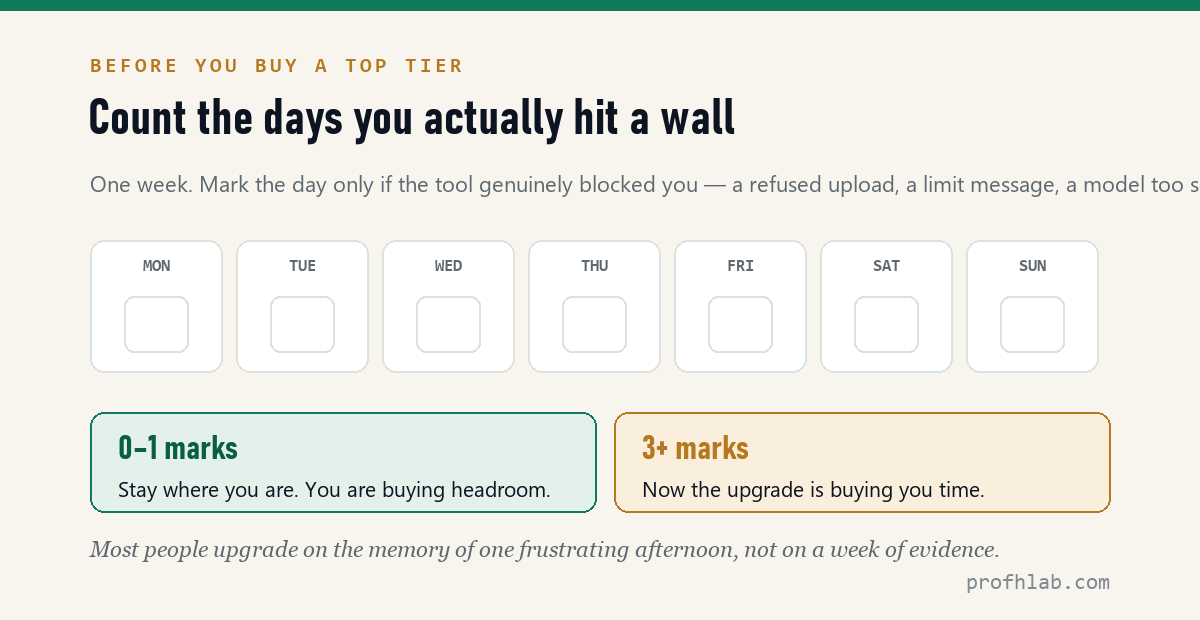
| Heavy daily volume, deadlines | A top tier | $100-$200/mo | Only after a week of counting the days you actually hit a wall. Fewer than two, and it is headroom you will not use |
The three discounts that do most of the work
All three are verified on the provider’s own pages as of Aug. 20, 2026, and all three are on our running AI Perks & Deals page with their dates.
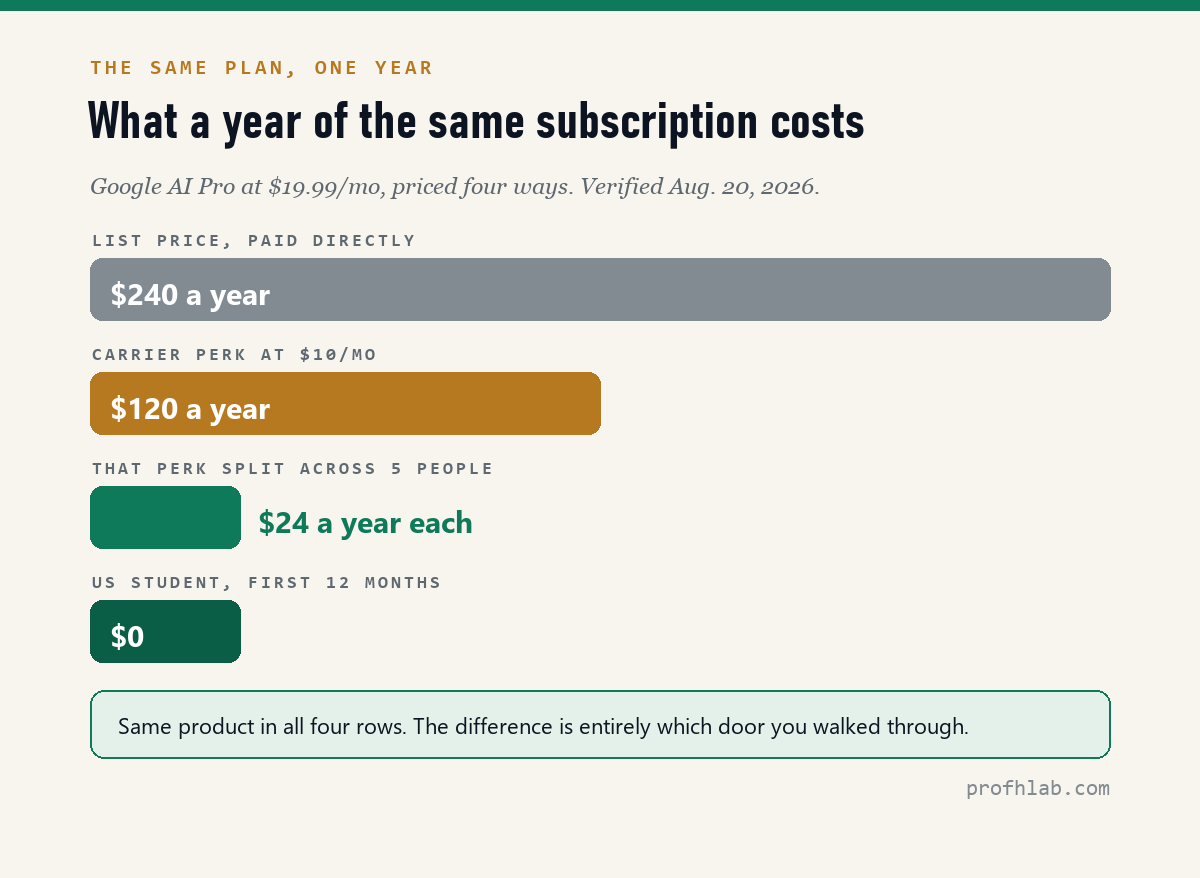
1. The student year. Eligible US college students get Google AI Pro free for twelve months – a plan Google prices at $19.99 a month – claimed at gemini.google.com/students with SheerID verification, redeemable until Dec. 31, 2026.
Claim it
If anyone in your household is enrolled, this is the single biggest saving on this page — twelve months of a $19.99 plan.
2. The carrier perk. On Verizon, the same Google AI Pro is a $10 monthly plan perk on eligible myPlan and myHome plans, with 5 TB of storage, and it can be shared with up to five people. A household that actually splits it lands near $1.67 per person per month for a $19.99 product.
Check your plan
Verizon publishes the eligibility list and exactly what the perk includes. Two minutes to know whether you qualify.
3. The bundle you forgot. Copilot is now included in Microsoft 365 Personal and Family rather than sold as a $20 add-on. If you pay for Office and also pay for a separate assistant, one of those two is redundant.
The audit that usually finds money
We keep expecting people to discover a missed discount. In practice the more common discovery is a duplicate.
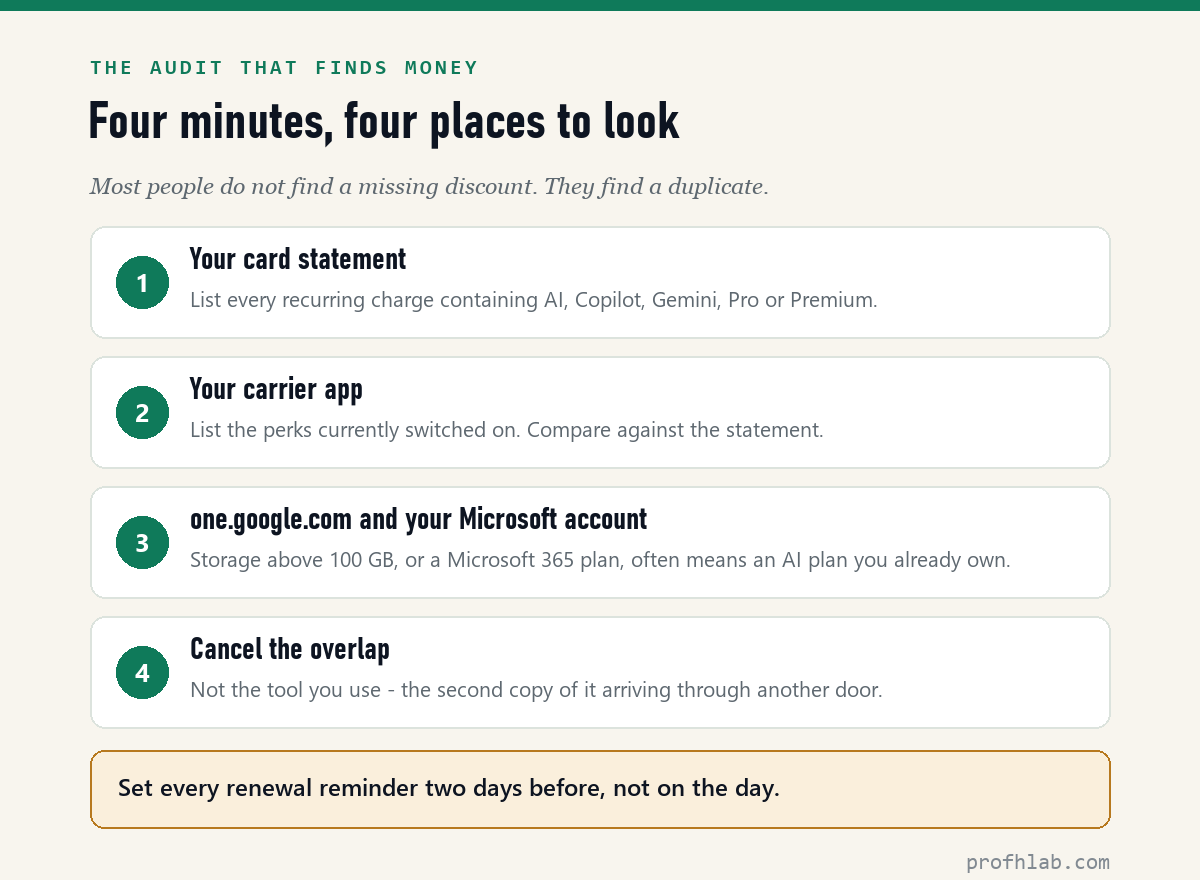
- Open your card statement and list every recurring charge with the word AI, Copilot, Gemini, Pro or Premium in it.
- Open your carrier app and list the perks currently switched on. Compare the two lists.
- Check one.google.com and your Microsoft account for plans you already hold.
- Cancel the overlap. Not the tool you use – the second copy of it you are paying for through a different door.
Where the money actually goes: loops, not answers
One thing the pricing pages never explain, and it is the honest reason agent tiers cost more.
A chat reply is one pass. An agent doing the same nominal task plans, acts, reads what came back, and often retries – many passes for one request. That is why agent capability tends to live on higher tiers with usage limits rather than flat unlimited plans.
It is also why the matrix and the budget point the same way: the shorter and more checkable the task, the cheaper and more reliable the agent. Length costs you twice – in success rate and in bill.
Claim a discount, audit duplicates, and calendar every trial
1. Decide which row of the table you are actually in. Most people are in row one or two.
2. Claim whichever of the three discounts applies to your household.
3. Run the four-step duplicate audit above.
4. Put one calendar entry per trial, two days before renewal.
5. Re-check in three months. These prices have moved several times this year.
Everything in one place
Every US offer we can verify, with the date we checked it — and the expired ones left visible so you do not chase them.
Pick the mode before the brand, and treat ads as the new price
“Which tool, though?” The mode comes first, the brand second. Start with the job-by-job matrix, then the ranked comparison in the best AI writing tools.
“Are ads the new price?” Increasingly, yes – free tiers are being funded that way. What that means for you, and what can be switched off, is in the ChatGPT ads piece.
“Where are the current numbers?” List prices on the price tracker, discounts and their expiry dates on AI Perks & Deals. Both carry the date they were last verified.

Most households shouldn’t pay the $20 list price for AI
How much does AI actually cost per month in 2026?
List price for a consumer assistant plan sits around $20 a month. But most households should not pay list. A US college student can get Google AI Pro free for twelve months, a Verizon customer can take the same plan as a $10 plan perk shared with up to five people, and anyone paying for Microsoft 365 Personal or Family already has Copilot included in that subscription.
Do I need to pay for two AI subscriptions?
Only if you write and build. Drafting, research and everyday questions are all served by one assistant plan. A second subscription is worth it when you want an agent that executes code, because that capability generally sits on a higher tier. If you are not running what it produces, you are paying for a loop you do not use.
Is the $200 tier ever worth it for an individual?
Rarely. Those tiers buy volume and priority, not better judgment. Before upgrading, spend one week noting the days you actually hit a wall – a refused upload, a slow model, a limit message. Fewer than two, and you are buying headroom you do not use.
What is the cheapest legitimate way to use good AI?
The free tiers, seriously. Every major assistant has one, and for a few questions a day they are sufficient. After that, the cheapest legitimate routes are the student year, a carrier perk, or a bundle you already pay for. What is not legitimate is a reseller selling shared or lifetime accounts – those breach the providers’ terms and the account can be closed with your money inside it.
Why do agent tools cost more than chat tools?
Because a loop costs more to run than an answer. An agent plans, acts, reads the result and retries, so a single request can consume many times the computation of a chat reply. The pricing follows the work, and that is also why agent tiers usually carry usage limits rather than being unlimited.
How do I stop paying for AI twice?
Read your card statement next to your carrier app and your Microsoft or Google account. The common discovery is not a missed discount but a duplicate: a subscription bought directly and the same service arriving through a bundle or perk someone enabled months ago.
Will these prices hold?
No. Consumer AI pricing has moved several times in the past year, in both directions, and ad-supported tiers are now appearing. We re-verify our price and perk pages monthly and print the date so you can see how fresh the numbers are.
Sources
- Provider pricing pages for consumer assistant tiers, checked Aug. 20, 2026
- Google, student AI offer announcement and terms (Aug. 2026)
- Verizon Support, Google AI Pro perk FAQs and terms & conditions
- Microsoft consumer subscription documentation on Copilot bundling
- Our own timed runs, Aug. 6 and Aug. 11, 2026, for the workload assumptions behind the profiles
The job matrix behind this budget, and which deals are still live
- When to use agentic AI – and when not to – the matrix this budget is built on.
- AI Perks & Deals – the running list, expired offers included on purpose.
- Who is giving away AI subscriptions right now – and which deals are already dead.
- The AI price tracker – every tier, re-verified monthly.
About the author
Prof. H is a professor of AI and robotics, a former Samsung researcher, and the author of dozens of textbooks on AI and automation. He writes hands-on, no-hype guides. More about the author →
Prof.’s H Newsletter
One short email a month, with the numbers in it
What actually moved in AI hiring, AI prices, and the scams aimed at older Americans. Counted here, dated, and linked to the source. One email a month, and your address goes nowhere else.