How to Stop Meta AI From Using My Photos on Facebook: Two Switches Work, Two Don’t
The question arrives in a particular tone of voice. Somebody forwarded a post. The post said Meta is taking your pictures. There is a date in it, usually tomorrow, and a paragraph you are supposed to copy and paste into your own timeline to stop it.
The pasted paragraph does nothing. But the worry underneath it is not silly, and it deserves a straight answer rather than a scolding.
So on August 27, 2026 we ran the exact phrase people type — how to stop meta ai from using my photos on facebook — and opened what Google put on page one. Then we went and read Meta’s own privacy pages, its help centre, and the request form those guides send you to.
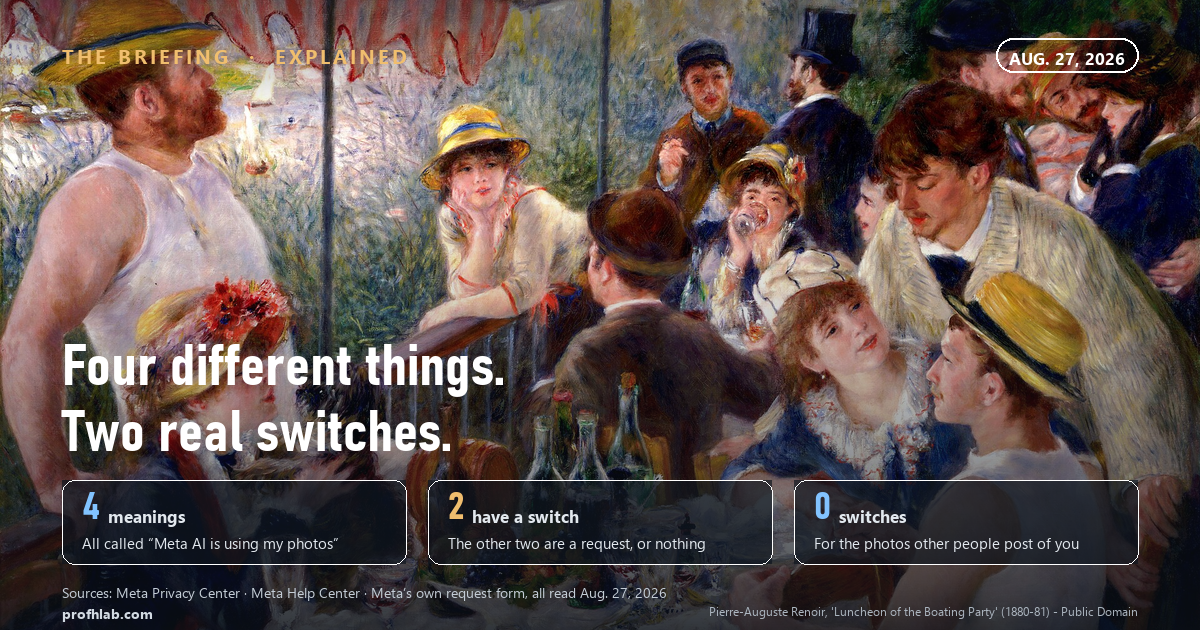
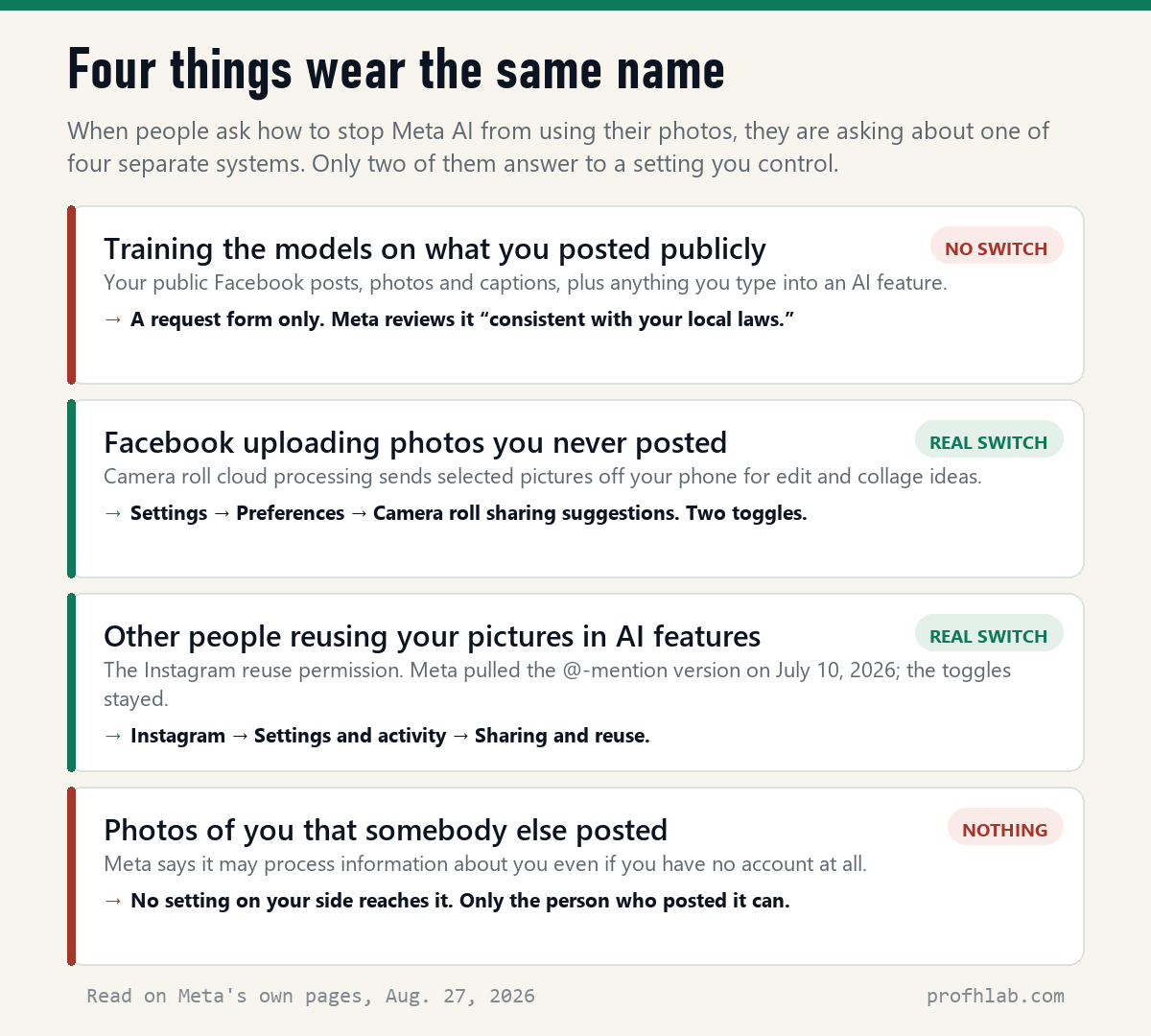
The guides are not lying. They are answering four different questions as though they were one question. Two of the four have a real switch. One has a form. One has nothing at all.
The short answer. There is no single off switch, because “Meta AI using my photos” is four separate systems. The two you can actually control are in the Facebook app (camera roll sharing suggestions) and in Instagram (sharing and reuse). For the big one — training the models on what you posted publicly — the form is a request, not a setting. The thing that genuinely removes a photo from future training is written in Meta’s own documentation and almost never quoted: delete it, or stop it being public.
Why is Meta AI using my photos on Facebook?
Because you put them somewhere public, and Meta’s terms treat that as the raw material. Its Privacy Center says so without hedging. Asked where the training information comes from, Meta lists three sources, and the third is the one that concerns you: “Information shared on Meta Products including things like posts or photos and their captions, and your interactions with features that are part of AI at Meta.”
Two clarifications that matter more than the headline. The first is reassuring: “We do not use the content of your private messages with friends and family to train our AIs unless you or someone in the chat chooses to share those messages with our AIs.” Messenger conversations are not the exposure. Tagging the assistant into a chat is.
The second is the opposite of reassuring, and it is the sentence to read twice:
Even if you don’t use our Products or have an account, we may still process information about you to develop and improve AI at Meta. For example, this could happen if you appear anywhere in an image shared on our Products by someone who does use them…
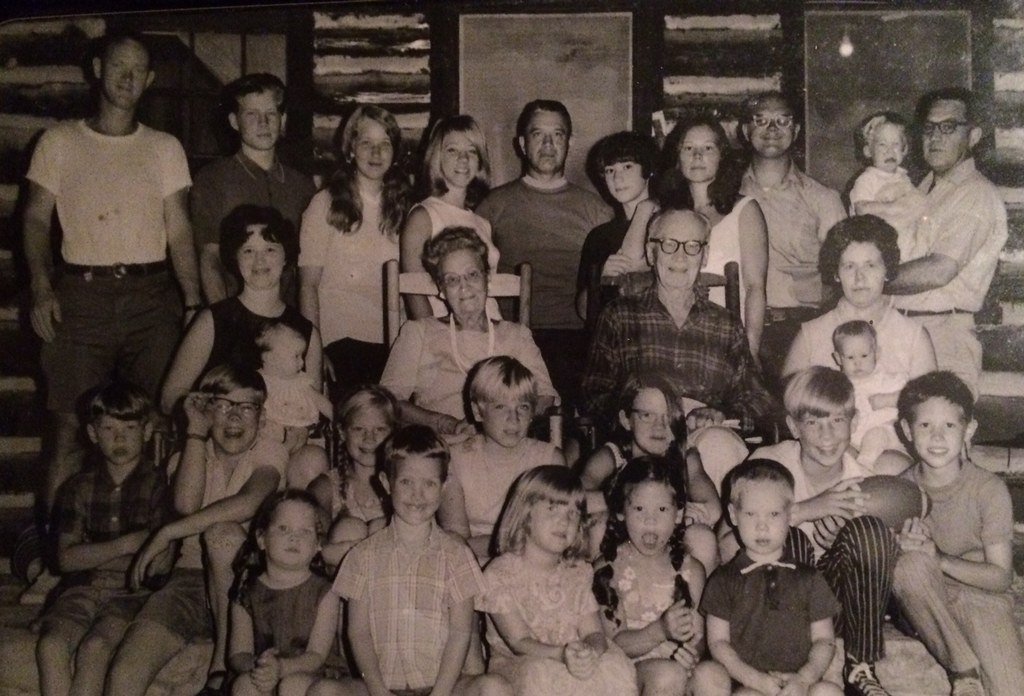
That is the part no settings menu reaches. Your account can be locked down to the last toggle and your face is still in your daughter’s public album, your church’s page, the reunion post, the obituary.
Can Meta use my photos without permission?
On its own account, it already has permission — you gave it in the terms, and in the choice to post publicly. What Meta offers instead of a consent box is a right to object. The Privacy Center describes it plainly, and then adds a sentence that most guides skip: “You may need to be logged into your account to see the appropriate forms for your region.”
That clause is doing heavy lifting. The objection is not a switch that behaves identically everywhere; what you are shown depends on where the law says you are.
This is where page one goes wrong. Several guides point American readers to a Meta form titled Data Subject Rights for Third Party Information Used for AI at Meta. We opened it. It is not about your Facebook photos at all — it covers information Meta obtained from third parties and the open internet. In its own words:
We don’t provide the ability to access, download, correct or delete personal information from third parties that may be used to develop and improve AI at Meta… We don’t automatically fulfill requests sent using this form. We review them consistent with your local laws.
Read that as an American and it is close to a polite no. Which is not an argument for skipping it — it costs two minutes, and Meta says an honoured objection stops future use — but it is an argument for not treating a submitted form as the job done.
The sentence that does more work than the form
Buried in Meta’s explainer on how its models are updated is the most useful thing on any of these pages, and we have not seen a single page-one guide quote it:
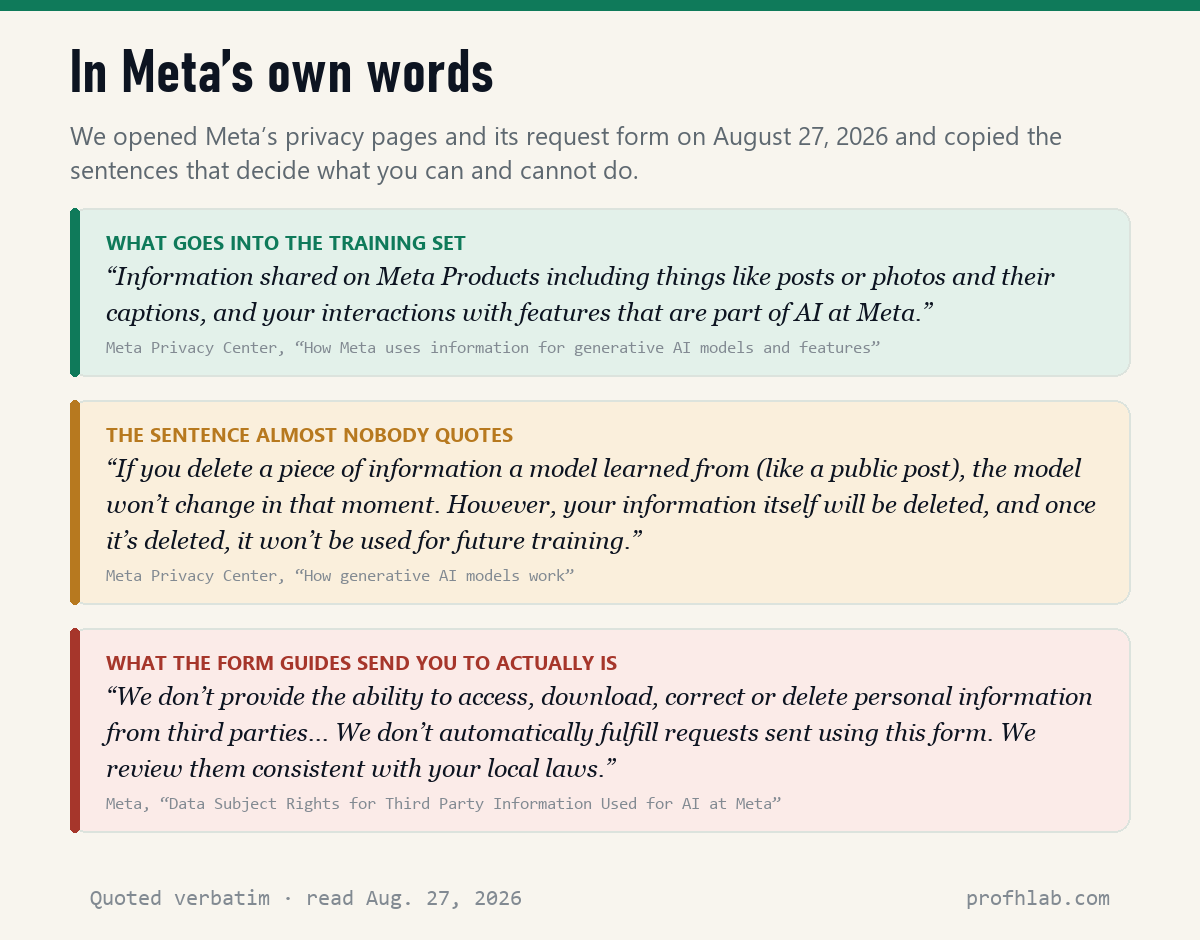
“If you delete a piece of information a model learned from (like a public post), the model won’t change in that moment. However, your information itself will be deleted, and once it’s deleted, it won’t be used for future training.”
Unpack that and you get an honest bargain. The model that already exists does not forget — nobody can un-ring that bell, and any guide promising otherwise is selling something. But the training set is rebuilt, repeatedly, and what is no longer public is no longer in it. Meta’s own framing of the objection right confirms which pool it draws from: it covers “the public information you’ve shared on Meta Products.”
So the lever is not a form. It is the audience selector. Facebook’s Limit Past Posts tool — profile picture → Settings & privacy → Settings → Posts → “Limit who can see past posts” — changes every past public post to Friends in one action. It requires nobody’s approval and takes effect immediately.
Two honest caveats before you press it. Meta’s help page states that the change “cannot be reversed in one click”: putting posts back means editing them individually. And your profile picture and cover photo stay public regardless of what you do here.
The two switches that do work
1. Camera roll sharing suggestions (Facebook app). Meta announced this on October 17, 2025 for the US and Canada: an opt-in feature that “suggests the best photos and videos from your camera roll and creates fun collages and edits.” Selected pictures you have never posted are uploaded for processing.
Here the panic circulating online overshoots the record — Meta states, in the same announcement, “We don’t use media from your camera roll to improve AI at Meta, unless you choose to edit this media with our AI tools, or share,” and in its April 2026 European rollout, “We don’t use photos and videos from your camera roll for ads targeting.” The privacy question is real but narrower than advertised: private pictures leaving your phone, not private pictures entering a model.
To check yours: Facebook app → menu → Settings & privacy → Settings, then scroll to Preferences and open Camera roll sharing suggestions. There are two toggles — suggestions while you browse, and cloud processing for creative ideas. Turn off both. If the path has moved, type “camera roll” into the search box at the top of Settings.
2. Sharing and reuse (Instagram). On July 7, 2026 Meta launched Muse Image, which let anyone pull photos from a public Instagram account into a generated image by typing that account’s handle. It was on by default for public adult accounts and nobody was notified.
After objections from users, CAA and SAG-AFTRA, Meta withdrew that part on July 10 — a spokesperson said it “missed the mark.” The underlying permission did not go away. In Instagram: Settings and activity → Sharing and reuse, where toggles for Posts, Reels and Reels audio control whether your content can be reused in AI features. Turning them off stops future reuse; it does not delete anything already generated.
If a forwarded post told you to act by tomorrow, that is the tell. The copy-and-paste “I do not give Facebook permission” notice has been recirculating since 2012 and has never had any legal effect. Manufactured deadlines are also the engine of a great deal of outright fraud aimed at older users — we walk through how that machinery works in AI scams targeting seniors.
The one that nothing reaches
Every setting above governs your account. None of them governs the photograph your son posted of the two of you at Thanksgiving. If it is public, it is public information about you, and Meta’s documentation says outright that it may process information about people who do not even have accounts.
The only mechanism here is social, and it is more effective than it sounds: ask. One conversation with the two or three relatives who post the most family pictures will do more than every toggle in this article combined. “Friends only, not public” is a small ask and most people say yes.
Limit your past posts first, then switch off camera roll sharing
- Ten minutes, once: Facebook → Settings & privacy → Settings → Posts → “Limit who can see past posts.” One tap converts your public back catalogue to Friends. This is the highest-value item here — and Meta says it cannot be undone in one click, so decide before you tap.
- Two minutes, same visit: in Settings, search “camera roll” and turn off both toggles under Camera roll sharing suggestions.
- If you use Instagram: Settings and activity → Sharing and reuse → turn off Posts, Reels and Reels audio.
- Then, optionally, the objection: Facebook → Settings & privacy → Privacy Center → AI at Meta, and follow the objection link. Expect a request, not a switch, and keep the confirmation email.
- Do not paste the copyright notice. It has never worked and it advertises to everyone you know that a hoax landed.
- Have the conversation. Ask the family photographer to set the album to Friends. Nothing you can toggle substitutes for it.
Why Europe gets a real opt-out button and the U.S. gets a form
Does deleting actually delete? Not from the model already trained — Meta says the model “won’t change in that moment” — but yes from what gets used next time. That gap between “removed from view” and “removed from the system” runs through all of this; we took the same question apart for chat histories in are deleted ChatGPT chats really deleted.
Why does Europe get a real button and I get a form? Because a right to object to processing is written into EU and UK data protection law, and no equivalent federal statute exists in the United States. Several US states have passed privacy laws since 2023, which is part of why Meta’s own wording is “consistent with your local laws” rather than a flat yes or no.
What about the ads and posts using my face? Different problem, more urgent. Generated images of ordinary people now show up in advertisements on the same platform. The identification habits are the useful defence: how to tell if a Facebook ad is fake.
A Chicago newscast on Meta’s reversal, and the camera roll toggles
What about your messages, and photos other people post of you?
How do I stop Meta AI from using my photos on Facebook?
Do three things in this order. Run Limit Past Posts (Settings & privacy → Settings → Posts) to convert your public back catalogue to Friends, because Meta trains on public information and says deleted or non-public information is not used for future training. Turn off both toggles under Camera roll sharing suggestions. Then, if you want it on record, submit the objection through Privacy Center → AI at Meta. The objection is a request reviewed “consistent with your local laws,” not a switch, so treat it as the last step rather than the first.
Can Meta use my photos without permission?
Meta’s position is that posting publicly on its platforms is the permission, under the terms you accepted. Its Privacy Center lists “posts or photos and their captions” shared on Meta Products among its training sources. What it offers instead of a consent prompt is a right to object, and it notes that the form you are shown depends on your region.
How do I opt out of Meta AI training?
Through Facebook or Instagram: Settings & privacy → Privacy Center → AI at Meta → the objection link. Do not use the form titled “Data Subject Rights for Third Party Information Used for AI at Meta” for this — several guides point Americans there, but it covers information Meta got from third parties, and the form itself says Meta does not provide the ability to delete that information.
Can Meta AI see my messages?
Not for training, on Meta’s account: it says it does not use the content of private messages with friends and family unless you or someone in the chat brings an AI into it. The practical rule is that tagging the assistant into a conversation changes the status of that conversation. Everything you type to Meta AI directly is an interaction with an AI feature, which is explicitly in the training pool.
Does deleting a Facebook post remove it from Meta AI?
It removes it from future training runs, not from the model that already learned from it. Meta’s wording: the model “won’t change in that moment,” but the information itself is deleted and “once it’s deleted, it won’t be used for future training.” Setting a post to Friends achieves the same thing for the training pool without losing the photo.
Can I stop Meta from using photos other people posted of me?
Not with any setting on your account. Meta states that it may process information about you even if you have no account, giving the example of appearing in an image shared by someone who does. Untagging yourself removes the link to your profile but not the picture. The only real remedy is to ask the person who posted it to limit its audience or take it down.
Sources
- Meta Privacy Center, “How Meta uses information for generative AI models and features” — training sources, the private-messages exclusion, the passage on people who do not have accounts, and the right to object including the note about forms for your region (read August 27, 2026).
- Meta Privacy Center, “How generative AI models work” — “Deleted information isn’t used for future training” and the description of retraining runs (read August 27, 2026).
- Meta, “Data Subject Rights for Third Party Information Used for AI at Meta” contact form — scope of the form and the statements on deletion and manual review (read August 27, 2026).
- Meta Newsroom, “New Facebook Feature Suggests Edits and Collages to Share,” October 17, 2025 — opt-in status, US and Canada rollout, and the statement on camera roll media and AI at Meta.
- Meta Newsroom, “Now Rolling Out: Facebook’s Opt-In Camera Roll Suggestions in the EU and UK,” April 16, 2026 — the ads targeting and AI training statements, and where the setting lives.
- TechCrunch, July 9 and July 10, 2026 — Muse Image launch details, the default-on behaviour for public accounts, and the removal of the @-mention feature.
- Malwarebytes Labs, July 9, 2026 (updated July 11) — the Sharing and reuse menu path and the point that existing generated images are not removed.
- The Wrap and Deadline, July 2026 — Meta’s “missed the mark” statement and the CAA and SAG-AFTRA objections.
- Our own read of the page-one Google results for “how to stop meta ai from using my photos on facebook,” August 27, 2026. Four opened in full: Proton (October 27, 2025), Metricool (August 2025), MIT Technology Review (June 14, 2024) and Sprinterra (June 17, 2024). Two were blocked or truncated for us and one was a syndication. The newest was ten months old; none mentioned the July 2026 Instagram episode.
Beyond Facebook: AI on your phone, old chats and fake ads
- How do I get rid of AI on my phone?
- Are deleted ChatGPT chats really deleted?
- How to tell if a Facebook ad is fake
Written by Prof. H, who opened the guides first and Meta’s own pages second, and found the useful sentence in the place nobody links to. Every quotation above was copied from the source named beside it on August 27, 2026. This is not legal advice.
Prof.’s H Newsletter
One short email a month, with the numbers in it
What actually moved in AI hiring, AI prices, and the scams aimed at older Americans. Counted here, dated, and linked to the source. One email a month, and your address goes nowhere else.