I Gave an Agent One Brief and Tested What It Built: An Honest Benchmark
PART 6 OF 11 · THE VIBE CODING COURSE
New here? Start at Part 1 →
Every comparison of agentic coding tools I can find has the same shape: a feature table, a pricing table, and a conclusion that both are great. Nobody shows you the transcript.
So here is one. I gave an agent a single brief written in IAFA form, let it build, and then tested what it produced — clicking the buttons, submitting the form empty, scrolling the page. The interesting part is not that it worked. It is the two things that went wrong, and which one turned out to be my fault.
What this benchmark is, and is not
What I actually ran: Claude Code, given the brief below, building a one-page portfolio site with no framework and no CDN. Then a scripted test pass in a real browser. Every time and figure below comes from that run on August 11, 2026.
What I did not run: Google Antigravity 2.0 on the same brief.
It is a desktop application that needs an install and a signed-in account on the machine it runs on. Everything I say about Antigravity here comes from Google’s own documentation, and it is labelled as such. A second run, done properly, will be added to this page rather than published as a separate claim.
The brief
One page, no build step, and four things that are easy to fake and hard to actually finish: a sticky nav that tracks position, panels that expand in place, a form that validates before it submits, and keyboard operability throughout.
Identity:  A restrained editorial designer who works mostly in print
Audience:  Hiring managers at design studios, skimming on a phone
Function:  Sticky nav that highlights the current section.
           Three project cards that expand on click without leaving the page.
           A contact form that validates before it submits.
           Must work with keyboard only.
Aesthetic: Warm off-white ground, one ink colour, one accent.
           Large serif headings against small sans body. Generous whitespace.
           No gradients, no drop shadows, no rounded corners.

Deliver a complete, working index.html — inline CSS and JS, no build step, no CDN.
What came back, and how long it took
| Measure | Result |
|---|---|
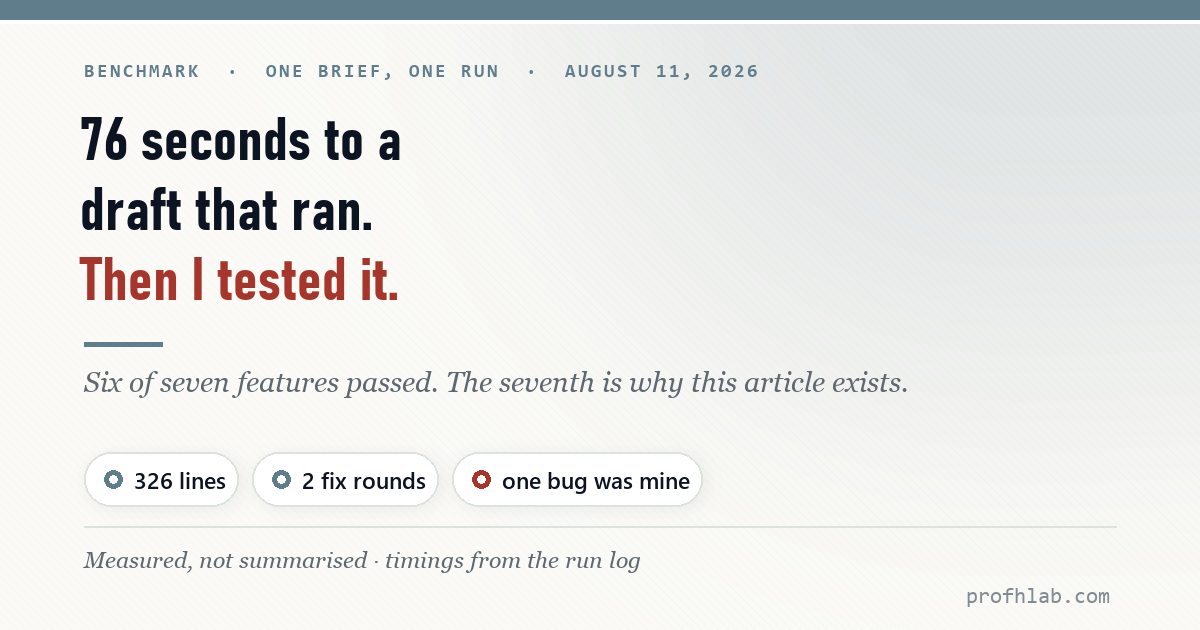
| Brief to first working file | 76 seconds |
| Total elapsed, including test and fixes | 6 minutes 43 seconds |
| Final file | 326 lines, 13 KB — 91 lines CSS, 95 lines JS |
| External requests | 0 (the brief said no CDN; it complied) |
| Accessibility attributes | 18 aria attributes, skip link, lang set |
| Media queries | 3, including prefers-reduced-motion |
| Fix rounds after testing | 2 |
Seventy-six seconds for a first draft that ran is genuinely fast. But a draft that runs is not the same as a draft that works, which is what the test pass was for.
The test pass
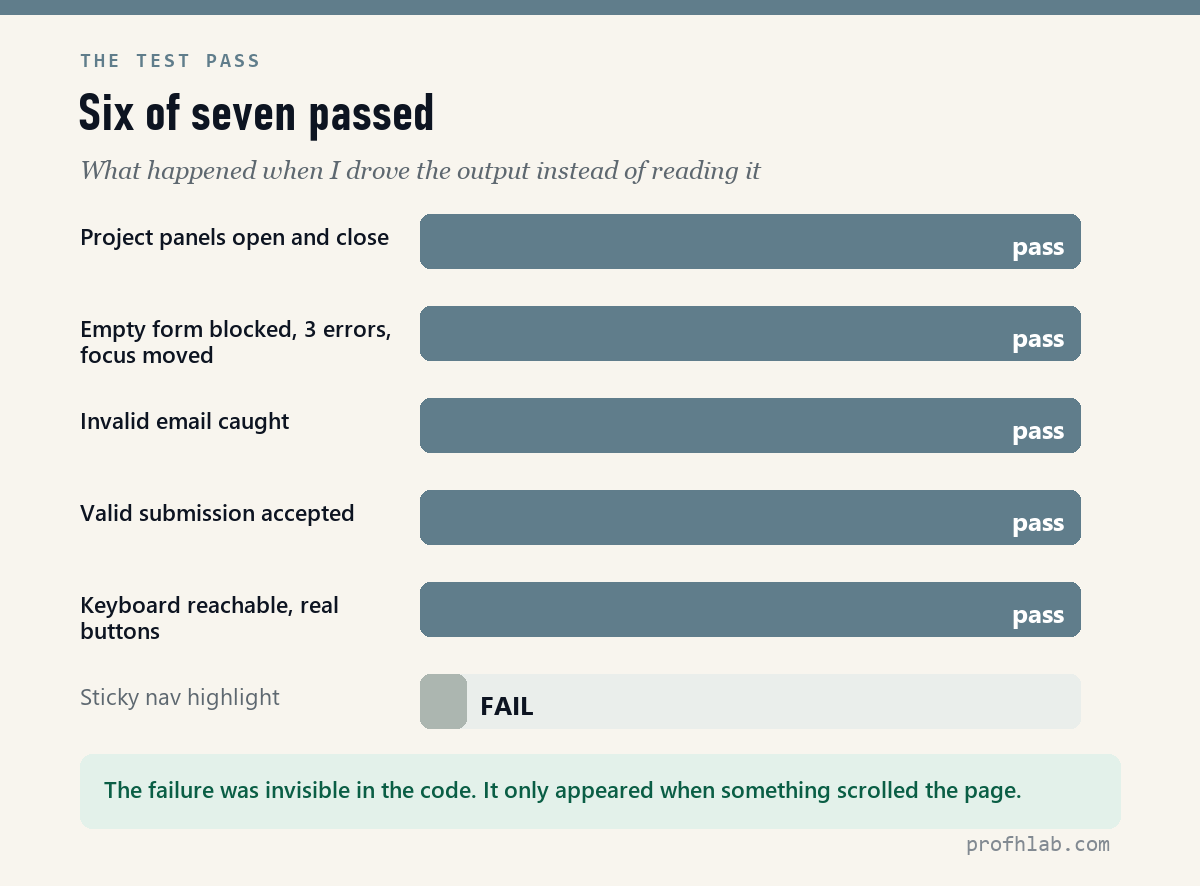
I did not read the code and pronounce it good. I opened it in a browser and drove it.
| Test | Result |
|---|---|
| Click a project card | Opens; aria-expanded flips to true |
| Click it again | Closes correctly |
| Submit the form empty | Blocked; 3 errors shown; focus moved to the first bad field |
Submit with not-an-email | Caught; aria-invalid set on that field only |
| Submit a valid message | Accepted; confirmation appears |
| Keyboard reachability | 12 focusable elements; cards are real <button> elements, not clickable divs |
| Sticky nav highlight | Nothing. No section ever marked active. |
Six of seven passed. The seventh is the reason this article exists.
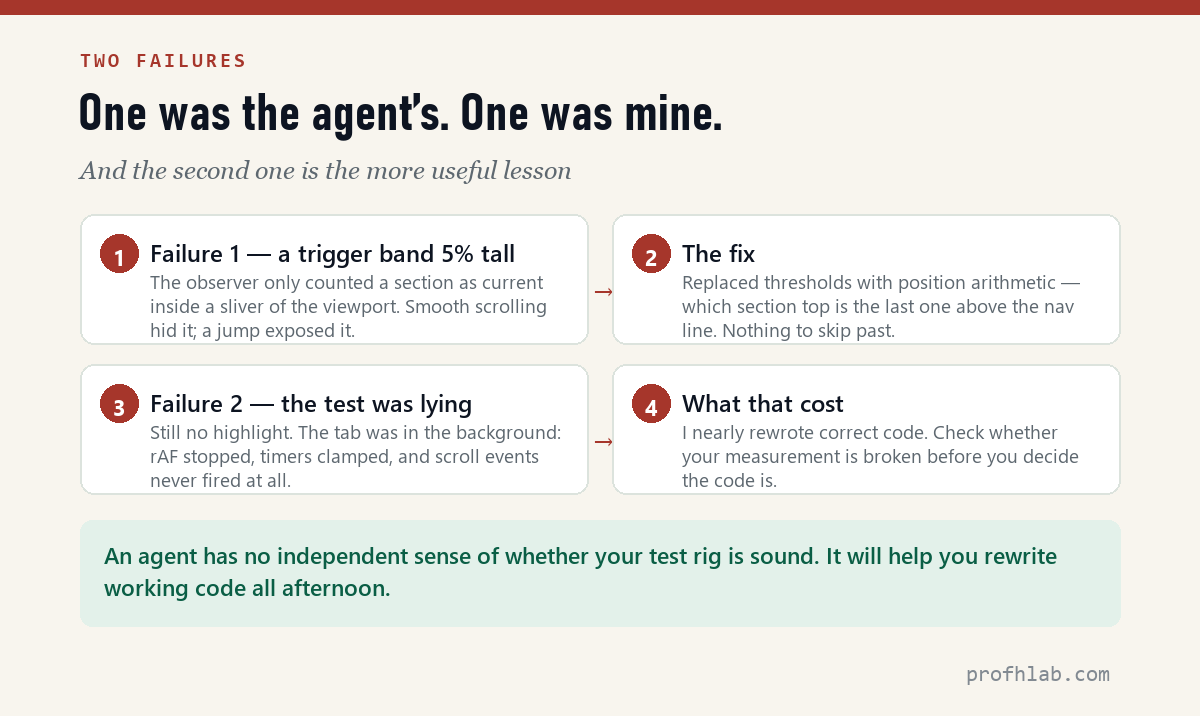
Failure one: a trigger band five percent tall
The first version tracked scroll position with an IntersectionObserver configured like this:
rootMargin: '-45% 0px -50% 0px'
Those two numbers shrink the detection zone to a horizontal band about five percent of the viewport height. A section only counts as “current” while its edge sits inside that sliver. Scroll smoothly and it usually works. Jump — which is exactly what a test script does, and what clicking a nav link does — and the page can land with no section inside the band at all. Nothing gets marked.
I replaced it with position arithmetic: take the scroll offset, add the nav height, and ask which section top is the last one above that line. No band, no threshold, no way to skip past it.
Why this matters beyond one page
This is the most common shape of AI-generated bug I see. The code is not wrong — it is fragile. It works under the conditions the model imagined and fails under the ones it did not. You will not catch this by reading the code, because reading it makes it look correct. You catch it by driving the thing.
Failure two: the test was lying
I made the fix, re-ran the test, and the highlight still did not work. That is the moment where you either start rewriting good code, or stop and ask a different question.
I asked the page what it could see:
visibilityState             : “hidden”
requestAnimationFrame fires : false
scroll events fired         : 0
The browser tab was in the background. In that state Chrome stops requestAnimationFrame entirely, clamps setTimeout to roughly one second, and — the decisive one — does not fire scroll events for programmatic scrolling at all.
So I dispatched the scroll event by hand. At 400 pixels it marked Work. At 1500 pixels it marked Contact. The logic had been correct the entire time.
The lesson worth more than the code
Before you rewrite something that looks broken, check whether your measurement is broken. I nearly replaced working code because the environment I was testing in could not produce the event the code was listening for. An agent will follow you down that path enthusiastically — it has no independent sense of whether the test rig is sound.
I kept one change from that detour: the scroll handler now releases its lock on a timer as well as on the animation frame, so a single scroll in a hidden tab cannot leave it stuck for ever. Real hardening, arrived at for the wrong reason.
Scoring it honestly
| Criterion | Verdict |
|---|---|
| Design & UX (30) | Followed the brief closely — no gradients, no rounded corners, one accent. Restraint held. |
| Functionality (20) | Everything worked after testing. Before testing, one of four features was broken. |
| Content (30) | Wrote plausible project copy unprompted. Fictional, and clearly so — but I had to check it had not invented a real studio. |
| Responsive & accessible (20) | The strongest column: real buttons, skip link, focus-visible, reduced-motion, aria throughout. Better than most human first drafts. |
The accessibility result surprised me. Given a brief that said “must work with keyboard only,” it produced semantic buttons and focus management without further prompting. That is the IAFA effect — the Function box asked for it, so it got built. Leave that box empty and you get clickable divs.
What this says about Antigravity 2.0
Honestly: nothing directly, because I did not run it. What I can tell you is what Google publishes, and what it implies for a task like this one.
- Antigravity 2.0 arrived on May 19, 2026 as a desktop command centre plus a CLI and an SDK, built around running several agents in parallel and spawning subagents to split a job. It is free for individual developers.
- Claude Code works from the terminal, spawns subagents with their own context windows, and gates actions with hooks — PreToolUse being the checkpoint before any tool runs. It comes with Claude Pro at $17/month billed annually, or $20 monthly.
- For a single-file task like this brief, a parallel-agent architecture has nothing to parallelise. Where it should matter is a job with independent parts — migrate twelve files, write tests for eight modules — and that is the benchmark worth running next.
The version note that will age this article
Google ended consumer access to the Gemini CLI and the Gemini Code Assist IDE extensions on June 18, 2026. If a tutorial you are following mentions those, it predates the change. Everything above was verified August 11, 2026 — and in this category, that date is doing real work.
What to take from this
- Seventy-six seconds to a running draft is real. The speed is not marketing.
- One in four features was broken in a way reading would not reveal. The code looked right. It was fragile, not wrong.
- Ask for behaviour explicitly and you get it. “Must work with keyboard only” produced real buttons and focus management. The brief did that work.
- Suspect your test before you suspect the code. My second failure was not the agent’s. It was mine — and the agent would have happily helped me rewrite something that already worked.
That last point is the subject of the next article: how to check work you did not watch being made. 96% of developers do not fully trust AI-generated code and only 48% always review it — and part of the reason is that nobody explains what reviewing it should even look like.
Method: one brief, one run, August 11, 2026. Timings from the run log; code metrics counted from the final file; browser behaviour measured in a scripted test pass. The Antigravity figures come from Google’s published documentation, not from a run of my own — when I run it on the same brief, the result will be added here.
Since I did not install it, here is Google’s own walkthrough (official Antigravity channel, 152K subscribers) rather than my characterisation of it. 1,469,924 views as of 11 August 2026.
Run the same setup
This benchmark was driven with Claude Code on a paid Claude plan. To reproduce it: my referral link starts a one-week Pro trial — card required, and it converts to a paid plan after 7 days unless you cancel, so set a day-5 reminder. The free tier will not run Claude Code, but it covers the chat-based half of this series. Disclosure: this is a referral link — I receive account credit if you subscribe; your price is unchanged.
Which agent is better, what it costs, and how to rerun this test
Antigravity 2.0 vs Claude Code — which is better?
This run cannot tell you, and the reason matters: I drove Claude Code and did not install Antigravity, so the comparison in this article is a table of documented capabilities, not two measured runs. What the measured half does show is the shape of the work — 76 seconds to a draft that opened and ran, then two failures that took longer to diagnose than the build took to produce. Expect that ratio from any agent in this class.
What does Google Antigravity cost?
Check Google’s own pricing page, and trust that over any article including this one. The same warning applies to every tool in this series: a price quoted in a blog post is a price on the day it was written.
How long does an agent take to build a one-page site?
In this run, 76 seconds from brief to a page that opened and worked — and 6 minutes 43 seconds to the version I would show anyone. The gap between those two numbers is the whole job.
How much of the generated code was actually usable?
All 326 lines ran, and six of seven features worked on the first drive-through. That is a good result, and also exactly why verification matters: the feature that failed was invisible in the source and only appeared when the page was really scrolled.
Can I reproduce this benchmark myself?
Yes, and you should rather than trust mine. Use one brief, drive the result in a real browser instead of reading it, and write down the clock at two points — first working draft, and first version you would publish. One data point from your own machine beats ten from someone else’s.
THE AGENTIC AI SERIES
Eleven articles, in order
- 1. Generative AI vs Agentic AI — One writes the answer, the other does the job.
- 2. What Is Vibe Coding, Really? — The shift from worker to conductor.
- 3. The IAFA Prompt Framework — Four boxes between a grey button and a great one.
- 4. Your First Page in Ten Minutes — No install, no account, one file.
- 5. From a File to a Live URL — Three routes, and which ones survive a year.
- 6. An Honest Agent Benchmark — 76 seconds to a draft, then two failures. (you are here)
- 7. Verify Before You Ship — Four passes, with three failures I actually hit.
- 8. The 100-Point Scorecard — Grade your own site before anyone else does.
- 9. Adding a Database — A file cannot remember anything.
- 10. When Vibe Coding Fails — Same tools, same deadline, 17 to 81 points.
- 11. Teaching Vibe Coding — A 15-week course, and what I would change.
Start at the Agentic AI library.
Prof.’s H Newsletter
One short email a month, with the numbers in it
What actually moved in AI hiring, AI prices, and the scams aimed at older Americans. Counted here, dated, and linked to the source. One email a month, and your address goes nowhere else.