Verify Before You Ship: How to Review Work You Did Not Watch Being Made
PART 7 OF 11 · THE VIBE CODING COURSE
New here? Start at Part 1 →
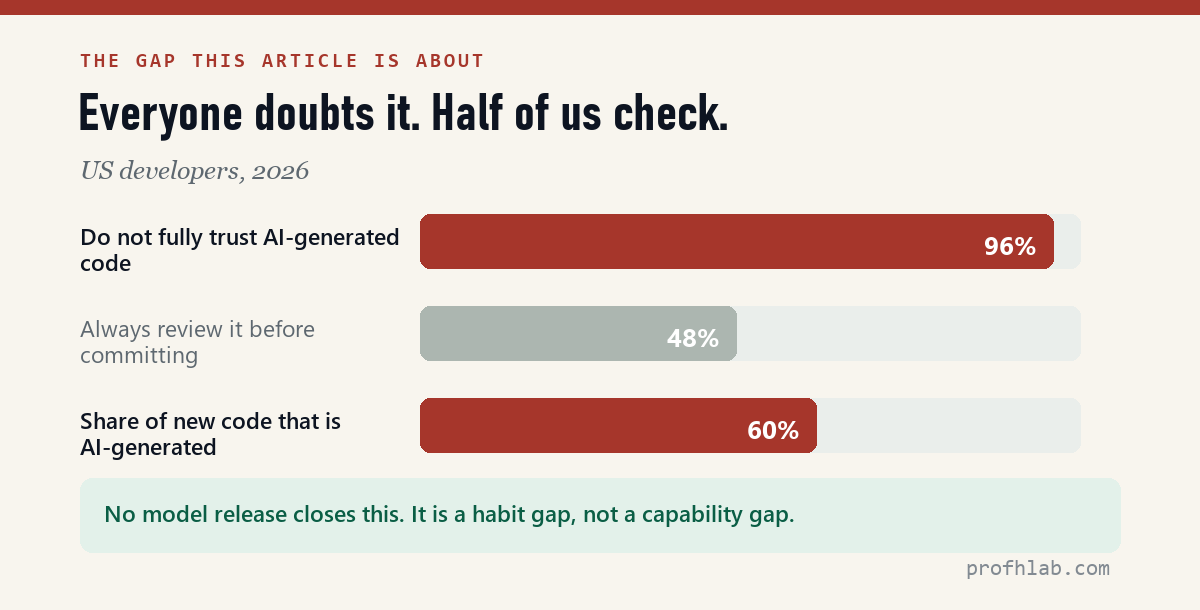
Two numbers, from the same survey of developers in 2026.
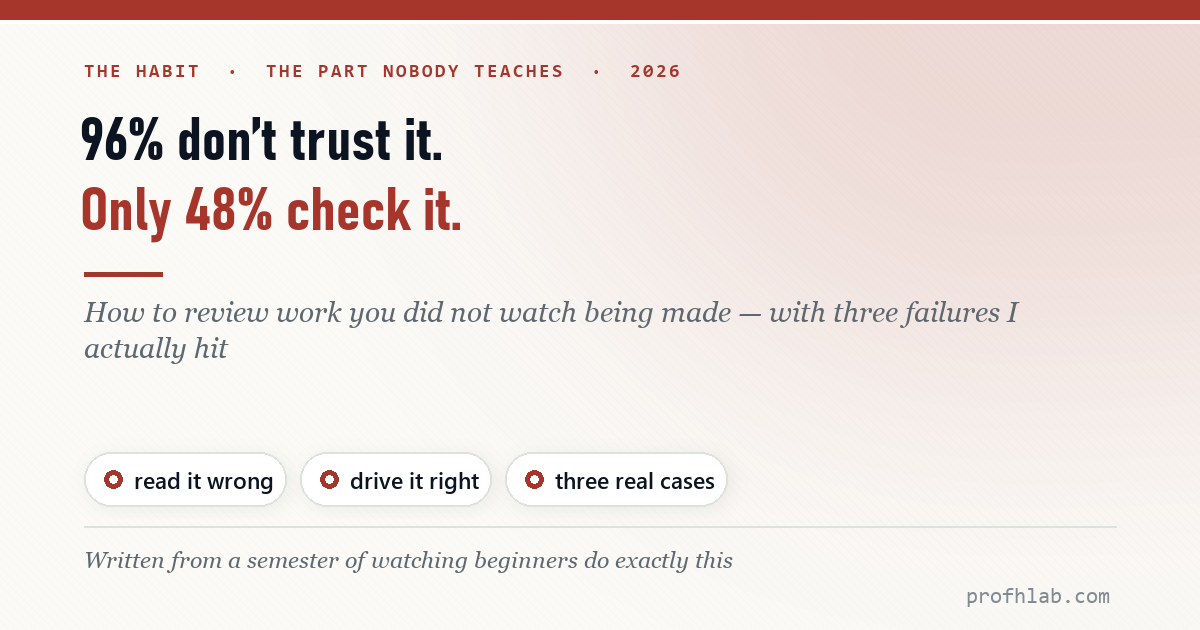
96% say they do not fully trust that AI-generated code is functionally correct. 48% say they always review it before committing.
Nearly everyone doubts it. Fewer than half check. No model release closes that gap, because it is not a capability gap — it is a habit gap, and nobody is teaching the habit.
What this article is
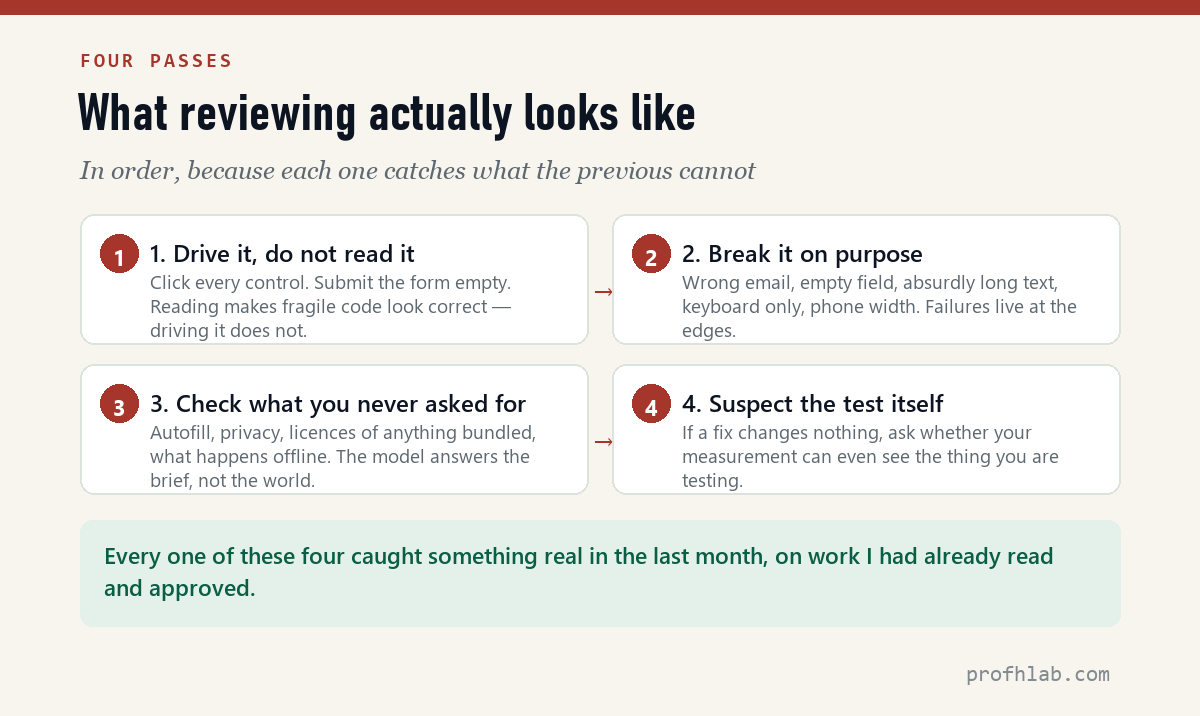
Not “be careful.” A specific procedure, in four passes, each one catching what the previous cannot — with three failures I actually hit in the last month to show what each pass finds. Two of the three were in code I had already read and approved.
Why reading it does not work
The instinct is to read the code. It is the wrong instinct, and it fails in a specific way that is worth naming.
Reading tests whether the code makes sense. It does not test whether the code is right. AI-generated code is unusually good at making sense — it is idiomatic, it is commented, the variable names are sensible. It reads like something a competent person wrote, because in a statistical sense it is.
What reading cannot see is fragility: code that works under the conditions the model imagined and fails under the ones it did not. That failure mode has no smell. It looks exactly like working code.
The four passes
Anthropic’s own review tooling, from the official Claude channel (535K subscribers). Useful — and still not a substitute for pass 1. 335,210 views as of 11 August 2026.
Pass 1 — Drive it, do not read it
Open the thing and use it. Click every control. Type in every field. Follow every link.
This sounds too simple to be a method, which is why it gets skipped. Here is what it caught for me.
Case one: the trigger band five percent tall
I asked an agent for a page with a sticky nav that highlights the current section. It produced clean, commented code using IntersectionObserver with rootMargin: '-45% 0px -50% 0px'.
Those numbers shrink the detection zone to about five percent of the viewport height. Scroll smoothly and it mostly works. Jump — which is what clicking a nav link does — and no section is inside the band, so nothing highlights.
I read that code and thought it was fine. It took ten seconds of actually scrolling to find it. The full run is here.
The pattern generalises: the bugs that survive review are the ones that require motion to see. Hover states, scroll behaviour, focus order, what happens on the second click. None of it is visible in a diff.
Pass 2 — Break it on purpose
Now stop being a well-behaved user. The goal is to reach the states the model never imagined.
- Submit every form empty. Then with one field filled. Then with an email like
not-an-email. - Paste something absurd. Two thousand characters into a field meant for twenty.
- Put the mouse away. Tab through the whole page. Can you reach every control? Can you see where you are?
- Make the window narrow. Not “check responsive” — drag it to 320 pixels and watch what breaks.
- Do it twice. Submit the form, then submit it again. Open the panel, close it, open it again.
Each of these takes seconds and each targets a different assumption. The empty-form test alone catches more real defects than any amount of code reading, because validation is exactly the kind of thing that gets written to satisfy the happy path.
Pass 3 — Check what you never asked for
The model answers your brief. It does not answer the world your page has to live in. This pass is about the gap between those two things, and it is where the genuinely embarrassing failures hide.
Case two: the form that filled itself in
A student project had a message board: a name field, then a password field for deleting your own post. Ordinary, working, tested.
Then someone opened it and the browser filled in their email address and saved password automatically. Chrome saw a text field followed by a password field, concluded it was a login form, and helpfully offered the visitor’s own credentials.
Nothing in the code was wrong.
Nobody asked for autofill behaviour, so nobody specified it, so the browser decided. The fix was three attributes — autocomplete="off" on the form and autocomplete="new-password" on the password field.
No amount of code review finds this. It is not in the code. It is in what the browser does with the code.
So the third pass asks a different question: not “did it do what I asked” but “what did it decide on my behalf?”
- Autofill and autocomplete. Open the page in a fresh profile and see what the browser offers to fill in.
- Anything it bundled. Fonts, icons, libraries pulled from a CDN — each is a licence and an external dependency you did not choose.
- Images and content it invented. If it wrote sample copy, check that it did not invent a real company, a real person, or a real quote.
- What leaves the page. A form that posts somewhere, an analytics snippet, a font request. Anything that phones home.
- What happens with no network. Turn it off and reload. A page that dies without a CDN is a page that dies when that CDN does.
Pass 4 — Suspect the test itself
This one is last because you only need it when something looks broken and you cannot find why.
Case three: I nearly rewrote correct code
After fixing the sticky-nav bug from case one, I re-ran my test. Still broken. My instinct was that the fix was wrong, so I started planning a second rewrite.
Instead I asked the page what it could see:visibilityState : “hidden”requestAnimationFrame fires : falsescroll events fired : 0
The browser tab was in the background.
Chrome stops animation frames there, clamps timers, and does not fire scroll events for programmatic scrolling at all. My test was scrolling a page that could not notice it was being scrolled.
I dispatched the event by hand: 400 pixels marked Work, 1500 marked Contact. The code had been correct since the fix.
The lesson is not about scroll events. It is this: an agent has no independent sense of whether your test rig is sound. Tell it the code is broken and it will agree with you and start rewriting. Enthusiastically. For as long as you let it.
So when a fix changes nothing, the next question is not “what else is wrong with the code.” It is “can my test actually observe the thing I am testing?”
The five-minute version
If you do nothing else, do this before anything goes public.
1. Click every control. Twice.
2. Submit every form empty, then with junk.
3. Tab through the page with no mouse.
4. Drag the window to phone width.
5. Open it in a fresh browser profile and watch what autofills.
6. Turn off the network and reload.
Six lines, five minutes, and it would have caught all three cases above.
What to do when you find something
Describe the symptom, not the fix. “The nav highlight never activates when I click a link” gets you a diagnosis. “Change the rootMargin” gets you exactly that change and nothing else — including when your diagnosis is wrong.
And when it proposes a fix, ask the question that separates a conductor from a typist: “What else does this change?”
Chris Raroque (96.7K subscribers) on the security half of pass 3. 180,638 views as of 11 August 2026.
Can the AI check itself, and how much review is enough?
Should I just get the AI to review its own output?
It helps, and it is not sufficient. It shares the blind spots that produced the code — it will not notice that a browser behaviour it never considered is about to fill your form with a stranger’s email. Use it as a second pair of eyes, not as the only pair.
Is this not just testing?
Yes. That is rather the point. The novelty is not the technique; it is that a generation of people are shipping software without ever having been told this step exists.
How much review is enough?
Proportional to what breaks if it is wrong. A personal page: five minutes. Something that takes a payment or holds someone’s data: considerably more, and probably not from you alone.
Does this slow everything down?
The benchmark run took 76 seconds to build and about five minutes to verify. That ratio is the actual cost of the method, and it is cheap.
Are there tools that check AI-generated code for me?
Linters, type checkers and test runners all help, and you should use them. None of them would have caught any of the three failures in this article. A linter cannot tell you that a scroll trigger band is five percent tall, that a browser will read two of your form fields as a login form, or that your test is running in a tab where the timers are asleep. Automated tools check whether code is well-formed. Only driving it checks whether it does the thing.
The one line
An agent that can act needs a human who can check. Everything else in this library is downstream of that sentence — and the 48% figure says most people have not started.
Sources: 2026 developer-trust survey figures as published; the three cases are from my own work in July and August 2026 — the benchmark run, a student project reviewed for republication, and the debugging session that followed the first.
THE AGENTIC AI SERIES
Eleven articles, in order
- 1. Generative AI vs Agentic AI — One writes the answer, the other does the job.
- 2. What Is Vibe Coding, Really? — The shift from worker to conductor.
- 3. The IAFA Prompt Framework — Four boxes between a grey button and a great one.
- 4. Your First Page in Ten Minutes — No install, no account, one file.
- 5. From a File to a Live URL — Three routes, and which ones survive a year.
- 6. An Honest Agent Benchmark — 76 seconds to a draft, then two failures.
- 7. Verify Before You Ship — Four passes, with three failures I actually hit. (you are here)
- 8. The 100-Point Scorecard — Grade your own site before anyone else does.
- 9. Adding a Database — A file cannot remember anything.
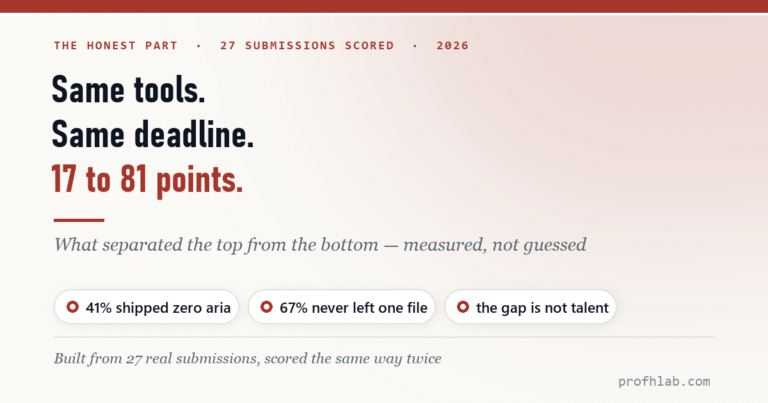
- 10. When Vibe Coding Fails — Same tools, same deadline, 17 to 81 points.
- 11. Teaching Vibe Coding — A 15-week course, and what I would change.
Start at the Agentic AI library.
Prof.’s H Newsletter
One short email a month, with the numbers in it
What actually moved in AI hiring, AI prices, and the scams aimed at older Americans. Counted here, dated, and linked to the source. One email a month, and your address goes nowhere else.