ChatGPT for Excel: Formulas in Plain English (Copy-Paste Prompts)
By the end of this guide you’ll get Excel to do the thing you’ve been doing by hand — totals with conditions, lookups, cleaning up names — by describing it in plain English. No formula memorized, ever again.
Why trust this: I’m a professor of AI and robotics and a former Samsung researcher. I’ve watched people fight Excel for twenty years — and this is the first tool that meets them in their own language.
The old way: search “how to sum with condition,” open four tabs, find a formula for someone else’s spreadsheet, adapt it wrong. The new way is one sentence long.
I share one practical AI win like this every month — free, in one short email. Unsubscribe anytime.
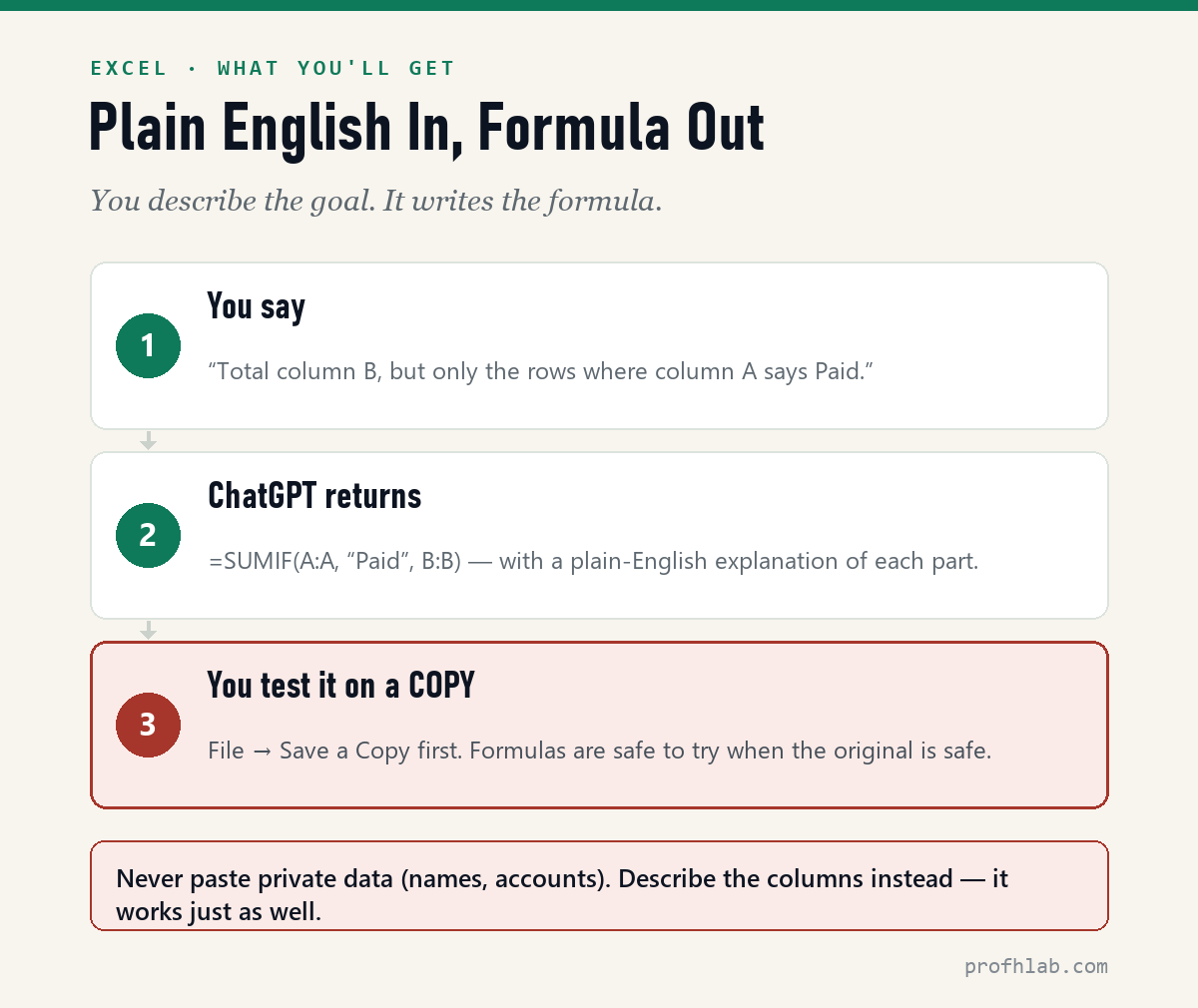
What you’ll get (a real example)
The master prompt
I have an Excel sheet. Column A has [what's in it, e.g., payment status like "Paid" or "Due"]. Column B has [e.g., dollar amounts]. I want to [the goal, e.g., total column B, but only the rows where column A says "Paid"]. Give me the exact formula, tell me which cell to put it in, and explain each part in plain English.
The last sentence matters most: “explain each part in plain English” means you learn a little every time, instead of pasting mysteries into your file.
Five requests people actually make
Combine first names in column A and last names in column B into "Last, First" in column C.
Highlight every row where the date in column D is more than 30 days ago. Tell me where to click for conditional formatting, step by step.
Find duplicates in column A and mark them in column E.
My VLOOKUP shows #N/A. Here is the formula: [paste it]. Explain what's wrong in plain English and give me the fixed version.
I get paid monthly and these are my expense categories: [list]. Build me a simple budget sheet layout with formulas for totals and what's left.
If you learn better by watching: Kevin Stratvert (4.39M subscribers, a former Microsoft program manager) walks through exactly this workflow. 3,473,825 views as of 13 August 2026.
The one safety rule
⚠️ Describe your data — don’t paste it. Formulas don’t need your real names, accounts, or amounts: “column A has customer names” works exactly as well as the names themselves. And before you try any new formula: File → Save a Copy. Formulas are completely safe to experiment with when the original is safe.
No jargon, no add-in, and no private data pasted in
Can ChatGPT write Excel formulas?
Yes — describe the goal in plain English (“total column B where column A says Paid”) and it returns the formula, where to put it, and what each part does.
Do I need to know Excel terms to ask?
No. Describe columns by what’s in them — “the column with the dates” — and ask for plain-English explanations. It meets you where you are.
Is it safe to paste my spreadsheet into ChatGPT?
Don’t paste private data. Describe the columns, or swap in made-up examples — the formula comes out the same. And always test on a copy of the file.
Do I need an Excel add-in or plugin?
No. Everything in this guide works in a plain ChatGPT browser tab: describe the job, copy the formula, paste it into Excel yourself. Add-ins like Copilot in Excel exist as part of a Microsoft 365 subscription, but for formulas the free chat window is enough.
Is using ChatGPT for Excel free?
For this use, yes. The free ChatGPT tier answers formula questions (with daily limits), and nothing needs to be installed or purchased. Paid tiers just raise the limits.
Excel didn’t get easier, but asking for a formula did
Excel didn’t get easier — asking did. Describe the job in your own words, ask for the plain-English explanation, and test on a copy. The spreadsheet that’s been beating you loses in one sentence.
One practical AI win a month, no hype — join the Lab Report. Unsubscribe anytime.
Past spreadsheets: trips, doctor visits and letters in plain English
- How to Use ChatGPT, for Beginners Over 50 — the gentle five-step start, if this was your first prompt ever.
- How to Plan a Trip with ChatGPT — five prompts to a relaxed, day-by-day itinerary.
- Prep for a Doctor Visit with ChatGPT — organize your symptoms and questions onto one printed page.
- Have ChatGPT Write the Letter — complaints, condolences, and the Medicare appeal, with the three-blank prompt.
About the author
Prof. H is a professor of AI and robotics, a former Samsung researcher, and the author of dozens of textbooks on AI and automation. He writes hands-on, no-hype guides to AI tools. More about the author →
Prof.’s H Newsletter
One short email a month, with the numbers in it
What actually moved in AI hiring, AI prices, and the scams aimed at older Americans. Counted here, dated, and linked to the source. One email a month, and your address goes nowhere else.