How to Plan a Trip with ChatGPT: A Relaxed, 50+ Friendly Walkthrough
By the end of this guide you’ll have a day-by-day itinerary for a real trip — paced the way you actually like to travel, with lunch spots near each stop and a backup plan for rain — built with five prompts and zero guidebook overwhelm.
Why trust this: I’m a professor of AI and robotics and a former Samsung researcher — and a traveler who plans real trips this way. On the Fodor’s travel forum, longtime travelers describe trying ChatGPT for trip planning and finding it, in their word, “amazing.” They’re right, with one honest caveat we’ll get to.
I share one practical AI project a month — free, one short email. Unsubscribe anytime.
The 5 prompts at a glance
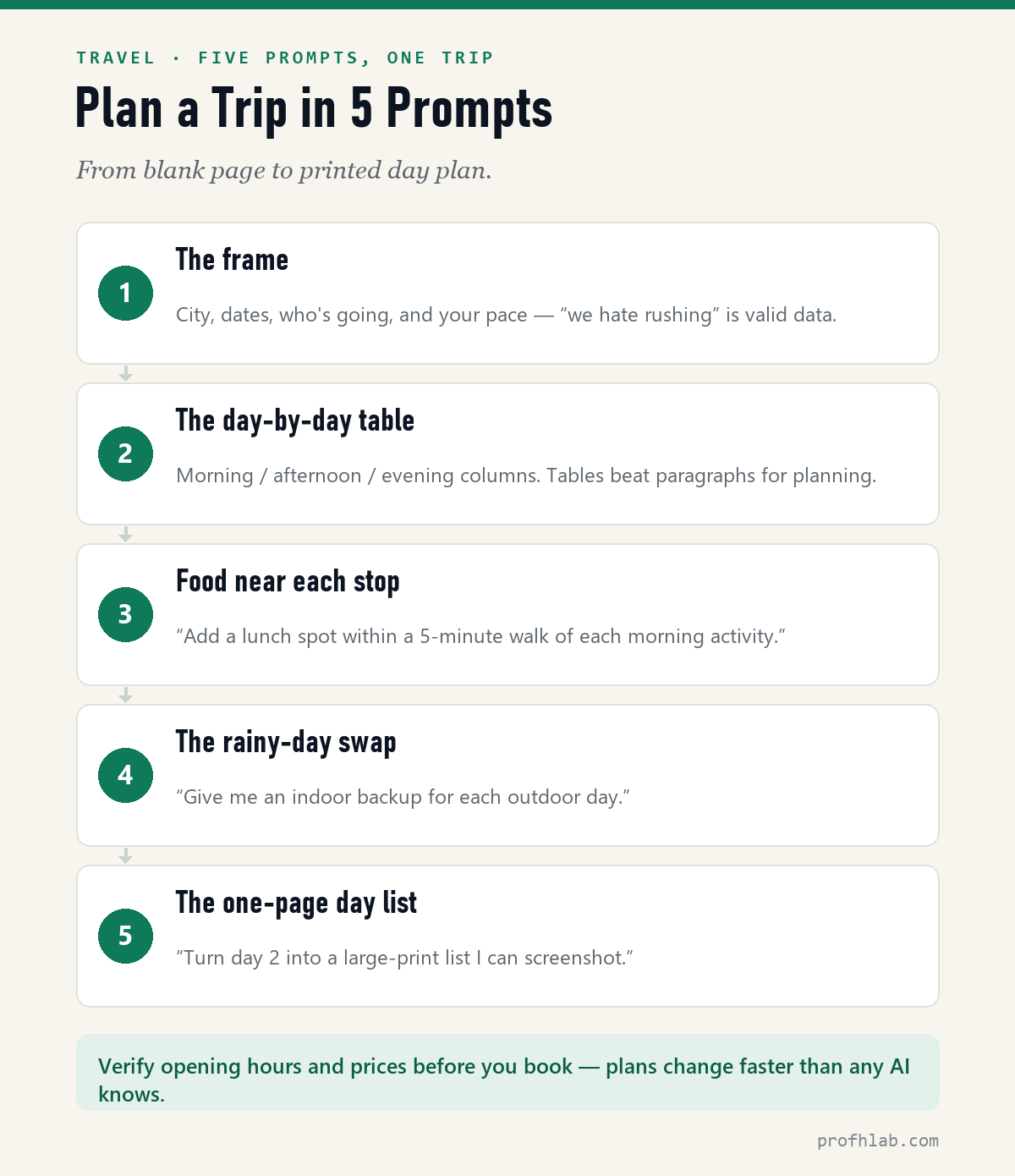
Prompt 1 — The frame (tell it how you actually travel)
We're planning [4 days] in [Savannah] in [late October], two adults who love [history and good food] and hate rushing. We prefer [walking short distances / a rental car], and we like a slow morning. Suggest the right neighborhoods to base ourselves in, and ask me anything you need to know before planning.
“We hate rushing” and “slow mornings” are real data — this is how you get a trip that fits you instead of a checklist sprint. And notice the ending: inviting it to ask questions makes the plan noticeably better.
Prompt 2 — The day-by-day table
Now build the full itinerary as a table: one row per day, with Morning / Lunch / Afternoon / Evening columns. Keep walking modest, cluster nearby sights on the same day, and leave one afternoon completely free.
Prompt 3 — Food near each stop
Add a lunch spot and a dinner option within a short walk of each day's activities — local places over chains, and note which ones need a reservation.
Prompt 4 — The rainy-day swap
Give me an indoor backup for each outdoor day, so a rainy morning doesn't sink the plan.
Prompt 5 — The one-page day list
Turn day 2 into a simple large-print list I can screenshot: times, places, addresses, and the lunch reservation. No paragraphs.
That screenshot on your phone is the whole trip in your pocket — no juggling tabs on the sidewalk.
The same five-prompt rhythm, on camera: The Travel Coaches (75.7K subscribers) plan a real trip step by step. 24,092 views as of 13 August 2026.
The one honest warning
⚠️ Verify before you book. AI’s knowledge of hours, prices, and closures can lag reality — a museum’s Monday closure or a moved ferry time is exactly the detail that stings. Before you commit: check official sites for the few things that matter, or tell ChatGPT to “search the web for current opening hours before answering.” Plans change faster than any AI knows — five minutes of checking protects four days of vacation.
Should ChatGPT book the trip, and are its prices current?
Can ChatGPT plan an entire trip?
Yes — frame, itinerary table, food, backups, and a pocket day list. The five prompts above take you from blank page to printable plan.
Is the travel information up to date?
Mostly, but never book on AI’s word alone: verify hours and prices on official sites, and ask it to search the web when current details matter.
Can ChatGPT book the flights and hotels for me?
Treat it as the planner, not the booking desk. Even where newer “agent” features exist, book big-ticket items yourself on the airline or hotel site — that’s where you see the real final price and the cancellation terms.
Should I use ChatGPT or Gemini for trip planning?
Either. If your life runs on Gmail and Google Maps, Gemini fits naturally; otherwise ChatGPT’s tables and follow-ups are excellent. (Full comparison: ChatGPT vs Claude vs Gemini.)
Five prompts and one double-check replace forty open tabs
Trip planning used to mean forty open tabs and a headache. Now it’s five prompts, one honest double-check, and a screenshot in your pocket. The trip is still yours — you just fired the travel agent who kept losing your notes.
More projects like this, monthly — join the Lab Report. Unsubscribe anytime.
Bring back the trip photos and build the budget spreadsheet
- How to Use ChatGPT, for Beginners Over 50 — the gentle five-step start.
- Restore Old Family Photos with AI — bring the trip photos (and the older ones) back to life.
- ChatGPT for Excel — the trip budget spreadsheet, without memorizing a formula.
- Prep for a Doctor Visit with ChatGPT — the same organize-first trick, for health.
About the author
Prof. H is a professor of AI and robotics, a former Samsung researcher, and the author of dozens of textbooks on AI and automation. He writes hands-on, no-hype guides to AI tools. More about the author →
Prof.’s H Newsletter
One short email a month, with the numbers in it
What actually moved in AI hiring, AI prices, and the scams aimed at older Americans. Counted here, dated, and linked to the source. One email a month, and your address goes nowhere else.