How to Use ChatGPT to Write a Memoir: 5 Steps, 3 Privacy Switches and 1 Copyright Catch
To use ChatGPT to write a memoir, let it interview you and sort your notes, then write the sentences yourself: on October 12, 2026 we read 10 official pages, and the U.S. Copyright Office rule from January 29, 2025 still says prompts alone do not earn copyright. Before you share a single family story, set 3 privacy switches in Settings, under Data controls.
That is the short answer. Below are the 5 steps in order, the 3 switches, what OpenAI, the Copyright Office and Amazon each say about who owns the words, and how to save a copy you control.
What we checked on October 12, 2026
We read 10 official pages: 6 OpenAI help articles (data controls, how data trains models, projects, data export, Voice, and Dictation), OpenAI’s Terms of Use, 2 U.S. Copyright Office pages, and Amazon KDP’s Content Guidelines. OpenAI’s help center shows only relative dates such as “Updated: 14 days ago,” so the dates below are the day we read each page.
We did not write a memoir in a ChatGPT account for this article, so every menu name is quoted from OpenAI’s pages, not tested by us. The count of 3 switches and 3 catches is our own tally from those pages. This is not legal advice; for a book contract, ask a publishing attorney.
Written and checked by Prof. H. An AI assistant helped draft this article and ran the page reads; every quote was read on the source’s own page on the date shown.
How do I use ChatGPT to write a memoir, step by step?
The plan that fits all 10 pages we read on October 12, 2026 has 5 steps: set the privacy switches, make a project, let ChatGPT interview you, write the sentences yourself, and export a backup.
Think of ChatGPT as a patient grandchild with a notebook. It asks good questions and keeps your notes in order. It should not hold the pen for the parts that matter.
- Set 3 privacy switches first. Open Settings, then Data controls. The switches are in the next section.
- Make one project called “My memoir.” OpenAI’s page says: “Select New project in the sidebar.” Projects keep chats, files and instructions together, so ChatGPT remembers which aunt is which.
- Let it interview you. In the project settings, add an instruction such as: ask me one question at a time about my life, and do not rewrite my answers unless I ask.
- Write the sentences yourself. Use ChatGPT to suggest an order for chapters, spot gaps, and fix grammar. Keep your own words as the text.
- Check every fact and save a copy. Names, dates and places come from you and your family records, not from ChatGPT.
Step 4 matters most. It is the line between “AI-assisted” and “AI-generated,” and both the Copyright Office and Amazon draw that line, as shown further down.
Which 3 privacy switches should I set before sharing family stories?
The 3 settings are Improve the model for everyone, Include your audio recordings, and Temporary chat, as described on OpenAI’s “Data controls in ChatGPT” and “Voice Dictation” help pages, read October 12, 2026.
Improve the model for everyone. OpenAI says that when it is off, “your new conversations won’t be used to train OpenAI models.” Your chats still stay in your history. OpenAI’s page tells personal users to opt out by turning it off; it does not print the word “default.” Our reading, an inference, is that it stays on until you change it.
Include your audio recordings. If you talk instead of type, this switch covers your voice. OpenAI’s Dictation page says turning it off, or turning off the first switch, will “stop sharing all audio across dictation and voice chat.”
Temporary chat. OpenAI says these chats do not appear in history, do not create memories, are not used to train models, and “may be retained for up to 30 days for safety purposes.” Use one to test a sensitive story. Do not use it for drafts you want to keep.
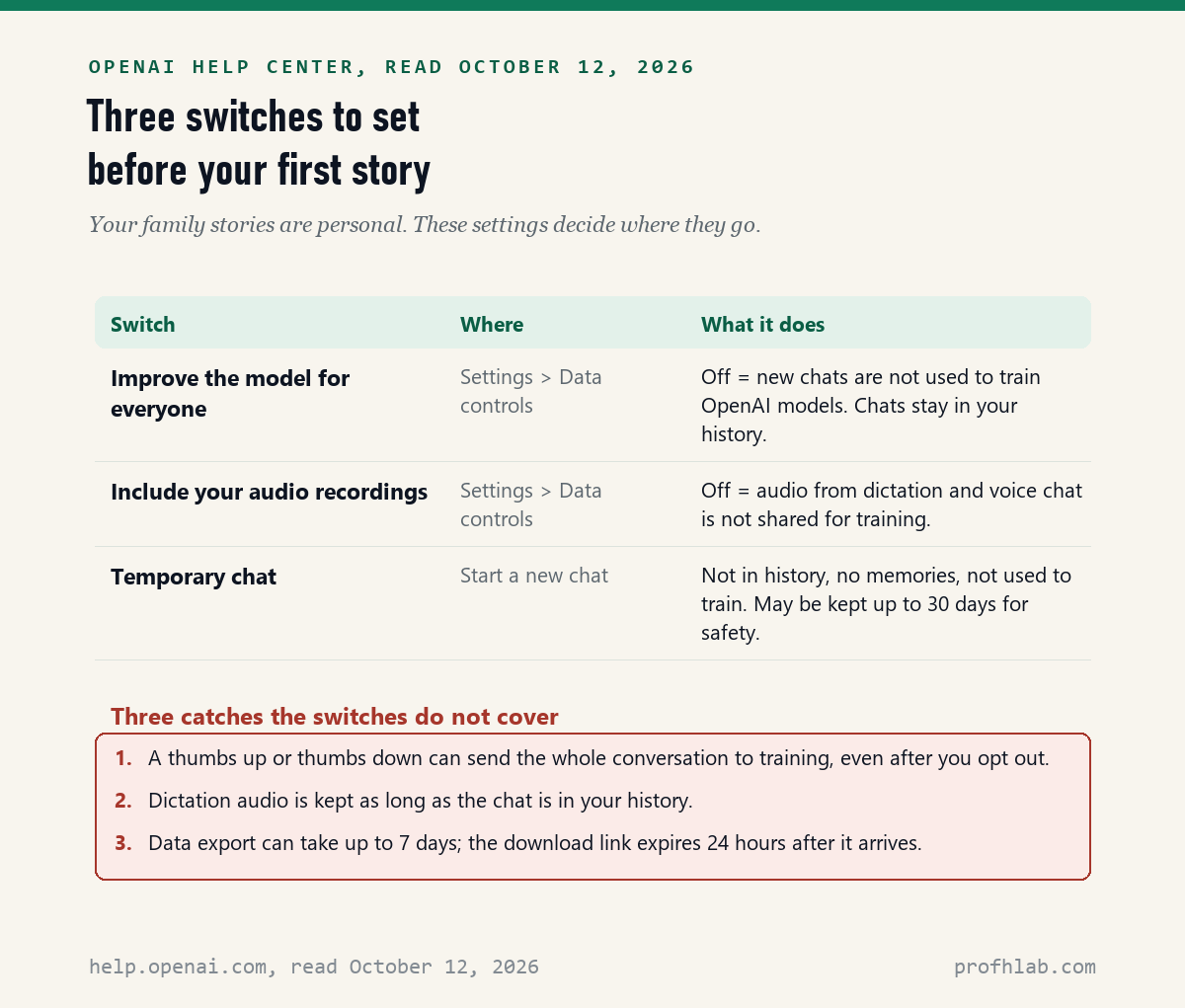
Three catches sit outside those switches. A thumbs up or thumbs down means “the entire conversation associated with that feedback may be used to train OpenAI models,” even after you opt out. Dictation audio is kept “for as long as the chat is part of your chat history.” And an export can take days, which the last section explains.
Your memoir also holds other people’s lives. Before you type a sibling’s health history or a parent’s Social Security number, read what is safe to tell ChatGPT and whether to upload medical records.
Can ChatGPT interview me out loud so I do not have to type?
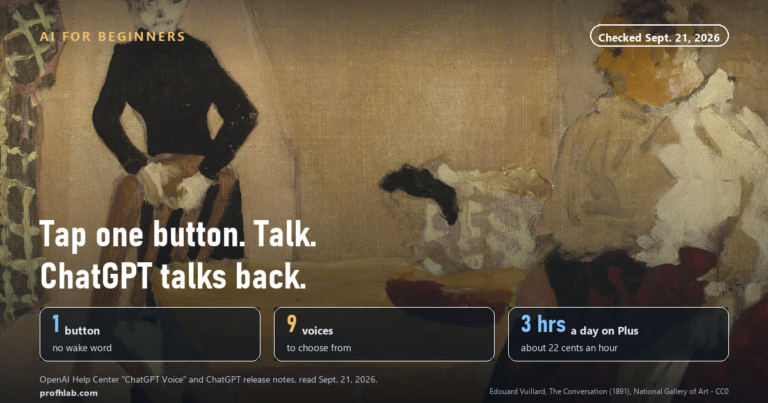
Yes: OpenAI’s “ChatGPT Voice” help page, read October 12, 2026, says Voice lets you “speak with ChatGPT and hear a spoken response,” and Free accounts get “Limited access to GPT-Live-1 mini.”
There are two ways to talk. Voice is a back-and-forth conversation; tap the Voice icon in the message bar and start speaking. Dictation is the microphone icon; OpenAI says your recording is transcribed and returned “as text, which you can edit before sending.” For a memoir, Dictation is the gentler tool, because you see your own words before ChatGPT answers.
How long can you talk? OpenAI lists Plus at 3 hours with GPT-Live-1 per rolling 24-hour period, and says Free limits “may change.” We did not time a Free account. For more on speaking to ChatGPT, see how to talk to ChatGPT and have it talk back.
A shared project lets relatives add memories too. OpenAI’s “Projects in ChatGPT” page lists Free at “up to 5 files and 5 collaborators,” and Plus and Go at 25 files and 10 collaborators. Invited family members can get chat access or edit access. If old photos are part of the plan, read how to restore old photos with AI and how to use ChatGPT for genealogy research.
Who owns a memoir written with ChatGPT, and can I copyright it?
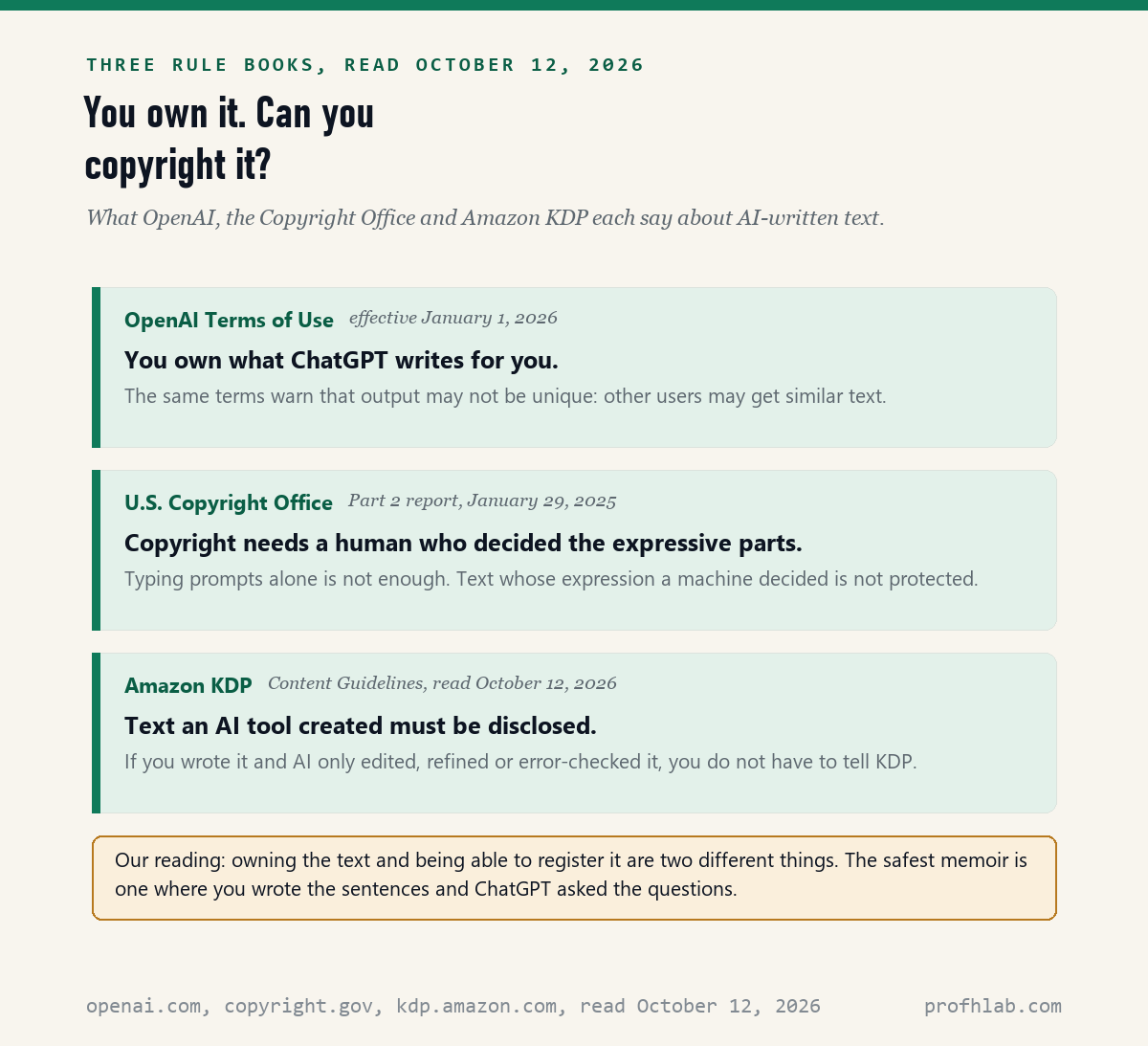
You own the text under OpenAI’s Terms of Use, effective January 1, 2026, but the U.S. Copyright Office said on January 29, 2025 that copyright covers AI output “only where a human author has determined sufficient expressive elements.”
Here is the gap most guides skip. OpenAI’s terms say you “retain your ownership rights in Input” and “own the Output.” The same terms warn that “output may not be unique and other users may receive similar output.” Owning text and being able to register it are two different things.
The Copyright Office’s Part 2 report says protection does not come from “the mere provision of prompts.” It also says “the use of AI to assist in the process of creation” does not bar copyright. In plain words: your stories, typed or spoken in your words, are yours. Paragraphs ChatGPT wrote from a one-line request are on weaker ground.
Most family memoirs are never registered or sold, and that is fine. The rule still shapes a good habit: keep a file of your own drafts with dates, so you can show which words came from you. If a publisher is involved, ask them and a lawyer, not ChatGPT.
Do I have to tell Amazon if ChatGPT helped with my memoir?
Only if ChatGPT created the text: Amazon KDP’s Content Guidelines, read October 12, 2026, define AI-generated content as “text, images, or translations created by an AI-based tool” and require you to disclose it.
If you wrote it yourself and used AI to “edit, refine, error-check, or otherwise improve that content,” KDP calls that AI-assisted. For that, the page says: “It is not necessary to inform us of the use of such tools or processes.” The KDP page carries no publication date, so we cite the day we read it.
So the 5 steps above keep you in the simpler group. ChatGPT asks, sorts and corrects. You write. If you later print copies for the family through any self-publishing service, read that service’s own AI rule first; we read only Amazon’s on October 12, 2026.
How do I get my memoir out of ChatGPT and keep a safe copy?
Request an export from Settings, then Data controls, then Export: OpenAI’s export help page, read October 12, 2026, says it works on Free, Go, Plus and Pro, “can take up to 7 days,” and the link “expires 24 hours after you receive it.”
- Open Settings and select Data controls.
- Under Export data, select Export, then Confirm export.
- Watch your email or text messages for the link, and download the ZIP file within 24 hours.
- Open the ZIP and check that your memoir chats are inside. OpenAI says an export “cannot restore chats that have already been deleted.”
The simpler habit is better: paste each finished chapter into your own document as you go, and keep two copies, one on your computer and one on a USB drive or printed out. ChatGPT is a workroom, not a safe. OpenAI’s Voice page puts it plainly: “ChatGPT can make mistakes. Check important information.”
A 50-plus creator’s walkthrough and a novelist’s memoir lesson
What else do people ask about ChatGPT and a life story?
Can ChatGPT help me write my memoir?
Yes. It can interview you, suggest a chapter order and fix grammar. On October 12, 2026, the Copyright Office and Amazon KDP rules we read both favor a memoir where you write the sentences and ChatGPT only assists.
Can AI write my life story?
It can produce text, but only from what you tell it, and it can make mistakes. The U.S. Copyright Office said on January 29, 2025 that prompts alone do not earn copyright, so a life story written mostly by AI is on weaker legal ground.
How do I use AI to write an autobiography?
Use the same 5 steps: set the 3 privacy switches, make a project, let ChatGPT interview you by voice or dictation, write the sentences yourself, and export a backup. An autobiography and a memoir follow the same rules on the pages we read.
Can I copyright a memoir I wrote with ChatGPT?
The parts you wrote, yes. The Copyright Office says AI assistance does not bar copyright, but text whose expressive elements a machine decided is not protected. For registration or a book deal, ask a lawyer.
Is ChatGPT free for writing a memoir?
The core tools work on Free. OpenAI lists projects for signed-in users, shared projects on Free with up to 5 files and 5 collaborators, limited Voice, and data export. Plus adds 3 hours of Voice per rolling 24 hours.
What other family writing can ChatGPT help with?
If the memoir leads to other writing, see how to use AI to write a eulogy, letters and emails with ChatGPT, and whether you can use AI to write a will. For family history, try AI photos with grandparents or getting ChatGPT to read a PDF of old letters.
For safety, set up a family safe word, read AI scams aimed at seniors, and see how to turn off ChatGPT ads. If grandchildren use ChatGPT too, read ChatGPT parental controls.
New here? Start at Start Here, try ChatGPT for the first time after 50, see the AI tools we rate for seniors, or browse the Generative AI library. If writing turns into work, our AI Jobs Tracker and AI jobs for people over 50 count real openings. Questions go to the Ask page; our counting rules are at How We Count.
Which 10 pages did we read for this memoir guide?
- OpenAI Help Center, Data controls in ChatGPT and How your data is used to improve model performance. Shown as updated 14 days before our read; read October 12, 2026.
- OpenAI Help Center, Projects in ChatGPT. Shown as updated 22 days before our read; read October 12, 2026.
- OpenAI Help Center, Exporting your ChatGPT history and data and Voice Dictation – FAQ. Shown as updated 2 months before our read; read October 12, 2026.
- OpenAI Help Center, ChatGPT Voice. Shown as updated 17 days before our read; read October 12, 2026.
- OpenAI, Terms of Use, effective January 1, 2026. Read October 12, 2026.
- U.S. Copyright Office, Copyright and Artificial Intelligence report page and NewsNet Issue 1060 on the Part 2 report, January 29, 2025. Read October 12, 2026.
- Amazon KDP, Content Guidelines, AI-generated content section. No page date shown; read October 12, 2026.
- Not read: the Copyright Office’s 2023 registration guidance in the Federal Register, which blocked our reader on October 12, 2026. We quote nothing from it.
OpenAI changes ChatGPT menus often. This page reports what the pages above said on the date shown; we are not paid by OpenAI, Amazon or any company named here, and this page has no affiliate links. Corrections and questions go to the Ask page.
Prof.’s H Newsletter
One short email a month, with the numbers in it
What actually moved in AI hiring, AI prices, and the scams aimed at older Americans. Counted here, dated, and linked to the source. One email a month, and your address goes nowhere else.