How to Talk to ChatGPT and Have It Talk Back: The New Voice, Step by Step
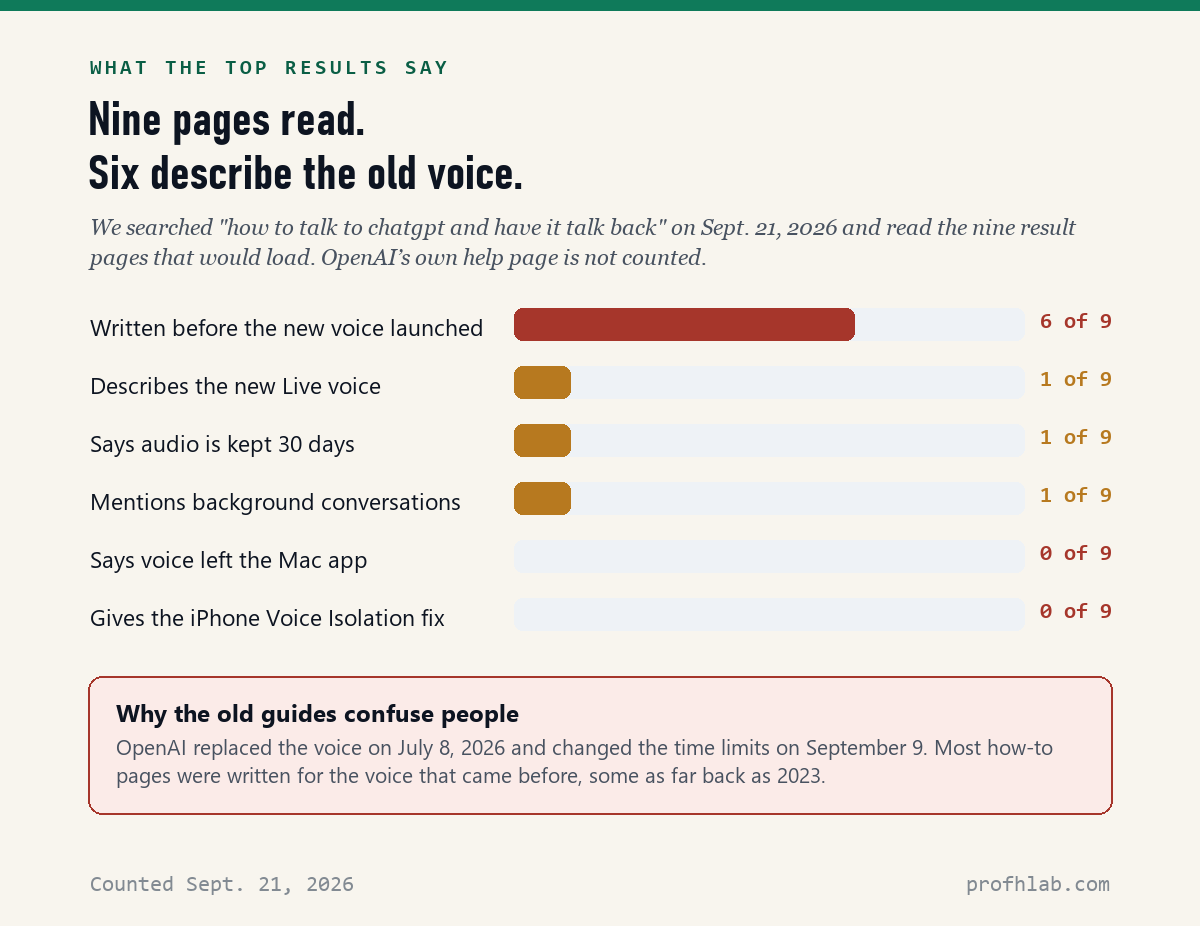
To talk to ChatGPT and have it talk back, open the ChatGPT app (or chatgpt.com on a computer), tap the Voice icon at the right end of the box where you normally type, say yes when it asks for your microphone, pick one of 9 voices, and start talking. There is no wake word and nothing to hold down, and on the free plan it costs nothing. That is the whole trick. The reason so many people get stuck is that OpenAI replaced its voice on July 8, 2026 and changed the time limits on September 9 — and when we read the top nine search results for this question on September 21, 2026, six had been written for the old version.
What we checked on September 21, 2026
We read OpenAI’s help page “ChatGPT Voice” (updated nine days earlier) and every voice entry in the ChatGPT release notes, then read the nine search results for “how to talk to chatgpt and have it talk back” that would load.
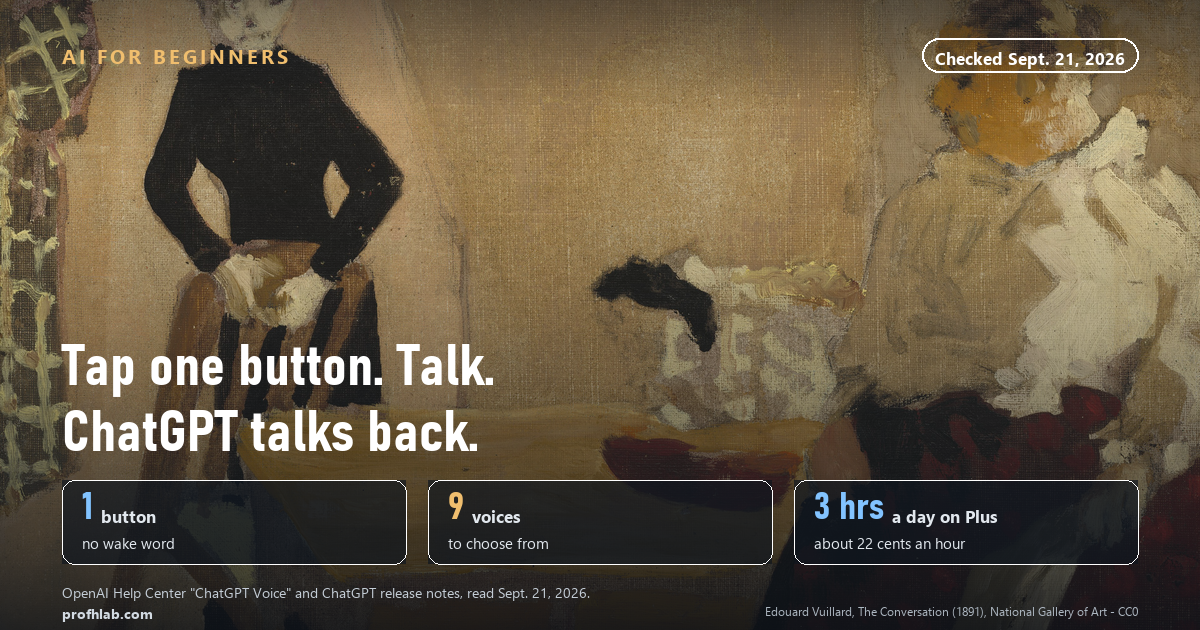
- 1 button starts it. The same icon on iPhone, Android and the website.
- 9 voices to choose from, from Arbor to Vale.
- 3 hours a day of the best voice on the $20 Plus plan — about 22 cents an hour if you used every minute.
- 30 days: how long OpenAI keeps the audio of your conversation.
- 6 of 9 top search results were written before the current voice existed. 0 of 9 mention that voice was removed from the Mac app.
Can ChatGPT talk back to me?
Yes. It has been able to since 2023, and it got much better this summer.
OpenAI calls the feature ChatGPT Voice. You speak, and ChatGPT answers out loud in a human-sounding voice. Its words also appear as text on the screen while it speaks, so you can read along if you did not catch something.
Here is what changed on July 8, 2026. The old voice took turns, like a walkie-talkie: you talked, it waited, it answered. The new one, which OpenAI calls Live, can listen and speak at the same time. You can interrupt it mid-sentence — “wait, go back” — and it will stop and follow you. Think of the difference between leaving a voicemail and having a phone call.
If you have tried ChatGPT by typing, you already know most of what it can do. Voice is the same assistant. You just do not need to type. If you are brand new, our beginner’s guide to ChatGPT for people over 50 covers the first sign-in.
How to talk to ChatGPT on an iPhone or Android phone
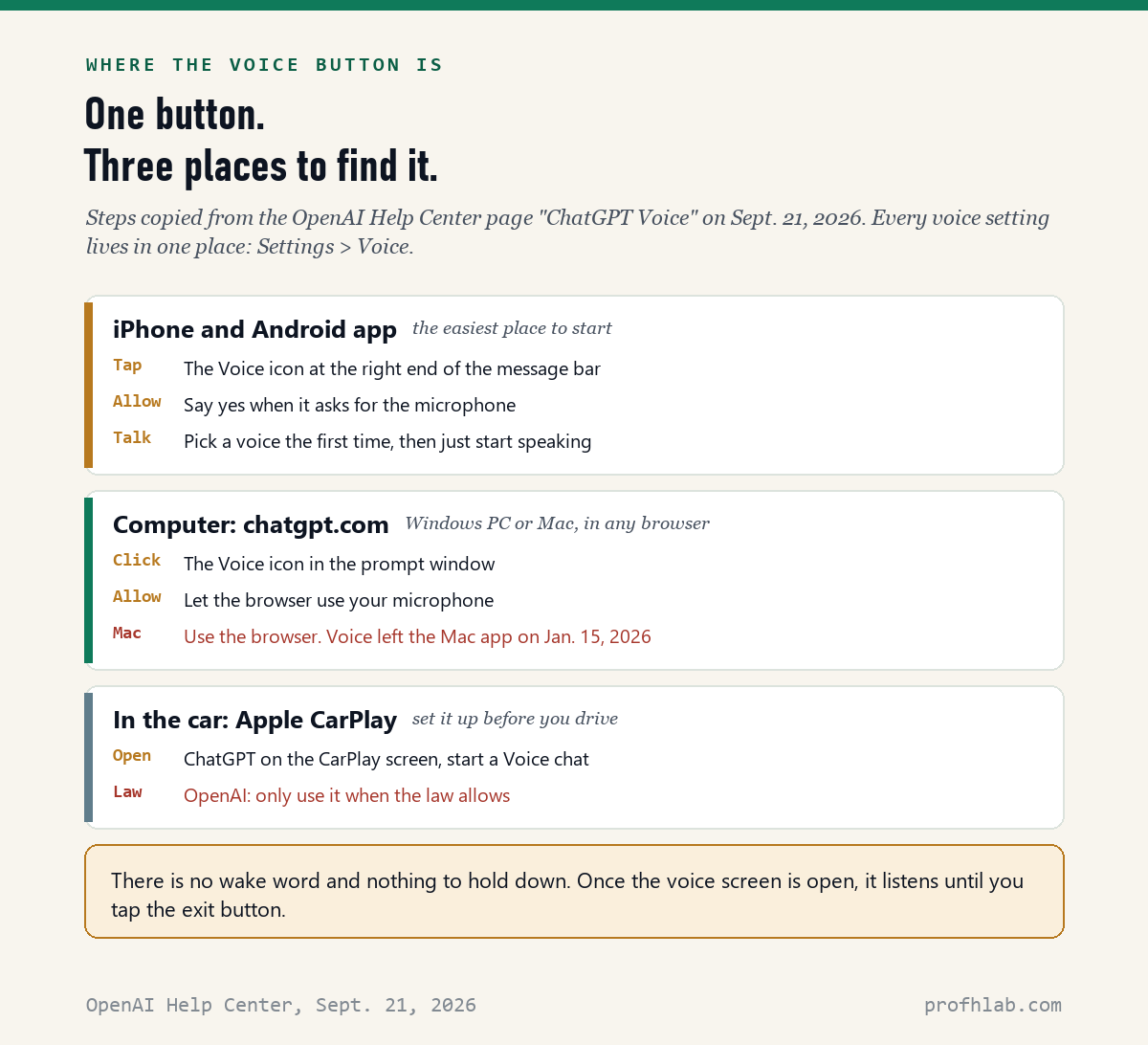
This is the easiest place to start. You need the free ChatGPT app from the App Store or Google Play, made by OpenAI.
- Open the ChatGPT app and sign in.
- Look at the box at the bottom where you would type. At the right end of that box is the Voice icon. Tap it.
- If your phone asks whether ChatGPT may use the microphone, tap Allow. Without this, nothing works.
- The first time only, it asks you to choose a voice. Pick any one; you can change it later.
- Start talking. There is no “Hey ChatGPT” to say first, and no button to hold.
- To stop, tap the exit control. To mute yourself for a moment, tap the microphone control.
When you finish, the conversation is saved as a written transcript in your chat history, so you can scroll back later and find what it said.
How to use ChatGPT voice on a computer (PC or Mac)
On a computer, use the website. It works in Chrome, Edge, Safari or Firefox.
- Go to chatgpt.com and sign in.
- Click the Voice icon in the prompt window, where you would type.
- When the browser asks to use your microphone, click Allow.
- Start talking. Click the exit control when you are done.
If you have a Mac, read this. OpenAI retired voice in the ChatGPT Mac app on January 15, 2026. The company said voice would stay on chatgpt.com, iOS, Android and the Windows app. So if you open the Mac app and cannot find a voice button, nothing is broken — open Safari, go to chatgpt.com, and use it there. (The desktop app does have a voice feature inside its “Work” and “Codex” tools for running tasks. That is a different thing from simply talking.) None of the nine top search results we read mentioned this.
A laptop’s built-in microphone is fine in a quiet room. If ChatGPT keeps mishearing you, see the headphone tip further down.

Is ChatGPT voice free? How long can you talk?
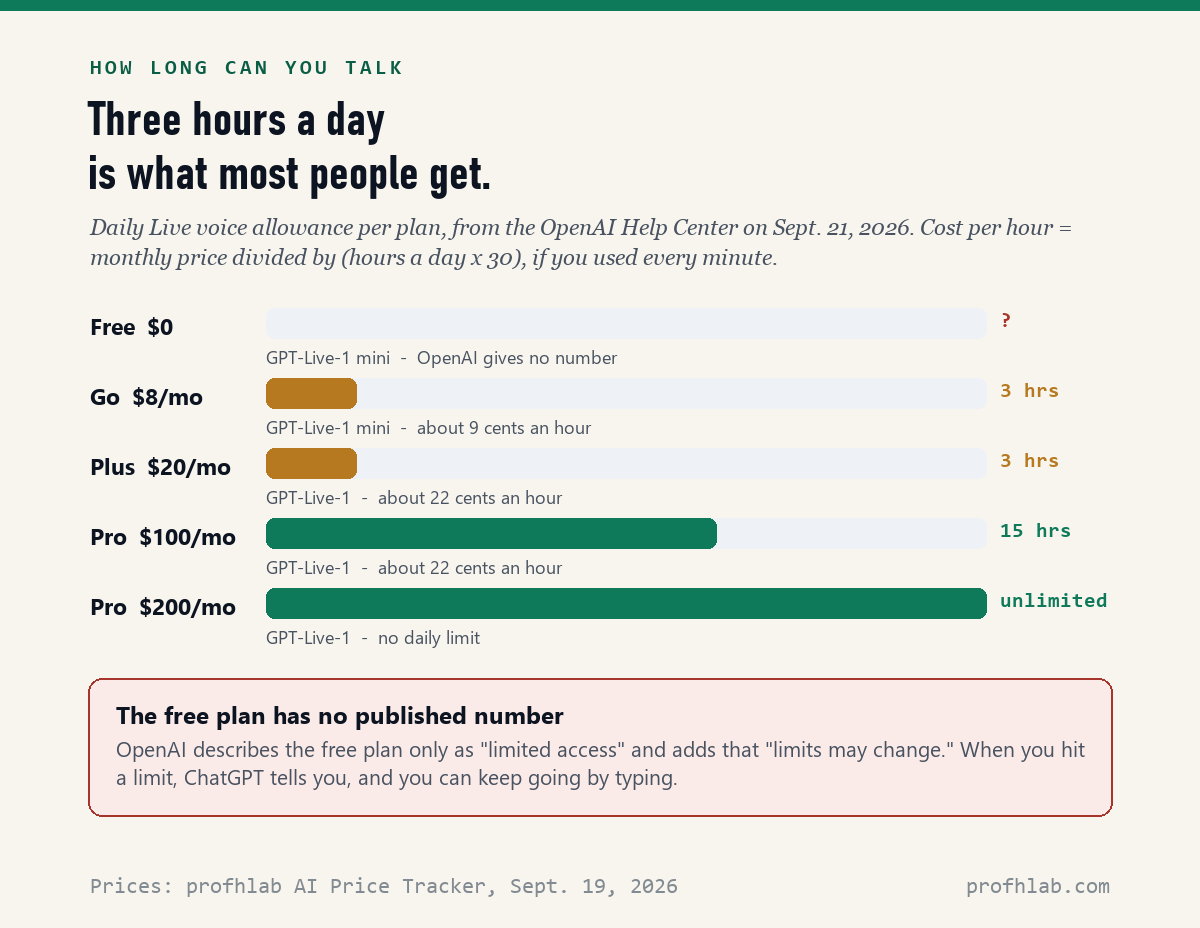
Yes, it is free, but the free plan has a limit, and OpenAI does not say what it is. Its help page describes free accounts as having “limited access” to a lighter model called GPT-Live-1 mini, and adds: “Limits may change.”
The paid plans do have numbers. They were simplified on September 9, 2026, and are measured over a rolling 24 hours:
- Go ($8 a month): up to 3 hours a day, with the lighter mini model.
- Plus ($20 a month): up to 3 hours a day, with the full GPT-Live-1.
- Pro ($100 a month): up to 15 hours a day.
- Pro ($200 a month): no daily limit.
We did the arithmetic on September 21, 2026. Three hours a day for 30 days is 90 hours. On Plus, $20 divided by 90 hours is about 22 cents an hour; on Go it is about 9 cents. Almost nobody talks three hours a day, so the real point is this: on any paid plan, you are very unlikely to run out.
When you do hit a limit, ChatGPT tells you. You can keep going by typing. Prices come from our own AI Price Tracker, checked September 19; whether the $20 plan is worth it for you is its own question, answered in is ChatGPT Plus still worth it.
How to change ChatGPT’s voice, language and speed
All of it is under Settings > Voice.
The voice. Tap Voice and choose one of nine. OpenAI describes them this way: Arbor (easygoing), Breeze (animated), Cove (composed), Ember (confident), Juniper (upbeat), Maple (cheerful), Sol (relaxed), Spruce (calm) and Vale (bright). People who search “how to change chatgpt voice to female” or “to male” will find that OpenAI does not label them that way — listen to a few and pick the one you like. Changing the voice in the middle of a conversation starts a new voice call in the same chat.
The language. Tap Language and choose the one you speak most. It helps ChatGPT hear you correctly. You can also just ask it, mid-conversation, to switch to Spanish.
The speed. There is no speed dial. OpenAI’s help page says so directly. But you can ask. Say: “Please speak more slowly, and use short sentences.” It works, and it stays that way for the rest of that conversation.
The one sentence that fixes most frustration
The new voice is quick to answer. If you pause to think, it may jump in. OpenAI’s own suggestion is to say this at the start:
“Wait until I ask you to respond.”
Why does ChatGPT voice keep interrupting me?
Usually because it hears something that is not you: a television, a fan, another person in the room, or its own voice coming back out of your speaker.
OpenAI suggests three fixes, in this order:
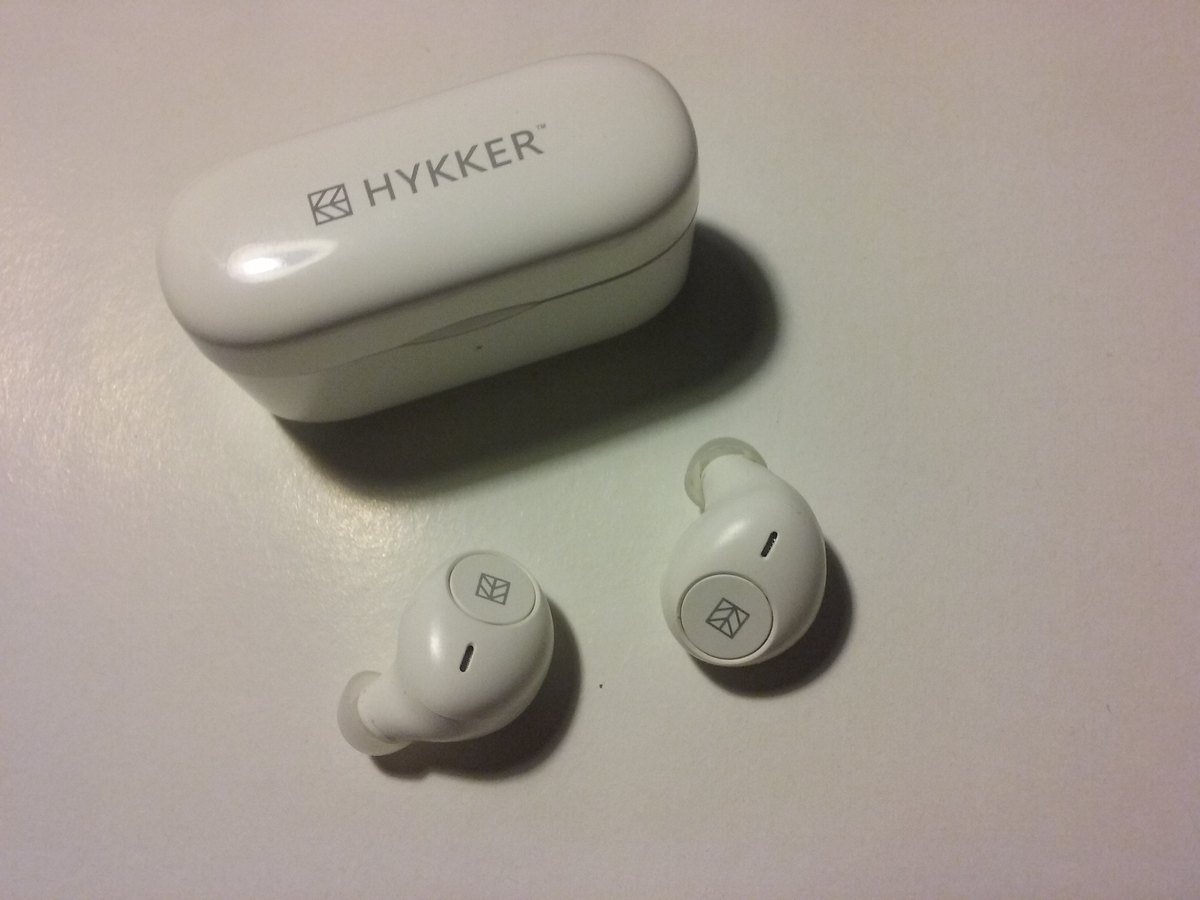
- Use headphones or earbuds. This is the big one. ChatGPT can no longer hear itself.
- Move somewhere quieter, or turn the TV off.
- On an iPhone, turn on Voice Isolation. During a voice conversation, swipe down from the top right corner to open Control Center, tap Mic Mode, and choose Voice Isolation. Your phone then filters out the background. None of the nine top results we read mentioned this.
Also know that Live is built for one person at a time. OpenAI says it is “not yet optimized for conversations with multiple speakers” and may reply when people are talking to each other. If the grandchildren are chatting nearby, it may answer them.
Does ChatGPT record your voice conversations?
Yes, for a while. This is the part worth knowing before you start talking about your health or your money.
- The audio is kept for 30 days, stored with the transcript in your chat history. OpenAI’s words: “Clips are retained for 30 days.”
- Deleting the chat deletes the audio within 30 days, unless OpenAI needs it for “security, safety, or legal reasons.” Archiving a chat does not delete it. We explain the difference in are deleted ChatGPT chats really deleted.
- Your actual voice is not used to train its models unless you switch that on. Under Settings > Data Controls there are toggles called “Include your audio recordings” and “Include your video recordings.” Leave them off.
- The written transcript is different. If “Improve the model for everyone” is on, OpenAI says it may use the transcripts of your voice chats for training. That switch is in the same Data Controls menu.
The practical rule is the same as for typing. Do not say anything to ChatGPT you would not want in writing. For medical questions specifically, read is it safe to upload medical records to ChatGPT first.
Can I use ChatGPT voice in the car?
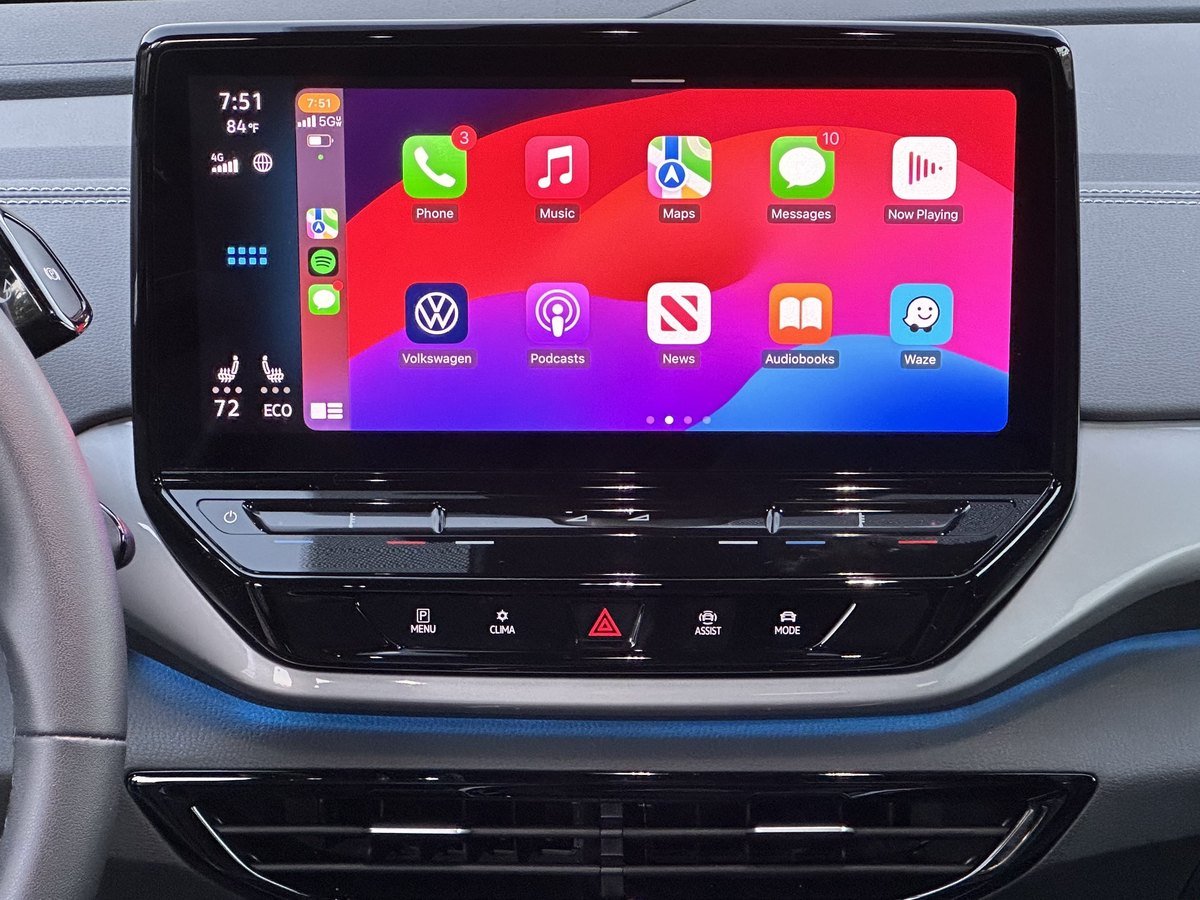
Yes, on an iPhone with Apple CarPlay. ChatGPT appears on the car’s screen, and you can start a voice conversation or pick up a recent chat from there. Under Settings > Voice there is also an option to start automatically in CarPlay, which appears after you have used it once.
OpenAI’s help page is careful here, and so are we: set it up before you drive, and do not fiddle with the phone while the car is moving. The point is to talk, not to tap.
Two settings most people never find
Keep talking with the phone locked. Turn on Background conversations under Settings > Voice. Now you can lock the phone, put it in your pocket, and keep talking — handy on a walk. Since August 7, 2026, ChatGPT checks whether you are still there if a background conversation goes quiet, and ends it if you do not answer.
Open straight into voice. Turn on Start with Voice under Settings > Voice, and opening ChatGPT to a new chat starts talking mode automatically. For someone who never wants to type, this is the setting to switch on for them.
Two videos worth your time
OpenAI’s own three-and-a-half-minute introduction shows exactly what a conversation looks and sounds like. It had 344,052 views when we checked on September 21, 2026.
For a longer, hands-on tour of what people actually use it for, The AI Advantage spent 17 minutes trying it out after launch. 44,761 views, from a channel with 483,000 subscribers.
What to do with this
Ten minutes, once:
- Install the ChatGPT app from the App Store or Google Play. Check that the maker is OpenAI; there are copycats.
- Tap the Voice icon at the right end of the message box, tap Allow for the microphone, and pick a voice.
- Say this first: “Please speak slowly, use short sentences, and wait until I ask you to respond.”
- Try one of these: “Help me write a birthday note for my sister.” “What questions should I ask my doctor about my new blood pressure pill?” “Plan a three-day trip to Savannah without much walking.” “Quiz me on the capitals of Europe.”
- Open Settings > Data Controls and make sure “Include your audio recordings” is off.
- On a Mac? Skip the app and use chatgpt.com in Safari.
- Keep earbuds nearby. They fix most interruptions.
If you want to go deeper
- “Is this the same as Siri or Alexa?” No. Those mainly run your phone or your house: timers, lights, calls. ChatGPT is for conversation and explanation. Many people use both. See can you get Alexa+ without Prime and what is Gemini on my Android phone for the others.
- “Is it using the newest model?” Since September 9, 2026, voice can hand hard questions to GPT-5.6 or GPT-6 Astra, depending on your plan. What that model is, and who gets it, is in is GPT-6 Astra free.
- “Could a scammer use a voice like this on me?” Voices this natural are exactly why a family safe word matters. Read how to tell if a phone call is AI and AI scams targeting seniors.
- “What can I actually use it for?” Everything our typing guides show works by voice too: planning a trip, preparing for a doctor visit, writing a letter, family history research.
Frequently asked questions
How do I talk to ChatGPT and have it talk back?
Open the ChatGPT app or chatgpt.com, tap the Voice icon at the right end of the message box, allow the microphone, choose a voice the first time, and start speaking. ChatGPT answers out loud and shows its words on the screen. There is no wake word and nothing to hold down. Tap the exit control to end.
Is ChatGPT voice free?
Yes. Free accounts get limited access to GPT-Live-1 mini, and OpenAI does not publish the exact limit, saying only that limits may change. Paid plans get up to 3 hours a day on Go ($8) and Plus ($20), 15 hours on the $100 Pro plan, and no daily limit on the $200 Pro plan, measured over a rolling 24 hours.
How do I use ChatGPT voice on a Mac?
Use chatgpt.com in Safari or Chrome. OpenAI retired voice in the ChatGPT Mac app on January 15, 2026, and said voice would remain available on chatgpt.com, iOS, Android and the Windows app.
How do I make ChatGPT talk slower?
Ask it. Say “Please speak more slowly and use short sentences.” OpenAI’s help page says precise playback-speed controls are not currently available, but you can ask ChatGPT to speak faster or slower during a conversation.
How do I change ChatGPT’s voice?
Open Settings, then Voice, then Voice, and choose from nine: Arbor, Breeze, Cove, Ember, Juniper, Maple, Sol, Spruce and Vale. Changing the voice in the middle of a conversation starts a new voice call in the same chat.
Does ChatGPT record voice conversations?
Audio clips from Live and Advanced voice conversations are stored with the chat transcript for 30 days. Deleting the chat deletes the clips within 30 days unless OpenAI must keep them for security, safety or legal reasons. The audio is not used for training unless you turn on “Include your audio recordings” in Data Controls, but transcripts may be used if “Improve the model for everyone” is on.
Why does ChatGPT voice keep interrupting me?
It is usually hearing background noise or its own voice from the speaker. Use headphones, move somewhere quieter, and on an iPhone open Control Center during the conversation, tap Mic Mode and choose Voice Isolation. You can also say “Wait until I ask you to respond” at the start.
Can ChatGPT voice work with the phone locked?
Yes. Turn on Background conversations under Settings, then Voice. The conversation continues while you use other apps or lock the phone, and ends when you end it, close the app, reach a usage limit or reach the maximum session length.
Sources
- OpenAI Help Center, “ChatGPT Voice” — read September 21, 2026 (page marked updated nine days earlier).
- OpenAI Help Center, “ChatGPT — Release Notes,” entries dated September 9, 2026; August 31, 2026; July 8, 2026; and December 11, 2025 — read September 21, 2026.
- ChatGPT Go and Plus prices: profhlab AI Price Tracker, checked September 19, 2026. Pro prices: OpenAI Help Center.
- Counts of the top nine search results: made by us from each page’s own text on September 21, 2026.
Keep reading
- How to Use ChatGPT: A Beginner’s Guide for Over 50 — the first sign-in, step by step.
- How to Get ChatGPT to Read a PDF — then ask about it out loud.
- Is ChatGPT Plus Still Worth It? — before you pay for more voice time.
- How to Cancel ChatGPT Plus and Get a Refund — if you tried it and it is not for you.
- How Does ChatGPT Know My Age? — what it guesses about you.
- Best AI Tools for Seniors — the AI worth keeping switched on.
- How Do I Get Rid of AI on My Phone? — if you would rather have less of it.
- AI Jobs Tracker — our own count of who is hiring for AI work.
- AI FAQ and Ask Prof. H — short answers, and a place to send the question we missed.
- Start Here — the whole beginners library, in order.
About the author. Prof. H writes profhlab.com for people who did not grow up with this stuff and would like a straight answer. Every menu path, limit and quotation above was copied from OpenAI’s help pages on September 21, 2026, and the counts of the top search results were made from each page’s own text the same day. OpenAI changes these screens often — twice this summer alone. If yours looks different, tell us — we correct in public.
Prof.’s H Newsletter
One short email a month, with the numbers in it
What actually moved in AI hiring, AI prices, and the scams aimed at older Americans. Counted here, dated, and linked to the source. One email a month, and your address goes nowhere else.