How to Set Up Parental Controls on ChatGPT: 10 Settings, 7 Already On, and 0 Chats You Can Read
On October 11, 2026 we read OpenAI’s parental controls page line by line: a parent gets 10 settings, 7 of them start switched on, and 0 of them let you read your teen’s chats. To set it up, open ChatGPT on the web, go to Settings, then Parental controls, then Add family member, and send your teen an invite by text or email.
That is the short answer. Below are the five steps in order, what each setting does, the one setting that actually stops ChatGPT, and what a grandparent should know before sending the invite.
What we checked on October 11, 2026
We read 9 OpenAI pages: 7 articles on help.openai.com (parental controls, ChatGPT for Teens, age prediction, safe for all ages, turning 18, Voice, and study mode) and 2 posts on openai.com (the September 29, 2025 parental controls launch and the age prediction post). OpenAI’s help center shows only relative dates such as “Updated: 5 days ago,” so dates below are the day we read each page.
We did not link a real teen account, so every step is quoted from OpenAI’s pages, not tested by us. The count of 10 settings and their starting positions is our own tally from OpenAI’s list.
Written and checked by Prof. H. An AI assistant helped draft this article and ran the page reads; every quote was read on the source’s own page on the date shown.
How do I set up parental controls on ChatGPT, step by step?
You link your own ChatGPT account to your teen’s account: OpenAI’s help article “Managing parental controls in ChatGPT,” read October 11, 2026, gives six web steps that end with “Select Send.”
Think of it like adding a teen driver to your car insurance. The teen still drives their own car. You just get a say in some of the rules.
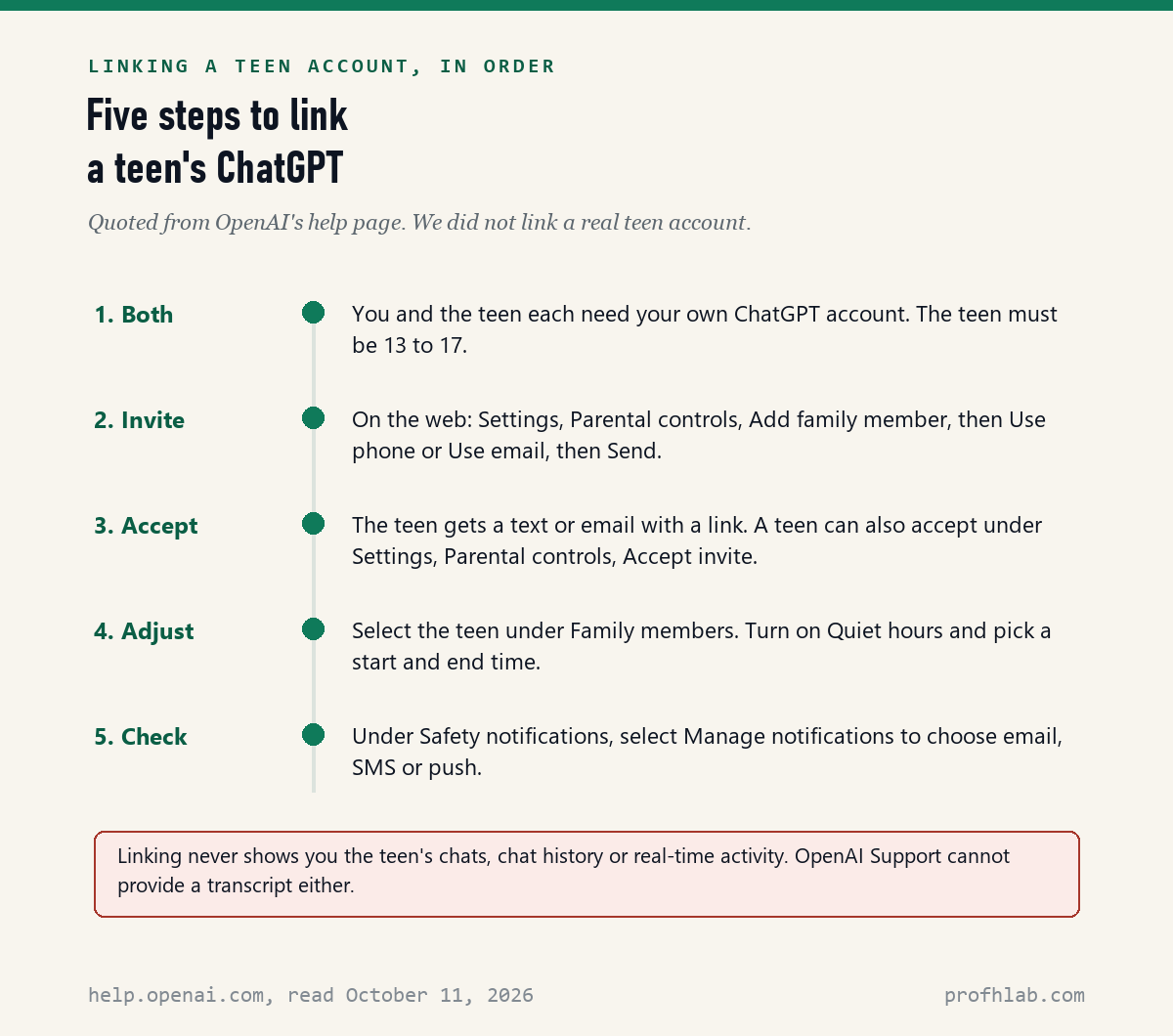
- Make sure you both have accounts. You need your own ChatGPT account, and so does the teen. A free account works: OpenAI says ChatGPT for Teens is “available to eligible teen accounts on Free and paid personal ChatGPT plans.”
- Open the settings on the web. OpenAI’s page says: “Open Settings from your profile menu. Select Parental controls. Select Add family member.”
- Send the invite. Choose Use phone or Use email, type your teen’s number or address, and select Send.
- Your teen accepts. OpenAI says the teen “receives a text or email with a link to connect their ChatGPT account.”
- Pick your settings. Go back to Settings, then Parental controls, and select your teen under Family members.
The teen can also start it. OpenAI says “Either the parent or guardian or the teen can start the invitation” from Settings, then Parental controls, then Invite a parent. OpenAI’s page gives these steps for the web only; we did not find separate phone-app steps on any OpenAI page.
Which 10 settings can a parent change, and how do they start?
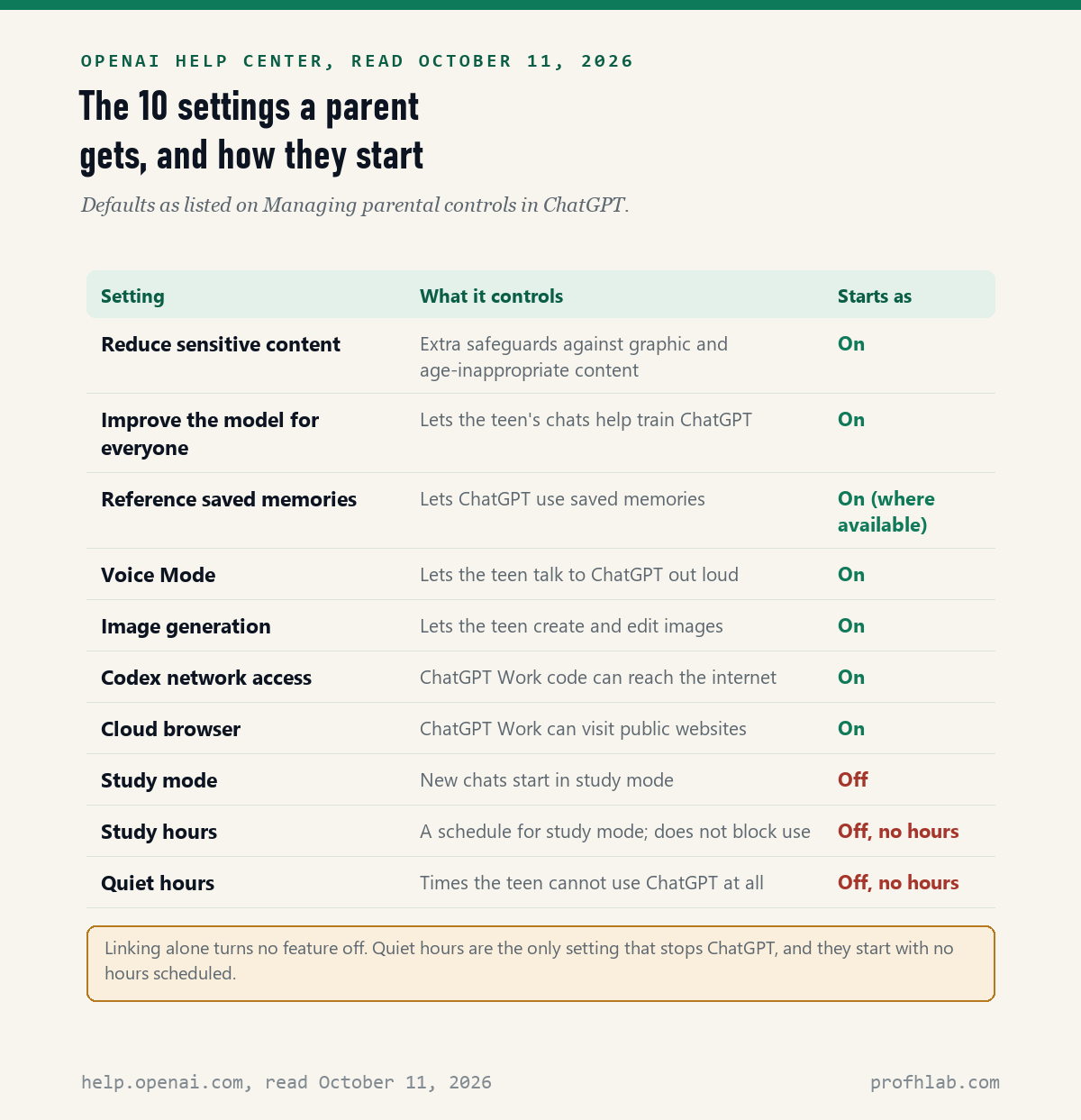
A linked parent can change 10 settings, and 7 of them start in the On position: that is our count from the list on OpenAI’s parental controls page, read October 11, 2026.
Here is the catch most guides skip. “On” mostly means the feature is allowed. Voice Mode, image generation and memory all stay available until you switch them off. Only one of the 7, Reduce sensitive content, is a protection.
| Setting | What it controls | Starts as |
|---|---|---|
| Reduce sensitive content | Extra safeguards against graphic content and risky roleplay | On |
| Improve the model for everyone | Whether the teen’s chats help train ChatGPT | On |
| Reference saved memories | Whether ChatGPT uses saved memories | On where available |
| Voice Mode | Talking to ChatGPT out loud | On |
| Image generation | Creating and editing pictures | On |
| Codex network access and Cloud browser | Two internet settings for ChatGPT Work | On, both |
| Study mode and Study hours | New chats start as tutoring; never blocks use | Off |
| Quiet hours | Times the teen cannot use ChatGPT | Off, no hours set |
The table groups two pairs to stay readable; the full list of 10 is in the chart below. OpenAI adds that “Your teen cannot change settings managed by a parent or guardian while your accounts are linked.”
Which setting actually stops a teen from using ChatGPT at night?
Only Quiet hours: OpenAI’s page, read October 11, 2026, says it “Sets times when your teen cannot use ChatGPT,” and it starts with no hours scheduled.
So linking the accounts and walking away blocks nothing by the clock. To set it, go to Settings, then Parental controls, select your teen, turn on Quiet hours, and pick a start and end time. OpenAI says “You can add more than one time block,” so a school-night block and a dinner block can both fit.
Do not confuse it with Study hours. OpenAI says “Study hours do not block access to ChatGPT.” They only make new chats start in study mode, which gives hints and questions instead of finished answers. Neither schedule can be changed by asking ChatGPT in a chat; both live only in Settings.

Can my parents see my ChatGPT history?
No: OpenAI’s help page, read October 11, 2026, says “Linking accounts does not give a parent or guardian access to a teen’s conversations, chat history, or real-time activity.”
Teens type this question into Google, and parents should know the answer too. Even asking the company does not work. OpenAI says “Support cannot provide access to your teen’s chat transcript.”
What a parent can get is a safety notification, and only in three situations OpenAI lists: a serious self-harm concern, signs of disordered eating, or an account shut down for violent conversations. OpenAI says “Specially trained reviewers” check the first two before a notice goes out. The notice gives “A brief description of the type of safety concern,” not the chat.
Notices may arrive “by email, SMS, or push notification,” and it “may take up to a few hours” after linking before they can be sent. OpenAI is plain about the limits: “Safety notifications are not real-time monitoring.” If someone may be in danger now, call 911.
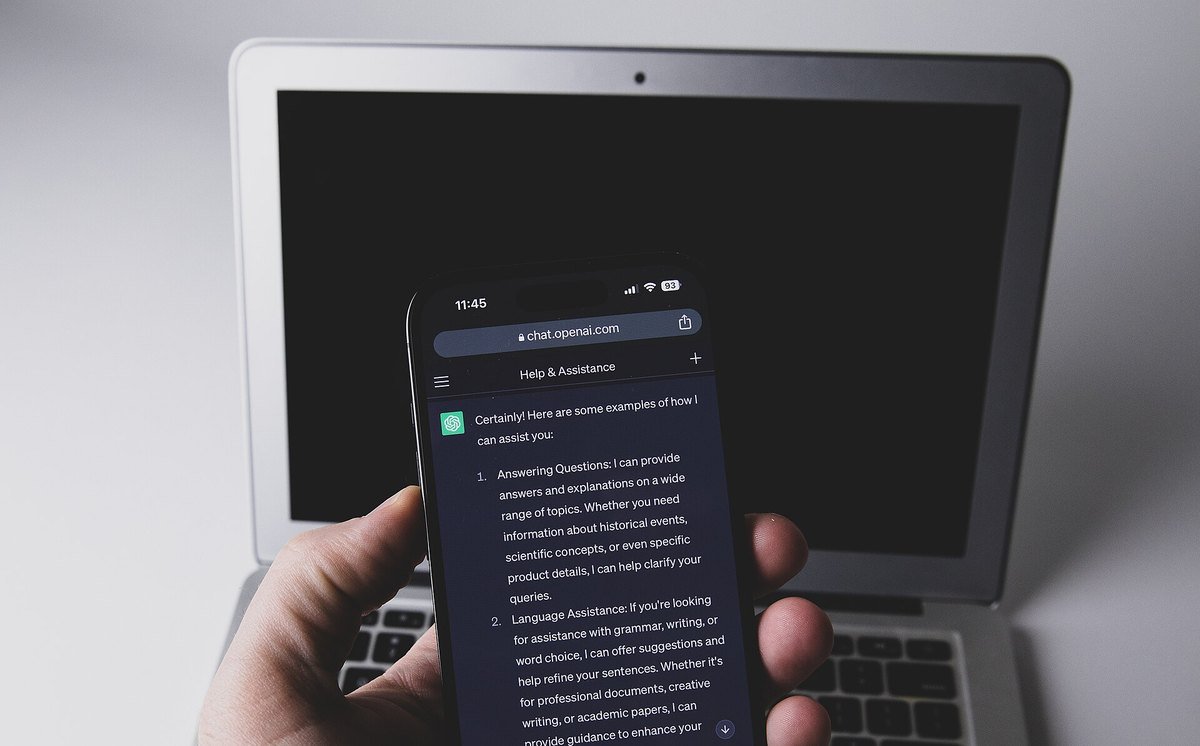
Can a grandparent be the linked adult, and what age does it cover?
Every OpenAI page we read on October 11, 2026 says “parent or guardian”; none mentions grandparents, and OpenAI says “Each teen can link to only one parent or guardian at a time.”
That one-adult rule matters in big families. If Mom already linked, Grandpa cannot link the same teen. If you are raising a grandchild as their guardian, the wording covers you. If you are a helpful grandparent, the safest move is to sit with the parent while they set it up. One adult can link several teens, OpenAI says.
On age, OpenAI’s page “Is ChatGPT safe for all ages?” says “ChatGPT is not meant for children under 13,” and that ages 13 to 18 need parental consent. When ChatGPT identifies a linked teen as 18 or older, OpenAI says “Parental controls are removed, and the parental-controls connection ends,” and both of you are told. ChatGPT may also guess a teen’s age on its own; we explain that in how ChatGPT knows your age.
What can a teen do to get around the controls?
A teen can unlink at any time: OpenAI’s page, read October 11, 2026, says “Either the teen or the linked parent or guardian can select Unlink accounts,” and the parent is notified when the teen does it.
A second gap is not on OpenAI’s parental pages at all. None of the 9 pages we read says whether the controls follow a teen who opens ChatGPT without signing in. The controls are set on an account, so our inference is that a signed-out visit is not covered. Treat that as our estimate, not OpenAI’s statement.
That is why a phone-level backstop helps. Apple’s page “Set up parental controls to manage your child’s iPhone or iPad,” published September 14, 2026 and read October 11, 2026, says to “Open the Settings app, tap Family, then tap your child’s name,” then Apps & Websites. There you can pick an app or website and choose “Block App or Block Website.”
CBS News on ChatGPT for Teens, and NBC News on the 2025 launch
We found no video on OpenAI’s own YouTube channel that walks through these settings.
Quick answers on ChatGPT and teens
Does ChatGPT have parental controls?
Yes. OpenAI launched them on September 29, 2025. A parent or guardian links their own account to a teen account and can change 10 settings, including Quiet hours. On October 11, 2026, 7 of the 10 started switched on.
Can parents see what you ask ChatGPT?
No. OpenAI says linking does not give a parent access to a teen’s conversations, chat history or real-time activity. A parent may get a safety notice in three serious situations, and that notice does not include the chat.
What age can you use ChatGPT?
OpenAI says ChatGPT is not meant for children under 13, and teens from 13 to 18 need a parent’s consent. Parental controls end when ChatGPT identifies the account holder as 18 or older.
Do parental controls on ChatGPT cost money?
No paid plan is required for the teen. OpenAI says ChatGPT for Teens works on Free and paid personal plans. We found no OpenAI page that requires the parent to pay either.
Is ChatGPT safe for kids?
Not for children under 13, by OpenAI’s own rule. For teens, OpenAI adds safeguards and says even teens who meet the age rule deserve caution. Parental controls help, but they are not real-time monitoring.
What else should a grandparent set up on the family’s phones?
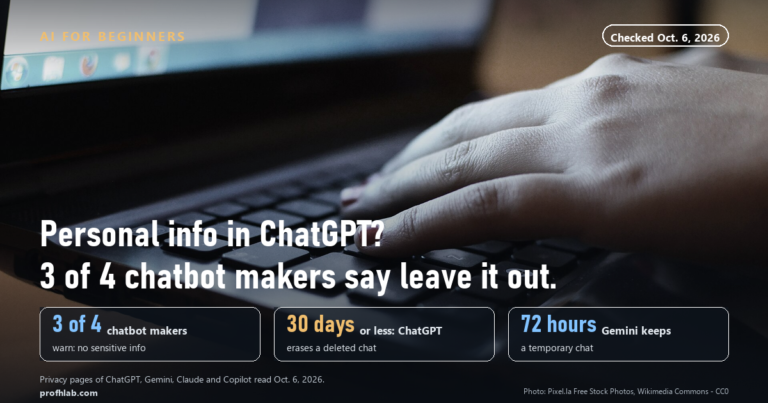
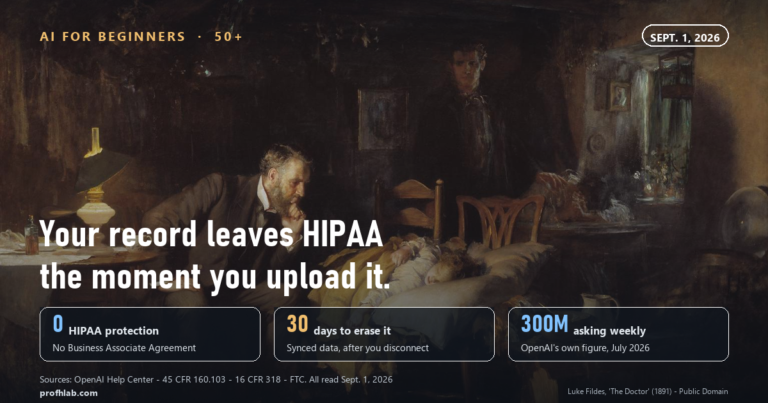
Before you hand any teen a password, read what is safe to tell ChatGPT, whether to upload medical records and how to turn off ChatGPT ads. For the age check itself, see how ChatGPT guesses your age.
Teens rarely use only one app. See Meta AI on Instagram, AI on Facebook, Meta AI and WhatsApp, and getting rid of AI on your phone. To spot fakes together, read AI videos on YouTube and AI pictures.
For family safety, set up a family safe word and read AI scams aimed at seniors. For fun together, try AI photos with grandparents or talking to ChatGPT out loud. New here? Start at Start Here, try ChatGPT for the first time after 50, see the AI tools we rate for seniors, or ask us on the Ask page. Our counting rules are at How We Count.
Where did each quote on this page come from?
- OpenAI Help Center, Managing parental controls in ChatGPT. Shown as updated 5 days before our read; read October 11, 2026.
- OpenAI Help Center, ChatGPT for Teens; Is ChatGPT safe for all ages?; Age prediction in ChatGPT; What changes when a ChatGPT user turns 18. Relative dates only; read October 11, 2026.
- OpenAI Help Center, Voice in ChatGPT and study mode help. Read October 11, 2026.
- OpenAI, Introducing parental controls (September 29, 2025, with a July 13, 2026 update) and Our approach to age prediction (January 20, 2026). Read October 11, 2026.
- Apple Support, Set up parental controls to manage your child’s iPhone or iPad (published September 14, 2026). Read October 11, 2026.
- Not found on October 11, 2026: OpenAI steps for linking accounts inside the phone apps, and any OpenAI statement on whether controls cover signed-out use.
OpenAI changes ChatGPT menus often. This page reports what OpenAI’s and Apple’s pages said on the date shown; we are not paid by OpenAI, Apple or any company named here, and this page has no affiliate links. Corrections and questions go to the Ask page.
Prof.’s H Newsletter
One short email a month, with the numbers in it
What actually moved in AI hiring, AI prices, and the scams aimed at older Americans. Counted here, dated, and linked to the source. One email a month, and your address goes nowhere else.