How to Turn Off Alexa Plus: Amazon Documents 3 Ways Out, and 3 Places With No Off Step
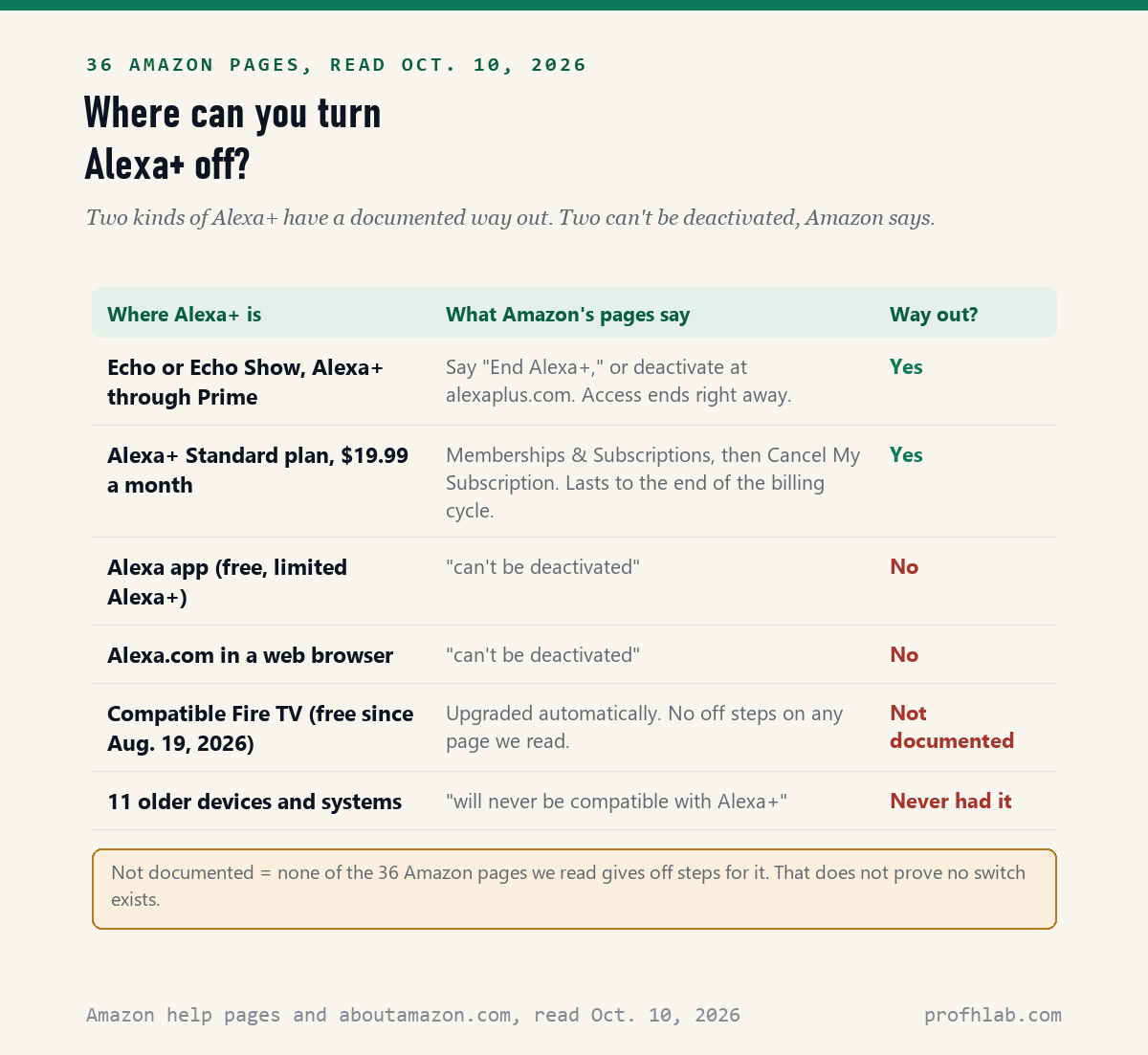
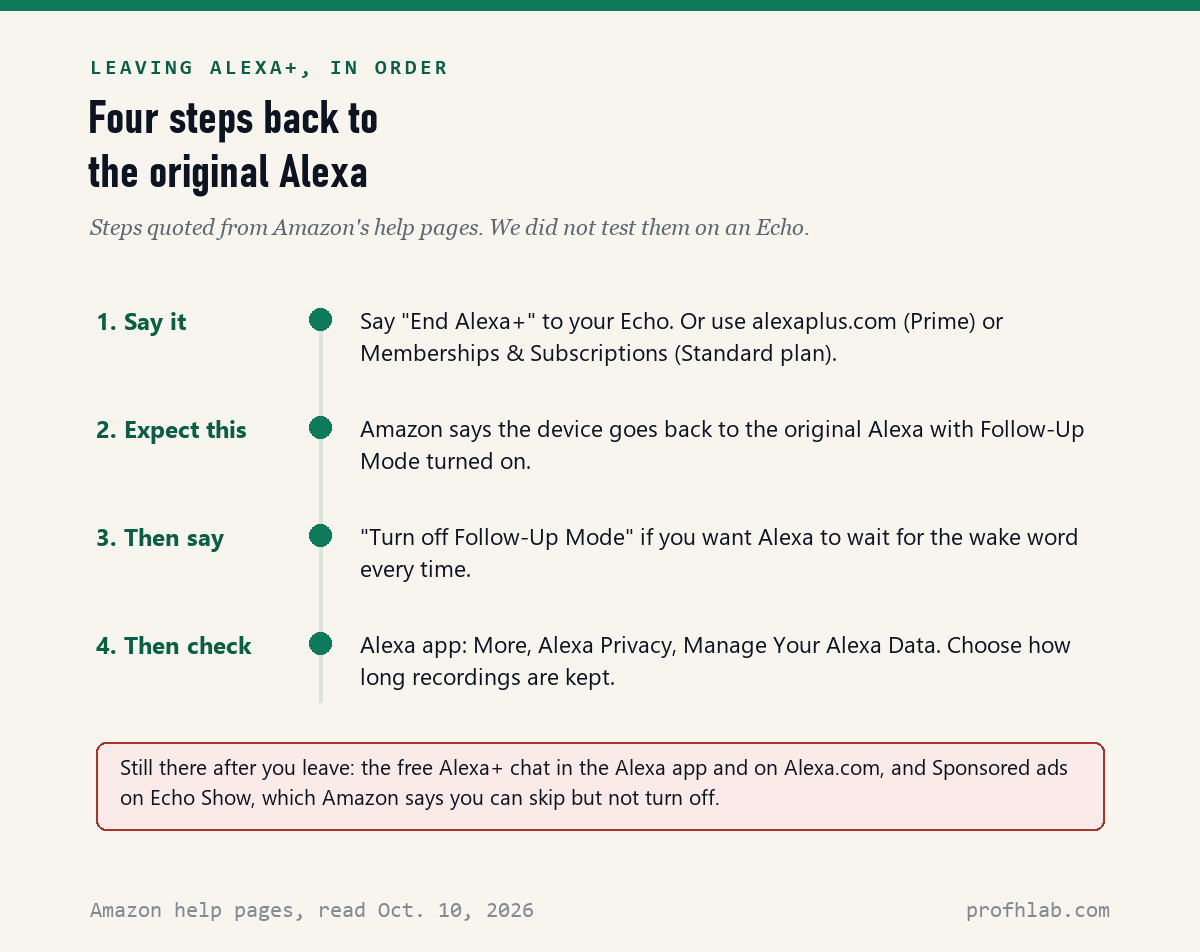
Yes, on an Echo you can: on October 10, 2026 we read 36 Amazon pages, and they document 3 ways to leave Alexa+, while 3 places get no off step at all. The quickest way is your voice. Amazon’s cancel page says you can simply say “End Alexa+.”
After that, Amazon says your device “goes back to the original Alexa with Follow Up Mode turned on.” Below are the 3 ways out, the one setting to fix afterward, and the 3 places Amazon does not let you switch Alexa+ off.
What we checked on October 10, 2026
We read 36 Amazon pages word for word: 30 Alexa and Alexa+ help pages on amazon.com, the Alexa+ product page at amazon.com/alexaplus, the Alexa+ Trust and Privacy page, the Alexa Privacy Hub and 3 posts on Amazon’s news site, aboutamazon.com. None of the 30 help pages shows a “last updated” date.
We did not sign in to an Amazon account or speak to an Echo, so every step below is quoted from Amazon’s pages, not tested on our own device. The device count and the gap between Amazon’s two device lists are our own count.
Written and checked by Prof. H. An AI assistant helped draft this article and ran the page reads; every quotation below was read on the source’s own page on the date shown.
How do I turn off Alexa Plus on my Echo?
Say “End Alexa+” to your Echo: Amazon’s help page “Cancel Your Alexa+ Subscription,” read October 10, 2026, lists that voice command next to two account routes, one for Prime members and one for the paid plan.
Think of Alexa+ as a new tenant moved into the same speaker. Ending it does not throw the speaker out. Amazon says the original Alexa moves back in.
- By voice, on any Echo with Alexa+: say “End Alexa+.” Amazon adds that “Household members can deactivate Alexa+ without affecting the primary account holder’s subscription.”
- If you got Alexa+ free with Prime: Amazon says “Prime members who deactivate Alexa+ through alexaplus.com lose access immediately.” The page does not name the button, so we cannot quote it.
- If you pay $19.99 a month for the Standard plan: go to Your Memberships & Subscriptions, find the Alexa+ Standard subscription, select Cancel My Subscription and follow the on-screen steps. Alexa+ lasts “until the end of your billing cycle.”
None of the pages we read offers a switch for one Echo only. Whether “End Alexa+” affects only the Echo you speak to or every Echo in the home is not stated, so we cannot tell you.
Can I go back to the original Alexa for good?
Yes, Amazon promises it stays: the Alexa+ product page, read October 10, 2026, says “If you prefer using the original Alexa, it will remain available on your devices.”
The same page answers the money question plainly: “there is not a free experience for Alexa+ on Echo.” So on an Echo the choice is Alexa+ through Prime or the paid plan, or the original Alexa.
Changed your mind later? Amazon’s setup page says you can sign up at the Meet the New Alexa page, or on an Echo you can say “Alexa, upgrade!” No page we read says whether a past opt-out changes anything. We expect the same sign-up works, but that is our estimate, not Amazon’s statement.
Why does Alexa keep listening after I ask a question?
Because Follow-Up Mode stays on: Amazon’s cancel page says that when Alexa+ ends, the device returns to the original Alexa “with Follow Up Mode turned on.” That mode lets you keep talking without saying “Alexa” again.
Some people like that. Others find it unsettling when the light stays on. Amazon’s Follow-Up Mode page, read October 10, 2026, gives three ways to turn it off:
- By voice: say “Turn off Follow-Up Mode.”
- On an Echo Show: select Settings, then Alexa, then Follow-Up Mode, and turn it off.
- In the Alexa app: select Devices, choose your device, select Device Settings, scroll down to Follow-Up Mode and turn it off.
With it off, Amazon says Alexa “requires a wake word for follow-up interactions.” Each device has its own setting in the app, so a home with three Echoes may need three taps.
Want only the old voice? You may not need to leave Alexa+
If the new voice is what bothers you, Amazon’s page “Personalize Alexa’s Voice Responses,” read October 10, 2026, says: “If you want to go back to your original Alexa’s voice, simply say ‘go back to your original voice.’”
The same page says “All Alexa+ voices are enhanced versions of the original Alexa.” For the closest match it names a voice called “Feminine 2, relaxed.” Voice changes “are device-specific,” so repeat the command on each Echo.
In the Alexa app, Amazon’s voice page gives this path: select Devices, pick the device, select Device Settings, then Alexa’s Voice. Speaking speed is separate, under More, Settings, Voice Responses, or say “speak slower.”
Can you turn off Alexa+ in the Alexa app or on Fire TV?
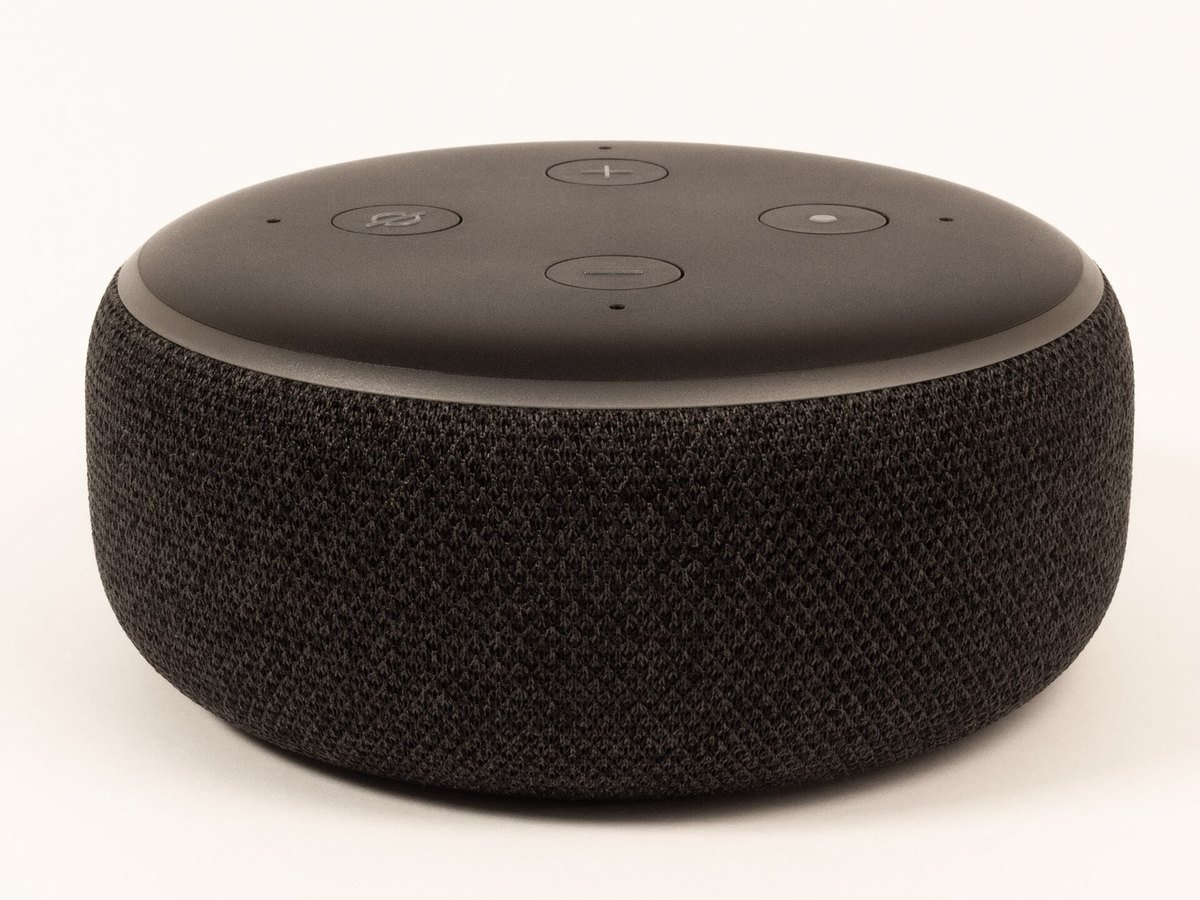
Not in the app or on Alexa.com: the cancel page, read October 10, 2026, says “The free and limited Alexa+ experience on Alexa.com … and in the Alexa app can’t be deactivated.” Fire TV has no off steps on any of the 36 pages we read.
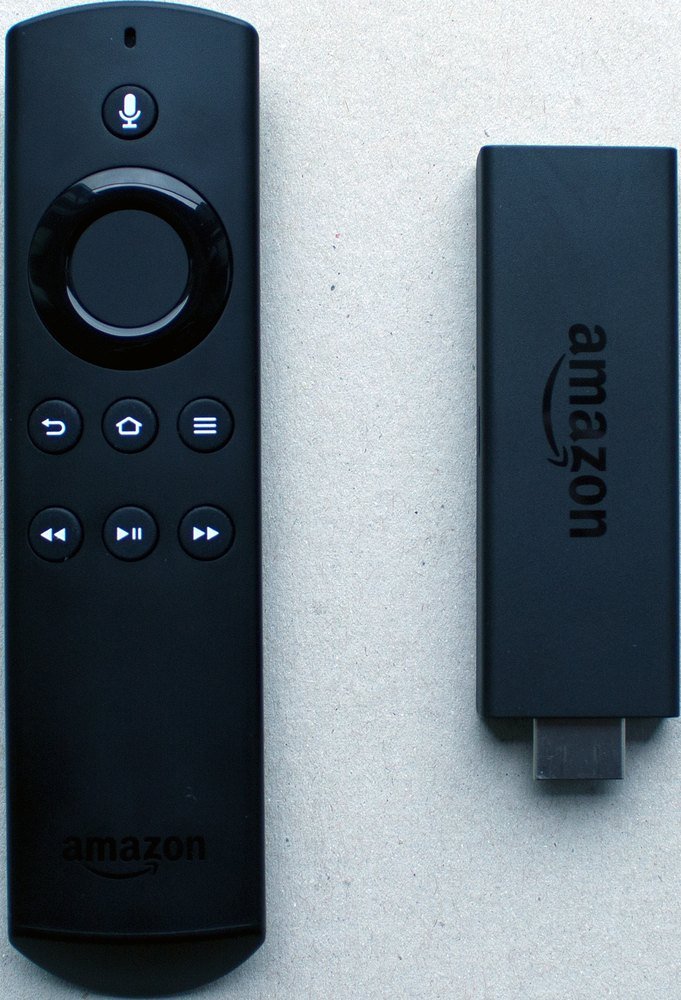
Amazon’s news post of August 19, 2026 says eligible Fire TV owners “are automatically upgraded to the Alexa+ experience. There’s no action required.” It lists current Fire TV Sticks, the Fire TV Cube and some smart TVs with Fire TV built in.
One Amazon help page, “About Alexa+,” still says there is “no free experience for Alexa+ on devices (Echo and Fire TV).” That clashes with the August post. The help page shows no date, so we think it is simply out of date. That is our reading, not Amazon’s.
The calm part: the app chat only answers when you open it and type or talk. Not opening it is a real choice, even without a switch.
Which Echo devices never got Alexa+ at all?
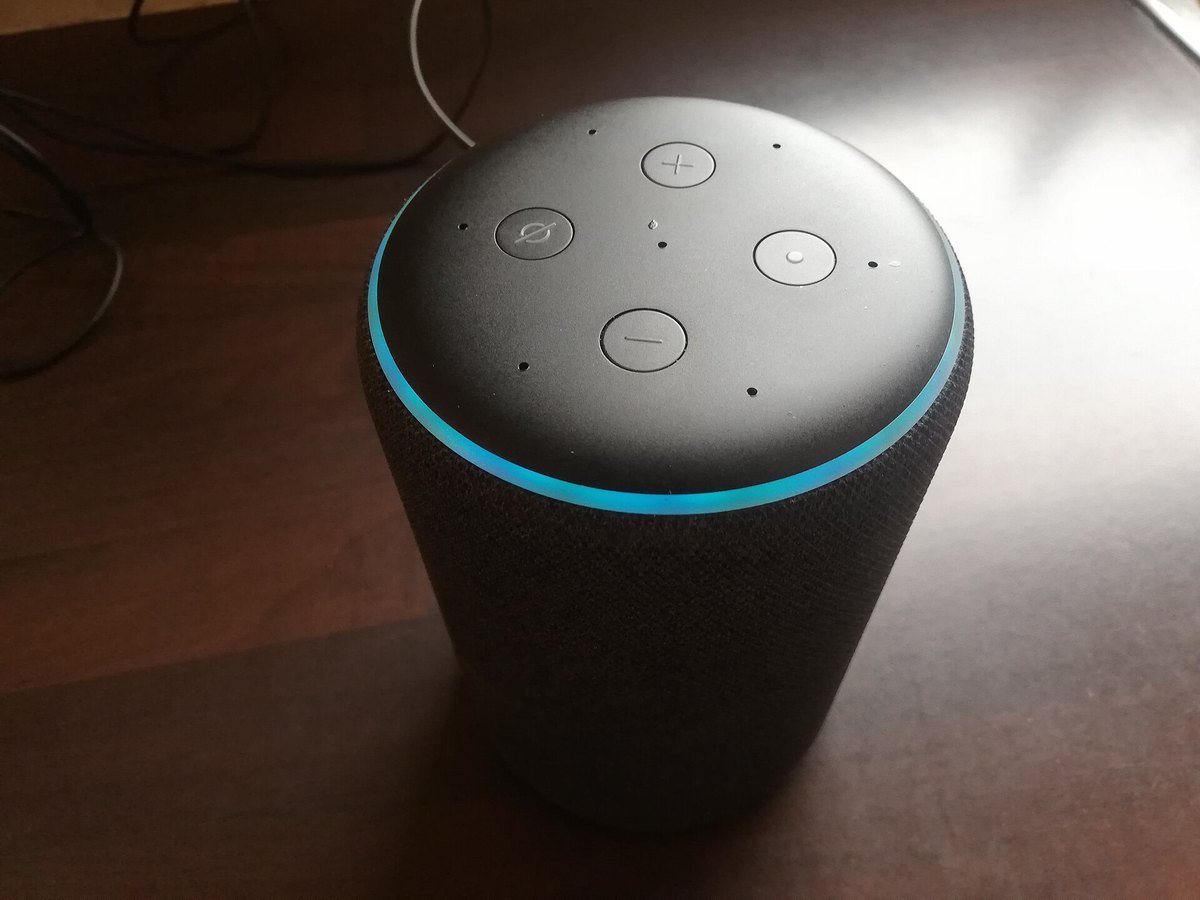
Amazon’s compatibility page, read October 10, 2026, names 11 devices and systems that “will never be compatible with Alexa+”: 9 models, plus Fire TV devices on FireOS 5 and Fire tablets on FireOS 7 or earlier.
The 9 models are the Echo (1st and 2nd Generation), Echo Dot (1st Generation), Echo Plus (1st Generation), Echo Buds (1st Generation), Echo Show (1st and 2nd Generation), Echo Spot (1st Generation) and Amazon Tap. Amazon says these “will continue with the original Alexa experience.”
Here is something we noticed by counting. The Alexa+ product page lists only 8 of those 9 models; it leaves out the Echo (2nd Generation). The help page is the longer list, so trust it if your Echo is old.
Does leaving Alexa+ stop Amazon from keeping my voice recordings?
No, that is a separate setting: Amazon’s cancel page only points you to Alexa Privacy “To review and manage your Alexa+ data.” How long recordings are kept is chosen there, on the original Alexa and on Alexa+ alike.
Amazon’s privacy settings page, read October 10, 2026, gives the path: open the Alexa app, open More, select Alexa Privacy, select Manage Your Alexa Data, then pick the setting. On an Echo, you can say “Update my privacy settings.”
Amazon’s auto-delete page says: “When you choose ‘Don’t save,’ your voice recordings will be deleted, and future voice recordings will not be saved.” Its FAQ adds that text transcripts are still kept “for 30 days after your last interaction with Alexa in a given chat.”
Two more lines worth knowing if others share your Echo. The FAQ says notes you ask Alexa to remember “may be accessible to anyone using your Alexa-enabled devices.” The Trust and Privacy page says that with Alexa+, chat history on an Echo Show “is turned on by default.”
Is Alexa+ free, or will Amazon charge me if I keep it?
It is free with Prime and $19.99 a month without it: the Alexa+ product page, read October 10, 2026, lists “Free with Prime membership,” a $19.99 monthly Standard plan, and a $0 tier only on Alexa.com and in the Alexa app.
The same page prices Prime itself at $14.99 a month. So if you already pay for Prime, keeping Alexa+ adds no new charge, per that page. If you do not have Prime, your Echo stays on the original Alexa unless you sign up for something.
One caution about the free tier. Amazon’s news post, updated September 1, 2026, says “Access to the free Alexa+ experience will be limited based on use.” Amazon does not publish the limit on any page we read.
Not everyone in a family is treated alike. Amazon’s family page says “Alexa+ doesn’t support account switching,” and suggests every adult accept the upgrade from their own account. Ask before you switch it off on a shared Echo.
The Verge’s year with Alexa Plus, and TechRadar’s launch primer
We found no video from Amazon that shows how to leave Alexa+. The help page and the voice command above are the official route.
What else do people ask before they leave Alexa+?
How do I get rid of Alexa Plus?
Say End Alexa+ to your Echo. Prime members can also deactivate it at alexaplus.com, and Standard plan members cancel under Your Memberships and Subscriptions. Amazon says the device then goes back to the original Alexa with Follow-Up Mode turned on.
How do I switch back to the old Alexa voice?
Say go back to your original voice to each Echo. Amazon says voice changes are device-specific and names Feminine 2, relaxed as the closest Alexa+ voice to the original. You can also choose the voice in the Alexa app under Device Settings.
Is Alexa Plus free with Prime?
Yes. On October 10, 2026, the Alexa+ product page listed it as free with Prime, which it priced at $14.99 a month. Without Prime, Alexa+ costs $19.99 a month on an Echo, or there is a limited free version on Alexa.com and in the Alexa app.
Does turning off Alexa Plus delete my data?
Amazon does not say so. Its cancel page points you to Alexa Privacy to review and manage your Alexa+ data. In the Alexa app, open More, then Alexa Privacy, then Manage Your Alexa Data to choose how long recordings are kept or to stop saving them.
Will my Echo stop working if I leave Alexa Plus?
No. Amazon says the original Alexa will remain available on your devices, and that the 11 older devices and systems on its never-compatible list will continue with the original Alexa experience.
More switches for the Echo, the TV and the phone
Alexa+ is one piece of Amazon. See how to turn off Alexa+ ads on Echo Show, whether you can get Alexa+ without Prime, the AI switches on Amazon’s shopping app, AI on Kindle and AI on a Ring doorbell.
For the television, read how to turn off AI on your TV and Samsung TV. For the phone, see getting rid of AI on your phone, iPhone summaries and stopping AI calls on a landline. Worried about fake voices? Set up a family safe word and read AI scams aimed at seniors.
Want a voice assistant on your own terms? Try talking to ChatGPT out loud. New here? Start at Start Here, try ChatGPT for the first time after 50, see the AI tools we rate for seniors, or ask us on the Ask page. Our counting rules are at How We Count, and our job counts live in the AI Jobs Tracker.
Which Amazon pages we quote, and when we read them
- Amazon Help, Cancel Your Alexa+ Subscription; Activate and Set Up Alexa+; About Alexa+. No dates shown; read October 10, 2026.
- Amazon Help, Compatibility of Alexa+ with Alexa Built-in Devices; Using Alexa+ with Amazon Family. No dates shown; read October 10, 2026.
- Amazon Help, Turn Follow Up Mode On or Off; How Follow Up Mode Works on Alexa+; Personalize Alexa’s Voice Responses; Change Alexa’s Voice. No dates shown; read October 10, 2026.
- Amazon Help, Change Your Alexa Privacy Settings; Delete Alexa Voice Recordings and Transcripts Automatically; Alexa and Alexa Device FAQs; Manage Ads and Other Suggested Content on Echo devices with a screen. No dates shown; read October 10, 2026.
- Amazon, Alexa+ product page and FAQ and Alexa+ Trust and Privacy. Read October 10, 2026.
- Amazon news: How to get Alexa Plus free with Prime membership (updated September 1, 2026); Alexa+ is now included on Fire TV at no additional cost (August 19, 2026). Read October 10, 2026.
- Not found on October 10, 2026: an Amazon page with click-by-click steps for the alexaplus.com deactivation, and any Amazon page with off steps for Alexa+ on Fire TV.
Amazon changes Alexa menus and plans often, and Echo models can differ. This page reports what Amazon’s pages said on the date shown; we are not paid by Amazon or any company named here, and this page has no affiliate links. Corrections and questions go to the Ask page.
Prof.’s H Newsletter
One short email a month, with the numbers in it
What actually moved in AI hiring, AI prices, and the scams aimed at older Americans. Counted here, dated, and linked to the source. One email a month, and your address goes nowhere else.