How to Tell if a Picture Is AI Generated: 3 Checks That Beat Your Eyes
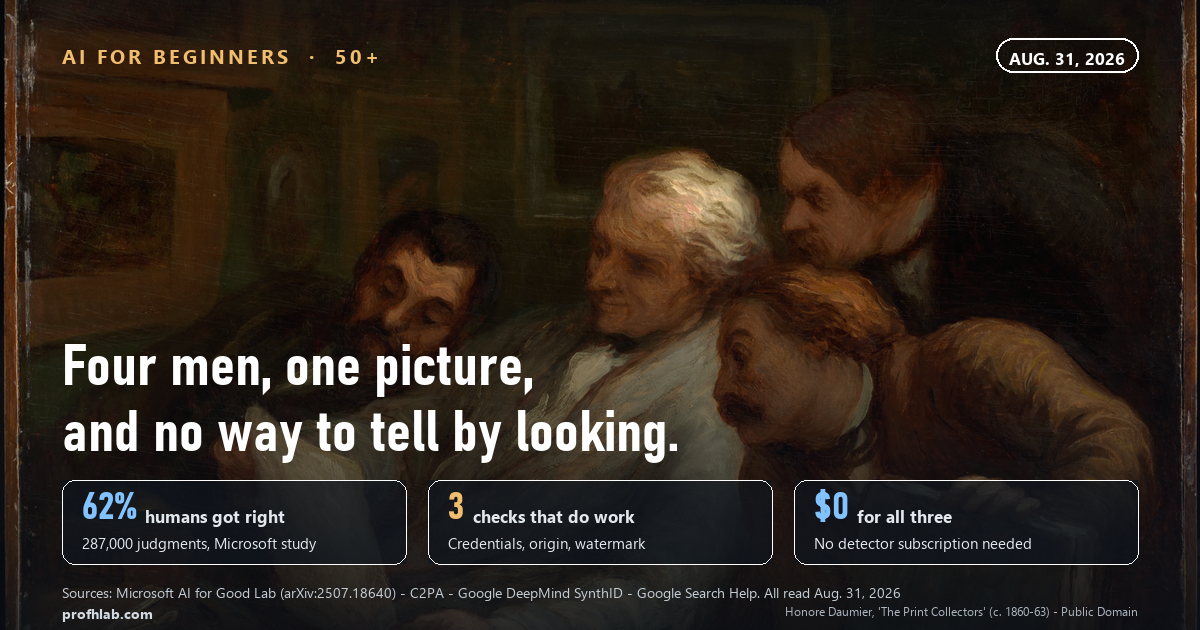
The three checks that actually work take about thirty seconds, cost nothing, and not one of them involves looking harder at the picture: open the file’s Content Credentials, ask Google where the image first appeared, and ask Gemini whether it carries an invisible SynthID watermark. Staring at it is the method that fails — in a Microsoft AI for Good Lab experiment covering roughly 287,000 judgments by more than 12,500 people, players were right only 62% of the time, and on two types of AI image they scored below 50%, which is worse than guessing.
Here is how it usually happens. A photograph arrives in a group message or turns up in your feed — a flooded street, a celebrity somewhere they should not be, a house for rent at a price that makes no sense. Someone asks whether it is real.
So you do what everyone says to do. You look at the hands. You count the fingers. You check the teeth and the ears and the background lettering.
That advice was written for 2023, and it is quietly expiring.
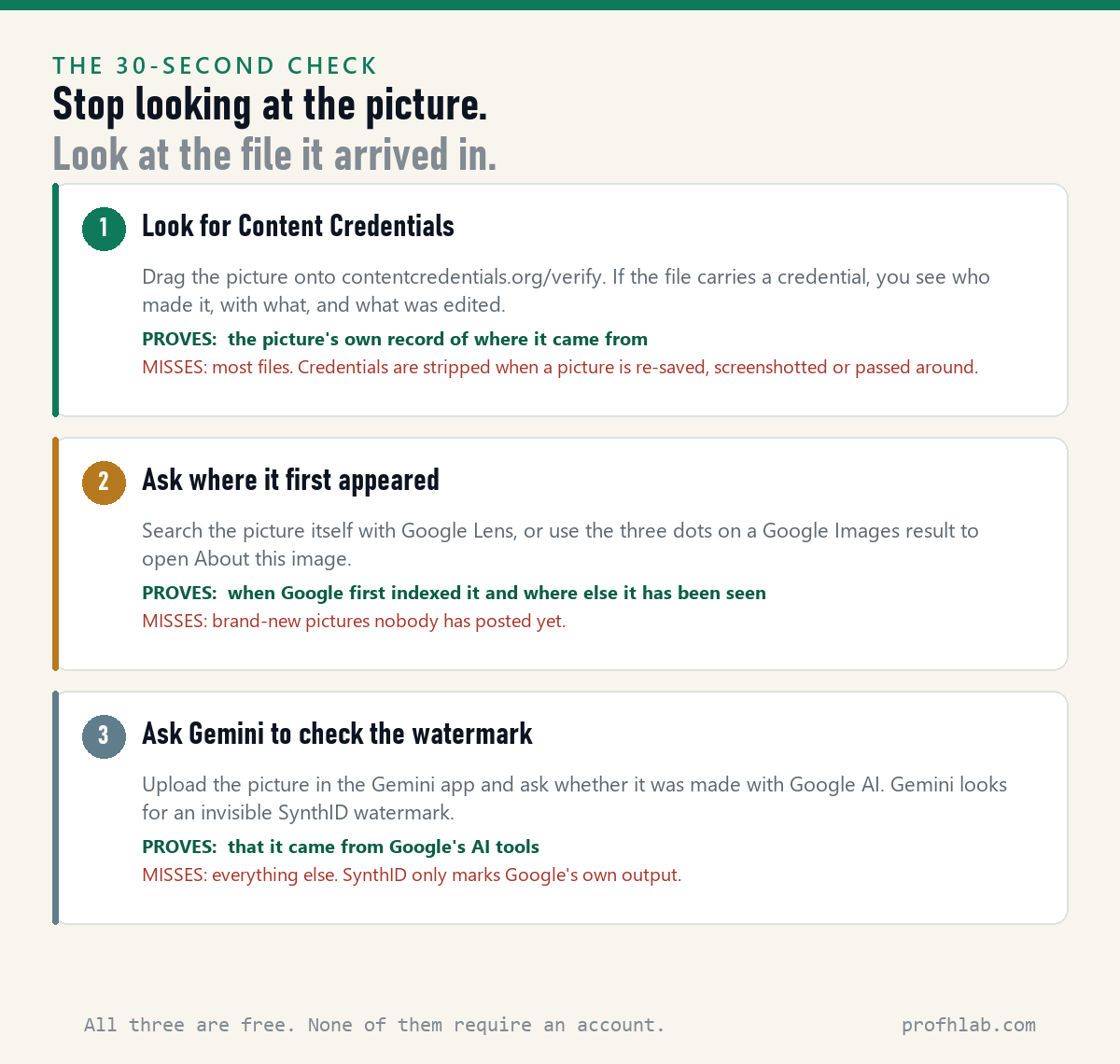
The thirty-second version. Do these in order and stop as soon as one of them answers your question.
- Drop the file on contentcredentials.org/verify. If it carries a credential, you will see who made it and with what.
- Search the picture itself with Google Lens, or open About this image from the three dots on a Google Images result, and see where it first showed up.
- Upload it in the Gemini app and ask whether it was made with Google AI. Gemini looks for a SynthID watermark you cannot see.
Why squinting at the picture stopped working
In 2025, researchers at the Microsoft AI for Good Lab published results from an online game called Real or Not. Players were shown real photographs and AI-generated images and asked to sort them.
About 287,000 judgments came in from more than 12,500 people around the world. Roughly 110,000 of those judgments were wrong.
That is a success rate of 62% — a coin flip is 50%. On the AI images specifically, players correctly identified 121,735 out of 193,779, or 63%.
The detail worth sitting with is which pictures fooled people most. The authors report that participants did best on human portraits — faces are what we are built to read — and struggled most with natural and urban landscapes.
And two categories beat the humans outright, scoring below 50%: faces made by older GAN tools, and inpaintings, where only part of a real photograph has been altered.
That last one matters more than it sounds. A picture does not have to be invented from nothing to mislead you. Someone can take a genuine photograph and change one object in it, and the rest of the frame will pass every visual test you know.
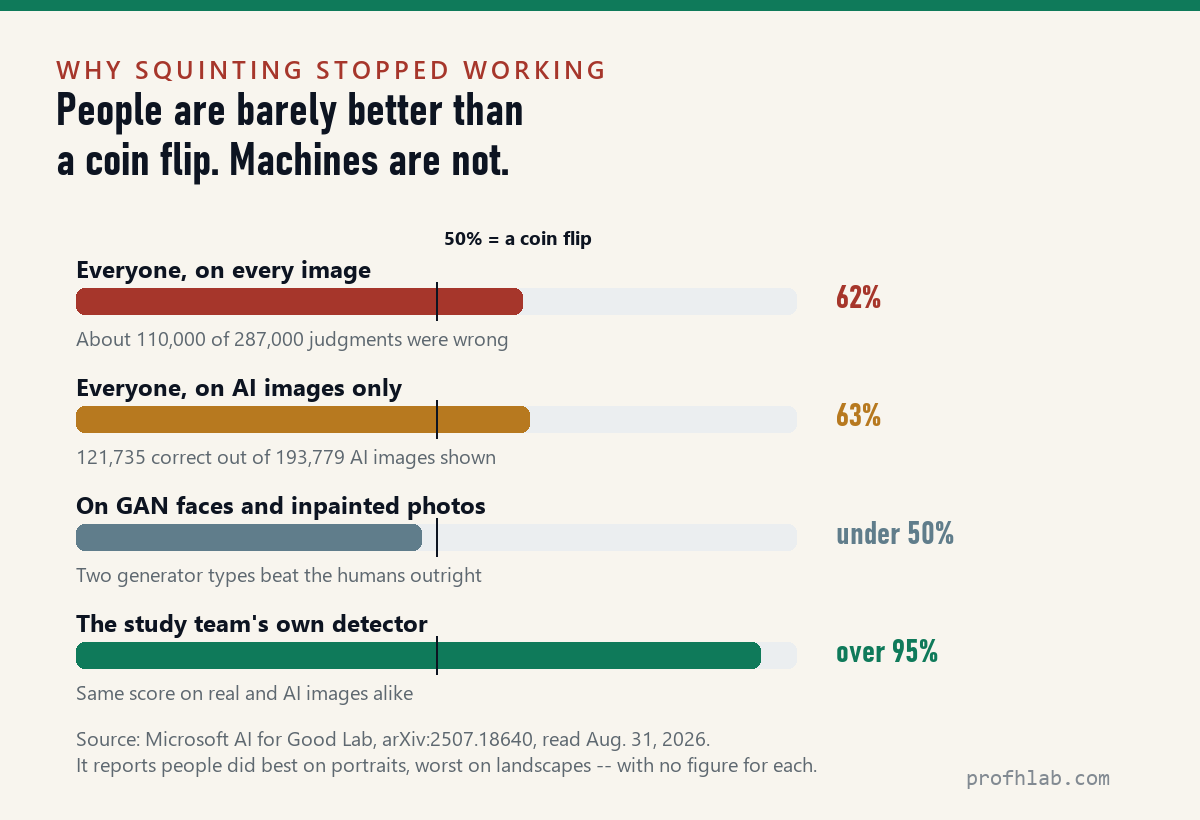
The authors are blunt about where this is heading: because generators keep improving, they write that their results likely overestimate how well people can do today.
The honest summary. This is not a story about detectors being useless. It is the opposite. Machines are much better at this than people are — the study’s own detector scored above 95% — and the researchers still note that detectors make mistakes too. What has collapsed is the idea that a careful person can settle it by looking.
Check 1: look for Content Credentials
Content Credentials are the closest thing we have to a nutrition label for a picture. The open standard behind them is called C2PA, maintained by the Coalition for Content Provenance and Authenticity, and the Content Authenticity Initiative that promotes it was established by Adobe.
When a credential is attached, it travels with the file and records what made the image and what was edited afterward. OpenAI attaches them to images its tools generate, Google’s Pixel Camera writes them into photos as they are taken, and in June 2025 Sony launched a C2PA-based Camera Verify system for press photographers and news editors.
To check one: go to contentcredentials.org/verify and drag the image file onto the page. There is no account and no limit.
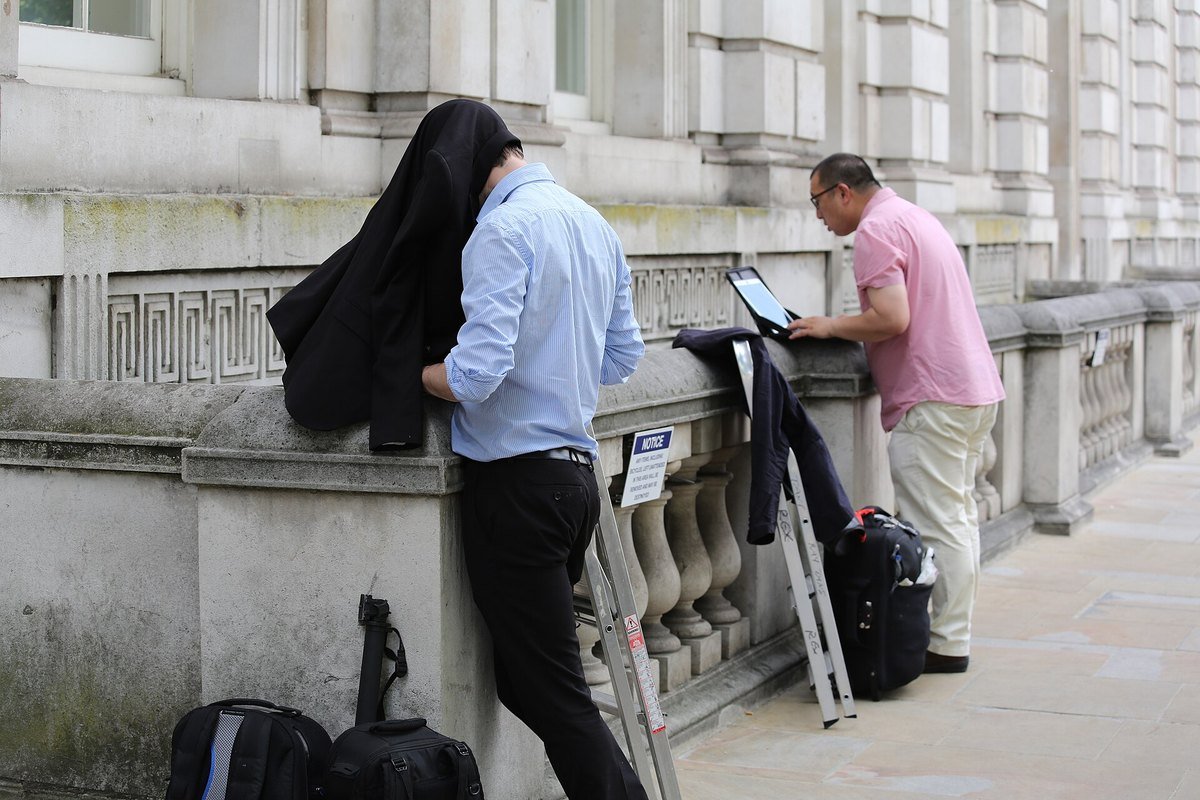
Now the part the tool vendors tend to skip. Most pictures you receive will have no credential at all, and a missing credential proves nothing.
Credentials are fragile. Screenshot a picture and the credential is gone. Save it, re-upload it, or pass it through an app that strips metadata, and it is gone. A photograph with no credential is simply a photograph we know nothing about — which is most of them.
Check 2: ask where the picture first appeared
This is the check that does the most work, and almost nobody does it. Instead of asking “is this image fake,” you ask “where has this image been before today?”
A photo of flooding that is presented as this week’s storm but was first indexed in 2019 is answered without any judgment about pixels at all.
Google’s About this image shows you when the image and similar ones were first indexed, where it may have first appeared, and where else it has been seen — including on news and fact-checking sites. Google’s own announcement gives the example of an image of a staged moon landing, where the surrounding coverage was what identified it as AI-generated.
On a computer, the official steps are:
- Go to google.com, click Search by image, then Upload a file and choose your picture.
- Or drag the image file straight into the Google search box.
- Or, in Chrome, right-click any image on a page and choose Search with Google Lens.
- On a Google Images result, click the three dots on the image to open About this image.
This is the same habit that protects you elsewhere. It is what we recommend for checking whether a Facebook ad is fake, and it is the visual cousin of working out whether a phone call is AI.
Check 3: ask Gemini about the watermark
Google embeds an invisible watermark called SynthID into images made with its own AI tools. It does not change how the picture looks, and you cannot see it — but Google’s systems can read it.
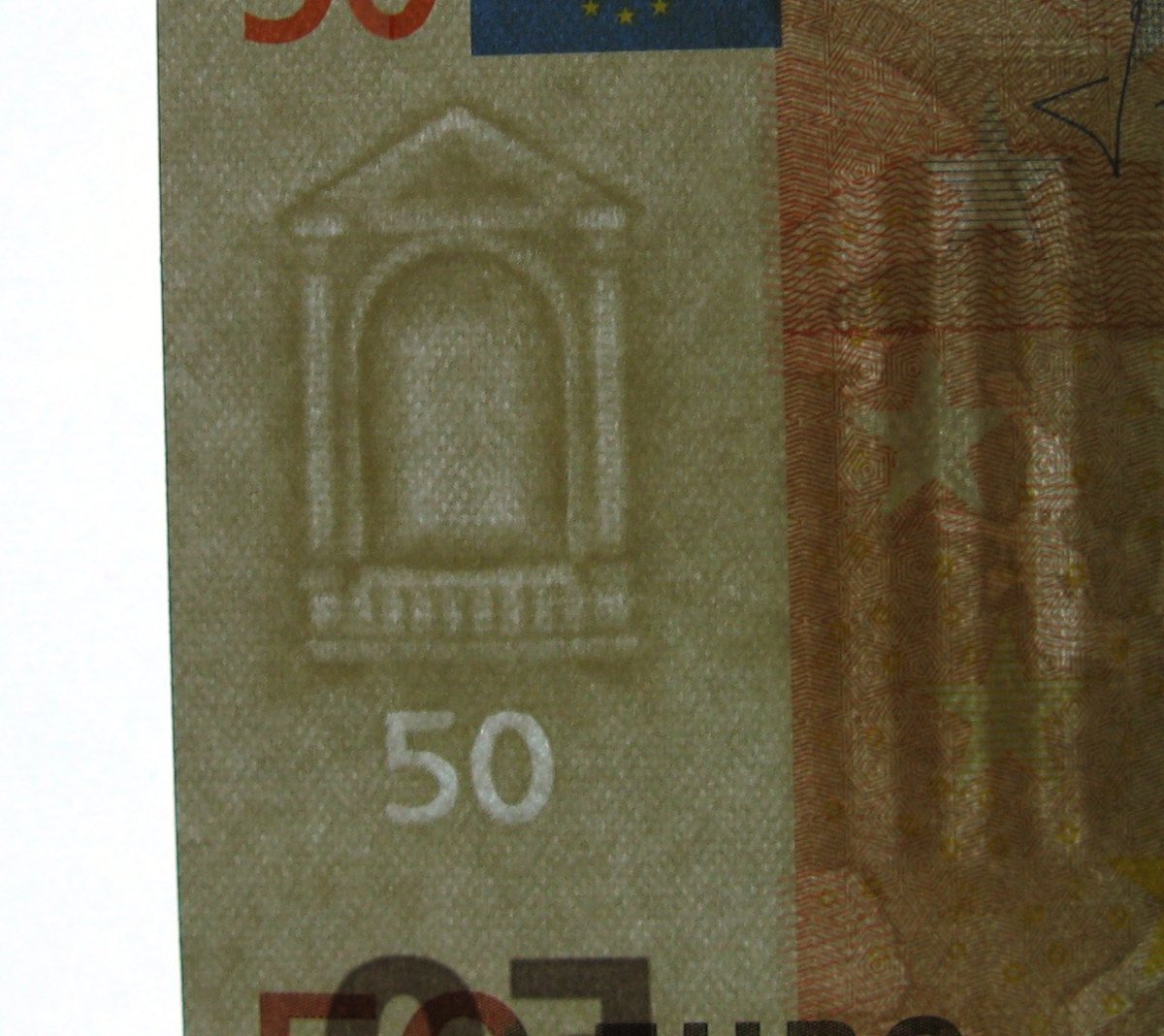
To use it: open the Gemini app, upload the picture, and ask whether it was created with Google AI. Gemini checks for a SynthID watermark and tells you if it finds one.
The limit here is strict and easy to misread. SynthID only marks Google’s own output. A picture from Midjourney, from a Chinese generator, or from any of the dozens of open tools carries no SynthID, and Gemini finding nothing does not mean the picture is real.
Are AI image detectors accurate?
Better than you, and not as good as their home pages suggest.
The Microsoft team’s own detector scored above 95% on both real and AI images, and the paper says detector success rates are consistent across image categories in a way human performance is not. The same paper adds the necessary caveat: detectors “too, will make mistakes.”
So a detector is a useful second opinion. It is a bad only opinion — and a very bad basis for accusing a person of faking something.
There is also a practical problem with the ones that rank highest when you search for a free checker. On August 31, 2026 we opened the home page of each and read what it offered.
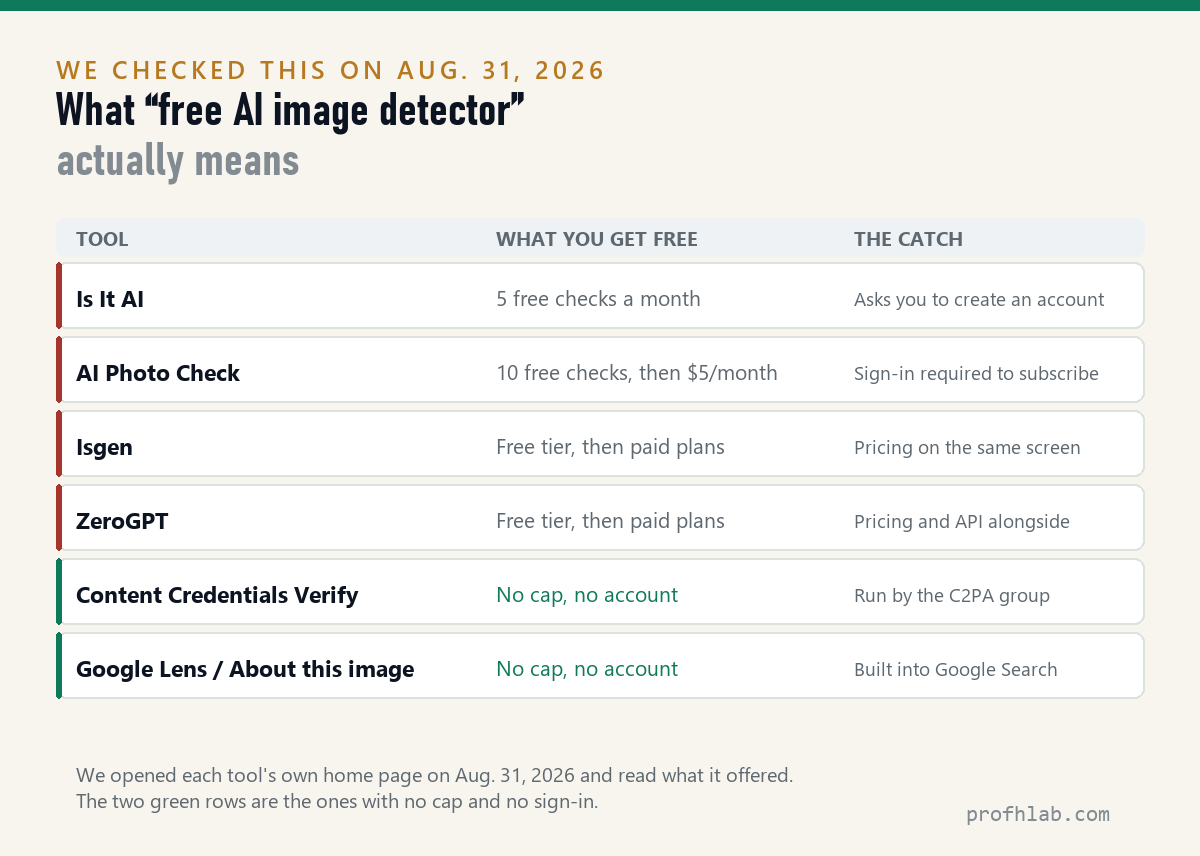
Is It AI offers five free detections a month and asks you to create an account. AI Photo Check gives ten free checks and then asks $5 a month. Isgen and ZeroGPT both run a free tier with pricing on the same screen.
None of that is dishonest. But if you check pictures more than a few times a month, the free path is the one built into tools you already have. We keep a running record of how we count things like this on our how we count page.
Why do AI images look glossy, yellow, or just off?
Because a generator has an average taste, and it returns to it.
Ask for a photograph and many models give you soft even lighting, warm skin, a slight golden cast, shallow depth of field and a suspicious absence of clutter. Real rooms have crumbs and cables. Real light comes from one bad direction.
This is a genuine clue, and the Microsoft researchers describe exactly this: people learn to recognize the average aesthetic of a generator rather than any real limit on what it can produce.
Which is precisely why the clue is fading. It reflects the default settings the model makers chose, not the ceiling of the technology — and defaults change with every release. The pictures that fooled people most in the study were the ones that looked realistic but not professional.
The reason this matters more after 60
Fake pictures are rarely the point. They are the setup.
A stolen or generated photograph is the opening move in a romance scam, and the FTC’s guidance on romance scams recommends the same reverse-image habit described above — searching the profile picture to see whether it belongs to someone else entirely.
The same logic runs through the fake charity appeal after a disaster and the too-good rental listing. We wrote about that pattern in detail in AI scams targeting seniors.
The one rule that survives all of this. If a picture is being used to get money, credentials, or urgency out of you, the image is not the thing to verify. Verify the person, on a phone number you already had. No amount of image analysis substitutes for that.
Bookmark the Content Credentials checker, then practice with Lens
- Bookmark contentcredentials.org/verify right now, before you need it.
- Practice the Lens step once today on a picture you already know is real, so the steps are familiar when it matters.
- Change the question you ask. Not “does this look fake” but “where was this picture before today.”
- Do not accuse anyone based on a detector score. Treat it as one input.
- If money is involved, stop and call. Report scams to the FTC at reportfraud.ftc.gov.
Video has different tells but the same logic; voices move fastest
- “What about video?” Different tells, same logic — start with how to tell if a YouTube video is AI generated.
- “What about a voice on the phone?” That is the fastest-moving one: how to tell if a phone call is AI.
- “Can I stop my own photos being used for AI?” Yes, partly — see stopping Meta AI from using your photos.
- “What if I want to make pictures, not check them?” Start with making AI photos with grandparents or restoring old family photos.
Detectors beat human eyes, but the free tiers are capped
How can I tell if a picture is AI generated for free?
Use the two tools with no cap and no account: drop the file on contentcredentials.org/verify to look for a Content Credential, and search the image itself with Google Lens to see where it first appeared. Dedicated detectors also have free tiers, but the ones we checked on August 31, 2026 cap them — five checks a month at Is It AI, ten checks then $5 a month at AI Photo Check.
Are AI image detectors accurate?
More accurate than people. In the Microsoft AI for Good Lab study, human players scored 62% while the research team’s own detector scored above 95% on both real and AI images. The same paper warns that detectors make mistakes too, so treat a detector result as a second opinion rather than a verdict — especially before accusing anyone of anything.
Do AI images have hidden watermarks?
Some do. Google embeds an invisible SynthID watermark in images made with its own AI tools, and you can ask the Gemini app to check for it. It is not universal: images from other generators carry no SynthID, so finding no watermark does not mean a picture is real.
Why do AI pictures look glossy or yellow?
Because generators have default habits — even lighting, warm tones, shallow focus and unusually tidy scenes. Researchers note that people learn a generator’s average look rather than its actual limits, which is why this clue weakens with each new model release.
What is a Content Credential?
It is a record attached to an image file showing what made it and what was edited, built on an open standard called C2PA. Think of it as a nutrition label for a picture. It only helps when it is present, and it is stripped by screenshots and by many re-uploads.
Can I tell if a photo is AI just by looking at the hands?
Not reliably any more. Hands and teeth were useful tells in early image generators and are largely fixed in current ones. In the Microsoft study, the images people misjudged most were realistic but unpolished ones, and partly-edited real photographs scored below 50%.
Does a reverse image search work on a phone?
Yes. Use the Google app or Google Lens, choose the photo from your camera roll or take a picture of the screen, and Lens will show you where else that image appears online.
Someone sent me a photo asking for money. What should I do?
Treat the image as irrelevant and verify the person instead, using a phone number you already have — not one in the message. The FTC’s romance scam guidance recommends a reverse image search of any profile photo, and scams can be reported at reportfraud.ftc.gov.
Sources
- Roca, T. et al., Microsoft AI for Good Lab, “How good are humans at detecting AI-generated images? Learnings from an experiment” (arXiv:2507.18640). Read August 31, 2026.
- C2PA and Content Credentials Verify. Read August 31, 2026.
- Google DeepMind, SynthID. Read August 31, 2026.
- Google, “Get helpful context with About this image”. Read August 31, 2026.
- Google Search Help, “Search with an image on Google”. Read August 31, 2026.
- Federal Trade Commission, “What To Know About Romance Scams”. Read August 31, 2026.
- Detector free-tier limits read directly from each tool’s home page on August 31, 2026.
After photos: fake YouTube videos and the scams aimed at seniors
- How to tell if a YouTube video is AI generated
- AI scams targeting seniors: what actually works
- How to use ChatGPT: a beginner’s guide for the over-50s
- Start here — the plain-English map of everything on this site
- The best AI tools for seniors
- How to turn off the AI voice on your TV
- FAQ — short answers to the questions readers send most
- Ask a question — we answer these in public
Written by Prof. H. Every figure in this article was read from its primary source on August 31, 2026, and the detector limits were checked by hand the same day. Our method is described on how we count; corrections go to contact.
Prof.’s H Newsletter
One short email a month, with the numbers in it
What actually moved in AI hiring, AI prices, and the scams aimed at older Americans. Counted here, dated, and linked to the source. One email a month, and your address goes nowhere else.