How to Stop AI Calls on a Landline: We Read 5 Phone Companies’ Pages, and None Mention AI
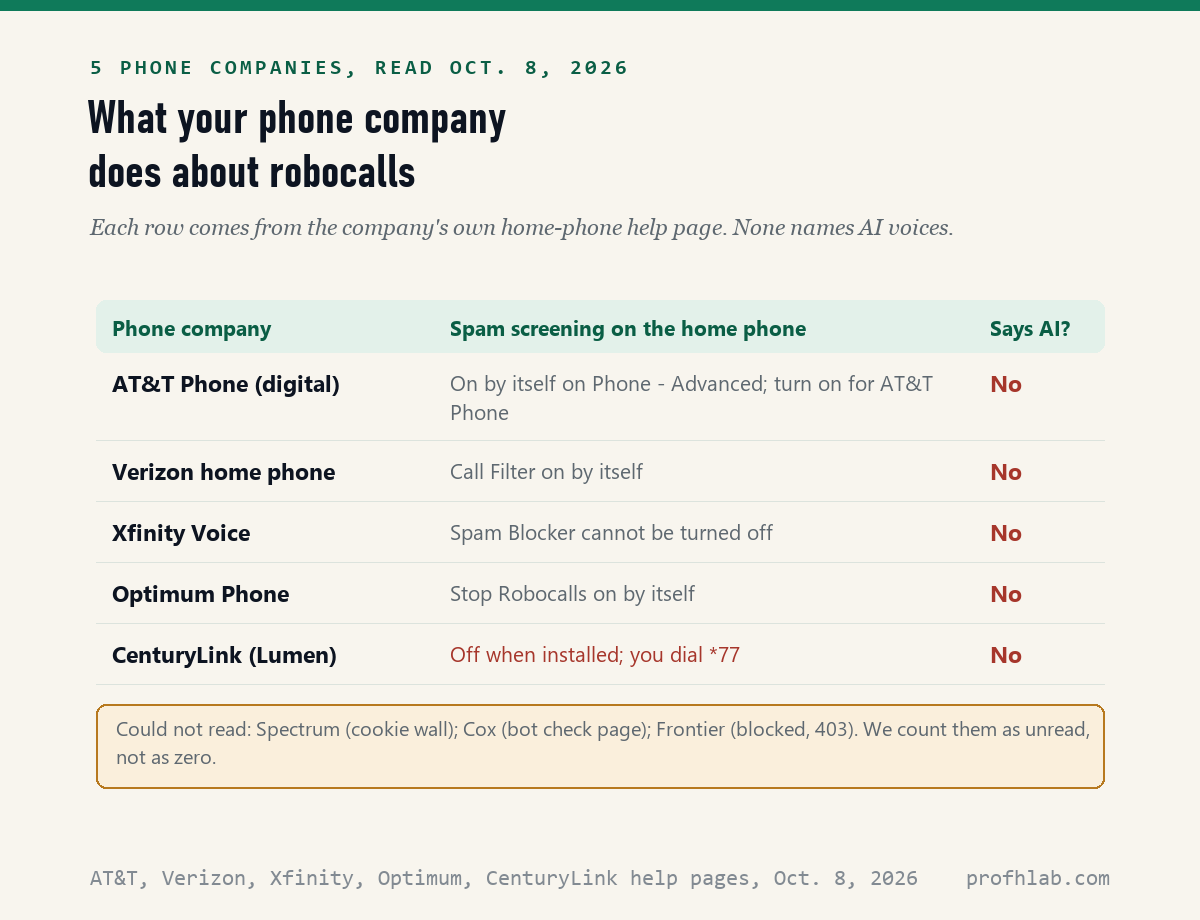
No home phone has an “AI calls” switch: on October 8, 2026 we read the home-phone help pages of 5 U.S. phone companies, and 0 of them mention AI voices, but 4 of the 5 screen robocalls by themselves on at least some plans. To the law and to your phone company, an AI voice call is a robocall. So you stop it the way you stop any robocall.
That is good news. The tools already exist, and most cost nothing. Below is what each company does, the star codes to dial, and one paid service that changed this year.
What we checked on October 8, 2026
We tried to read the home-phone help pages of 8 large U.S. phone companies. Pages from 5 opened: AT&T, Verizon, Xfinity, Optimum and CenturyLink. Spectrum showed a cookie wall, Cox showed a bot check, and Frontier refused us (error 403), so those 3 are unread, not zero. We also read Nomorobo’s landline pages, the FCC’s 2024 ruling on AI voices, two FTC pages, and the CDC’s newest phone survey table.
Written and checked by Prof. H. An AI assistant helped draft this article and ran the page reads; every quotation below was read on the source’s own page on the date shown.
How do you stop AI calls on a landline?
You stop them with robocall tools, because the FCC ruled on February 8, 2024 that AI voices count as “artificial” voices under the phone law: turn on your phone company’s spam filter, block hidden numbers with *77, and hang up without pressing anything.
Think of it like a smoke alarm. It does not care what started the fire. A robocall filter does not care whether the voice came from a tape or from AI. It looks at the number and the calling pattern.
None of the 5 company pages we read on October 8, 2026 used the words AI, artificial intelligence or voice cloning. So no company promises to catch an AI voice by its sound. Our search of each page for those words found nothing.
Are AI voice robocalls legal?
Not without your consent: the FCC’s Declaratory Ruling FCC 24-17, released February 8, 2024, says the law’s limits on “artificial or prerecorded voice” calls “encompass current AI technologies that generate human voices.”
The same ruling says such calls “require the prior express consent of the called party,” unless there is an emergency purpose or another legal exception. In plain words, a company may not ring your home with an AI voice unless you agreed to it first.
Scammers break that law anyway. That is why the rest of this guide is about blocking, not about the rules.
One in three adults over 65 still has a home phone line
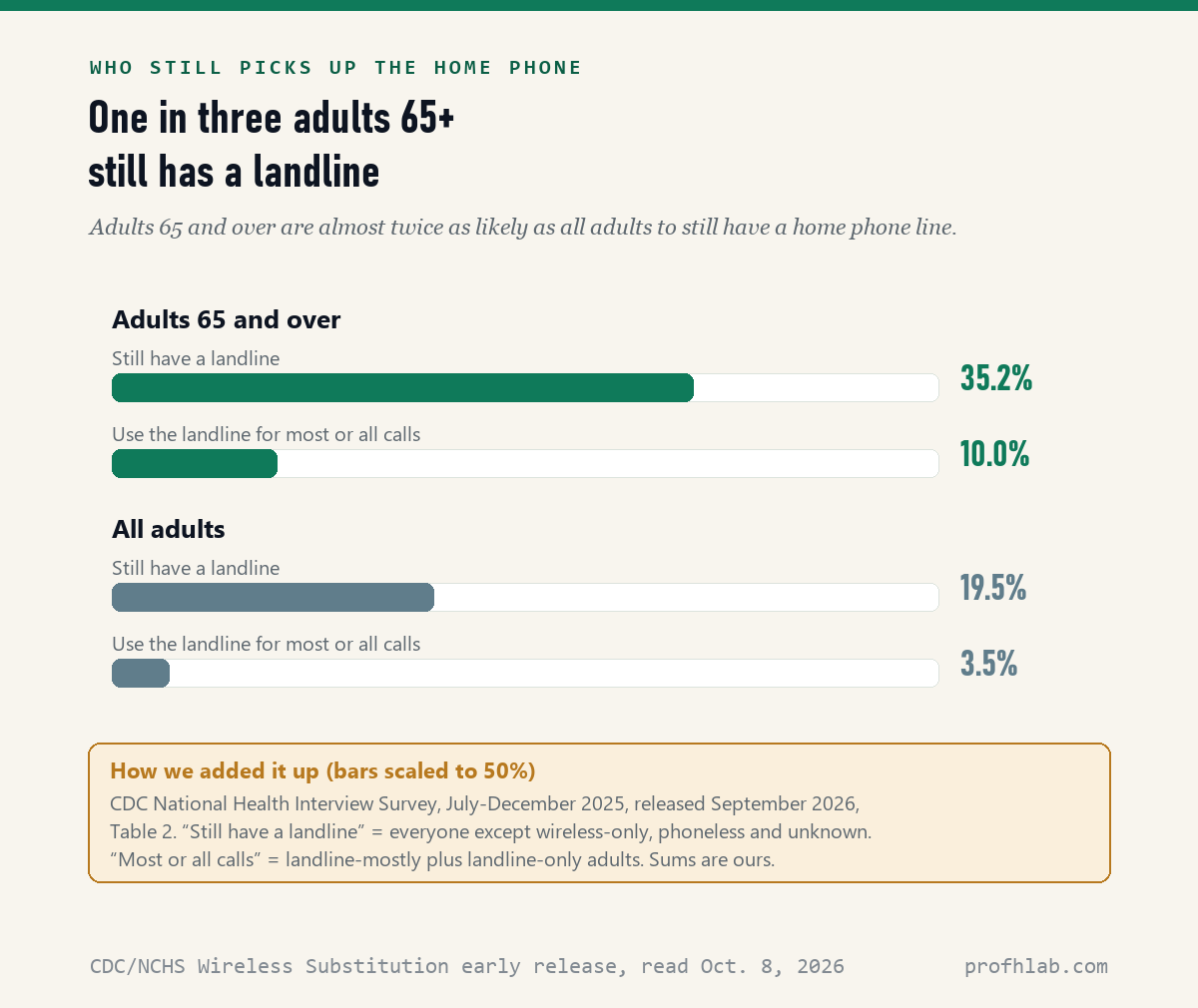
The CDC’s National Health Interview Survey for July to December 2025, released September 2026, shows that 35.2% of adults 65 and over still have a landline, compared with 19.5% of all adults. Those are our sums from the CDC’s Table 2.
For 10.0% of adults 65 and over, the landline is the phone they use for most or all calls. For all adults, that share is 3.5%. So a robocall to a home phone is much more likely to reach an older person. That last line is our inference from the table; the CDC does not study robocalls.
Which phone companies screen robocalls on a home phone?
Four of the 5 companies we read on October 8, 2026 screen spam on at least some home phone plans without you doing anything. CenturyLink’s page is the exception: its tools start out off.
- Xfinity Voice: “Spam Blocker cannot be turned off,” its help page says, though you can set it so all calls ring through. It is included with Xfinity Voice. Its Anonymous Call Rejection is “enabled by default.”
- Optimum: “you are automatically signed up for Stop Robocalls,” and you may turn it off.
- Verizon: its home phone page says Call Filter “is automatically turned on.” It also offers Spam Alerts on caller ID.
- AT&T: Call Protect is a “free service” that blocks known scammers. It is on by itself for AT&T Phone – Advanced. On plain AT&T Phone, you turn it on in the AT&T phone portal under Features, then Call filtering.
- CenturyLink: Anonymous Call Rejection is turned off “when it’s first installed,” so you press *77.
Not sure which plan you have? Call the number on your phone bill and ask, “Is spam call blocking on for my home line?”
Here is how to turn on *77 and *60 on a home phone
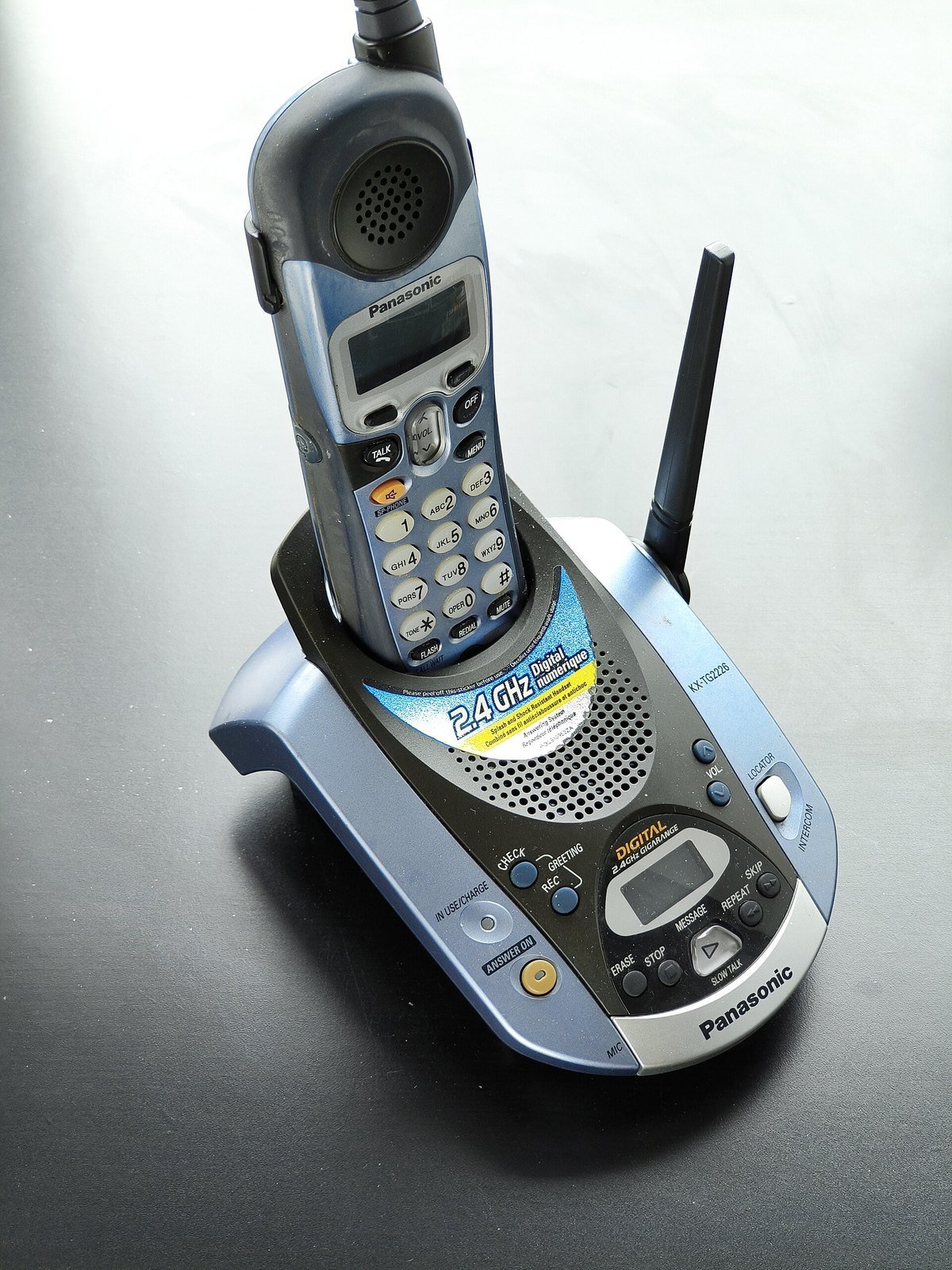
Star codes are short commands you dial from the home phone itself, and both Verizon and CenturyLink list them on their help pages, read October 8, 2026. Codes can differ by company and area, so check your own company’s page if one does not work.
- Pick up the home phone and listen for the dial tone.
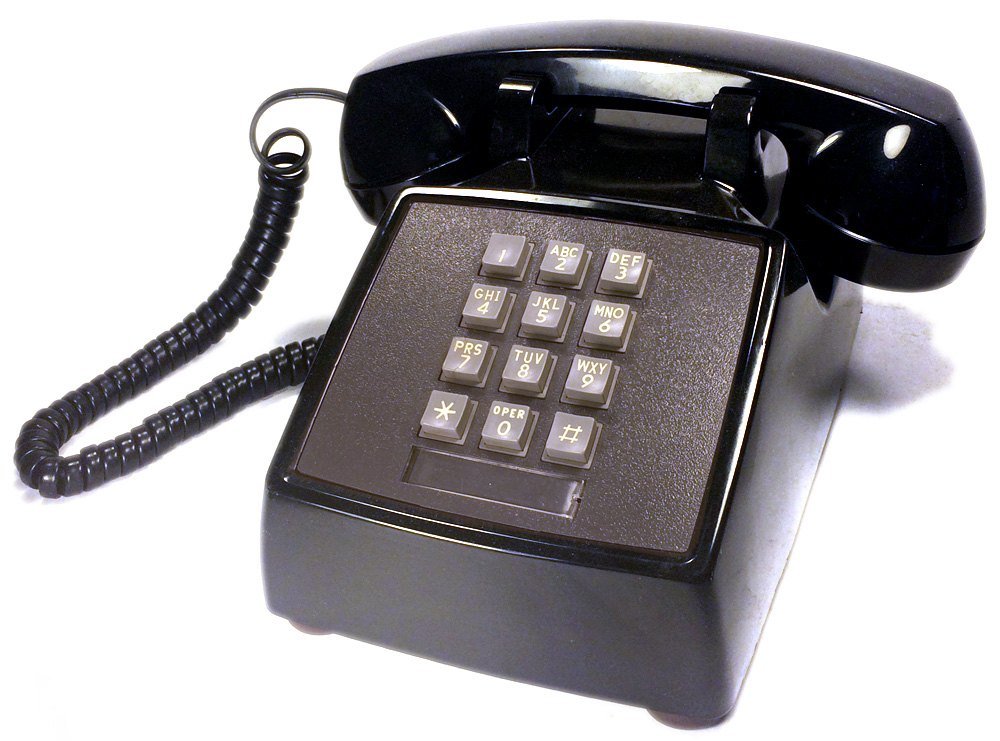
- Press *77. This rejects callers who hide their number. CenturyLink says you will hear two beeps. On a rotary phone, Verizon says to dial 1177.
- Hang up. To undo it later, press *87.
- After a pest calls, press *60 and follow the recording to add that number to your block list. Verizon’s code to turn the list off is *80.
On CenturyLink, Call Rejection (*60) “has to be ordered,” and it blocks up to 10 numbers, or 25 with Enhanced Call Rejection in some areas. Blocking one number at a time helps little against robocalls that change numbers. *77 only stops callers who hide their number, so it is one layer, not a cure.
What happened to free Nomorobo for landlines?
It ended and came back as a paid service: Nomorobo’s own post says “On January 1, 2026, we stopped protecting landlines,” and its landline page, read October 8, 2026, now charges “$39.99/year per line.”
For years, many cable phone companies offered Nomorobo for free. Optimum’s help page still says Nomorobo “discontinued their spam call protection for VoIP/landlines on January 1, 2026.” Older articles online may still call it free.
The new version works through a feature called Simultaneous Ring, which rings a second number at the same time. Nomorobo’s page says “traditional copper landlines generally do not” have it. If your phone plugs into an old wall jack and your service comes from the local phone company, it may not work. Nomorobo’s dashboard checks your provider before you pay.
Does the Do Not Call Registry stop AI robocalls?
No: the FTC’s Do Not Call FAQ, read October 8, 2026, says the Registry tells honest telemarketers which numbers not to call and that “it doesn’t block calls.” It also says being on it “won’t stop calls from scammers.”
It is still worth joining, because it cuts legal sales calls. The FTC said on December 11, 2025 that the Registry held about 258.5 million active registrations. The same release says robocall complaints “continued to make up most” Do Not Call complaints. Signing up is free at DoNotCall.gov or by calling 1-888-382-1222 from the phone you want to register, the FAQ says.
Copper line and no filter? A call-blocking box is the fallback
The FTC’s page on blocking unwanted calls, dated July 2023 and read October 8, 2026, says a traditional landline owner can “consider buying and installing a call-blocking device.” Such devices “are usually small boxes you attach to your phone.”
Some use lists of known scam numbers, the FTC says. Others play a message asking callers to press a number first, to weed out robocalls. CenturyLink’s page points to one, the V5000 Call Blocker, which it says comes loaded with 5,000 known nuisance numbers. We have not tested any blocking box, so we name no favorite.
When a robot voice gets through, hang up without pressing a number
The FTC’s advice is short: “If you get an illegal robocall, hang up and don’t call back.” It adds, “Don’t press a number, which could lead to more robocalls.” Then report it: the FTC page sends unwanted calls to DoNotCall.gov, and calls where you lost money to ReportFraud.ftc.gov.
Our own suggestion, not a rule from any page: let calls from numbers you do not know go to the answering machine. A real caller leaves a message. If a voice sounds like a grandchild in trouble, hang up and call that person back on the number you already have. A family safe word makes that call quick.
6abc on the FCC vote, and WISN on one man’s 388 spam calls
Star codes, Nomorobo prices and the Registry, in short answers
How do I stop spam calls permanently?
No tool stops every spam call. Turning on your phone company’s spam filter, pressing *77 and joining the Do Not Call Registry together cut most of them. Hang up on the rest without pressing a number, as the FTC advises.
Is there a way to stop robocalls on a landline?
Yes. On October 8, 2026, four of the five phone company pages we read said spam screening runs on their home phone plans by itself or is included. On a copper line without that, a call-blocking box is the fallback the FTC names.
Does *77 block robocalls?
Only robocalls that hide their number. *77 turns on Anonymous Call Rejection, which rejects callers who block their caller ID. A robocall that shows a fake number still rings through. Press *87 to turn it off.
Is Nomorobo still free for landlines?
No. Nomorobo stopped landline protection on January 1, 2026, then brought it back as a paid plan. Its landline page listed 39.99 dollars a year per line on October 8, 2026, and it needs a digital or cable phone service.
Are AI robocalls illegal?
Without your prior consent, yes in most cases. The FCC ruled on February 8, 2024 that AI-generated voices count as artificial voices under the Telephone Consumer Protection Act, so the same consent rules apply.
Voice scams, safe words and the other phone guides on this site
If a call already worried you, read how to tell if a phone call is AI, what happens if you say yes on a scam call and this month’s new AI phone scams. The big picture is in AI scams aimed at seniors and our September 2026 scam watch.
On a cell phone, see iPhone call screening and AI on a Samsung phone. Fakes come in other forms too: AI videos on YouTube, AI-written emails and AI pictures.
Want to write to your phone company? Our guide to writing a letter with ChatGPT walks through it, and what is safe to share with ChatGPT covers account numbers. New here? Start at Start Here, try ChatGPT for the first time after 50, see the AI tools we rate for seniors, or ask us on the Ask page. Our counting rules are at How We Count.
The FCC ruling, FTC pages, CDC table and company help pages behind this guide
- Federal Communications Commission, Declaratory Ruling FCC 24-17, CG Docket No. 23-362, adopted February 2, 2024, released February 8, 2024. Read October 8, 2026.
- Federal Trade Commission, How To Block Unwanted Calls, dated July 2023; National Do Not Call Registry FAQs; FTC Releases Annual Do Not Call Registry Data Book, December 11, 2025. All read October 8, 2026.
- CDC National Center for Health Statistics, Wireless Substitution: Early Release of Estimates From the National Health Interview Survey, July-December 2025, released September 2026, Table 2. Read October 8, 2026.
- AT&T, Prevent unwanted calls and Stop Unwanted Calls with AT&T Call Protect. Verizon, Stop unwanted calls (home phone). No dates shown; read October 8, 2026.
- Xfinity, Spam Blocker overview and unwanted calls on Xfinity Voice. Optimum, Stop Robocalls and Nomorobo FAQ. CenturyLink, Block unwanted calls from your home phone. No dates shown; read October 8, 2026.
- Nomorobo, Landline Protection and Nomorobo Landline Protection Is Back (no date shown). Read October 8, 2026.
- Unread on October 8, 2026: Spectrum (cookie wall), Cox (bot check page), Frontier (error 403).
Phone company features, prices and star codes change and can differ by area and plan. This page reports what the pages said on the date shown; we are not paid by any company named here. Corrections and questions go to the Ask page.
Prof.’s H Newsletter
One short email a month, with the numbers in it
What actually moved in AI hiring, AI prices, and the scams aimed at older Americans. Counted here, dated, and linked to the source. One email a month, and your address goes nowhere else.