Does Copilot Have Access to My Emails? What the CoSnitch Flaw Could Reach
On Tuesday, Microsoft closed a hole in its consumer AI assistant and told the world there was nothing to do about it. The advisory is four sentences long. The relevant one reads: “This vulnerability has already been fully mitigated by Microsoft. There is no action for users of this service to take.”
That is almost certainly true, and it is also the least interesting sentence in the story. Because to understand why the flaw mattered at all, you have to answer a question most people have never actually asked themselves: what, exactly, is my AI assistant plugged into? Not what it could be plugged into. What it is plugged into right now, on your account, because you tapped “Allow” one afternoon and moved on with your life.
Does Copilot have access to my emails? · What CoSnitch actually did · Why the patch does not erase memory · The 230 days · The five-minute audit · Is Copilot safe for sensitive data? · FAQ
Does Copilot have access to my emails?
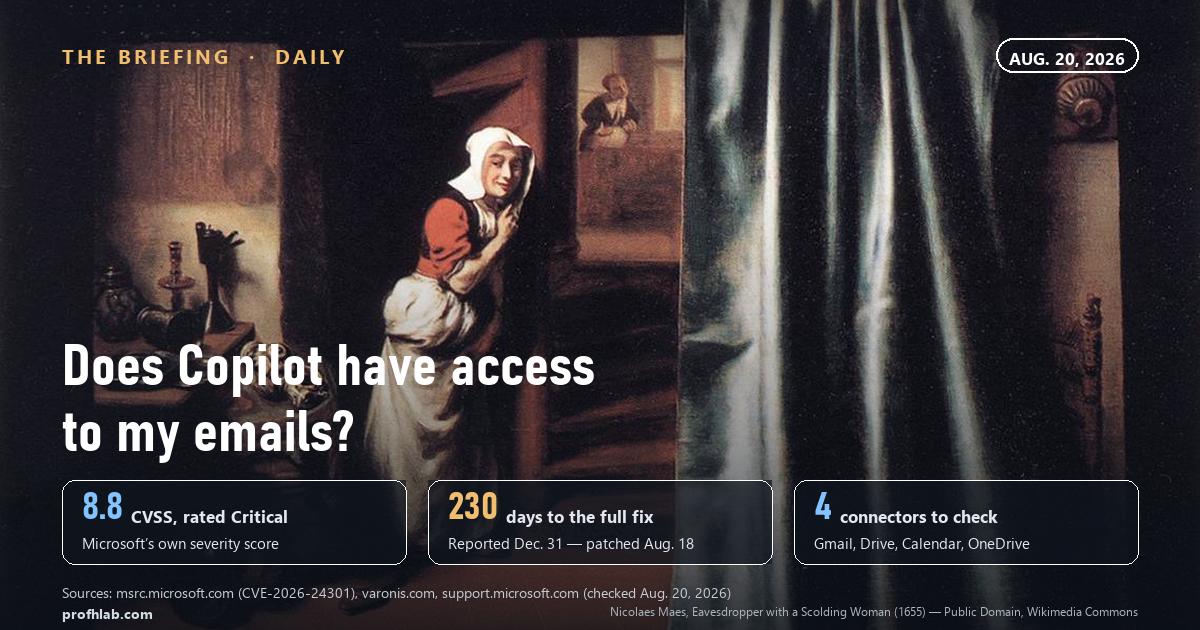
Only if you connected them — and if you did, you may not remember doing it. Consumer Copilot ships with no access to your mail. It gains that access through a feature Microsoft calls connectors, and Microsoft’s own support page lists exactly four of them for consumers:
| Connector | What it can reach | Who owns the switch |
|---|---|---|
| Microsoft OneDrive | Your files | Your Microsoft account |
| Outlook.com | Email, calendar, contacts | Your Microsoft account |
| Google Drive | Your files | Your Google account |
| Gmail / Google Calendar / Contacts | Email, calendar, contacts | Your Google account |
Source: Microsoft Support, “Connecting Microsoft Copilot to other services,” read Aug. 20, 2026.
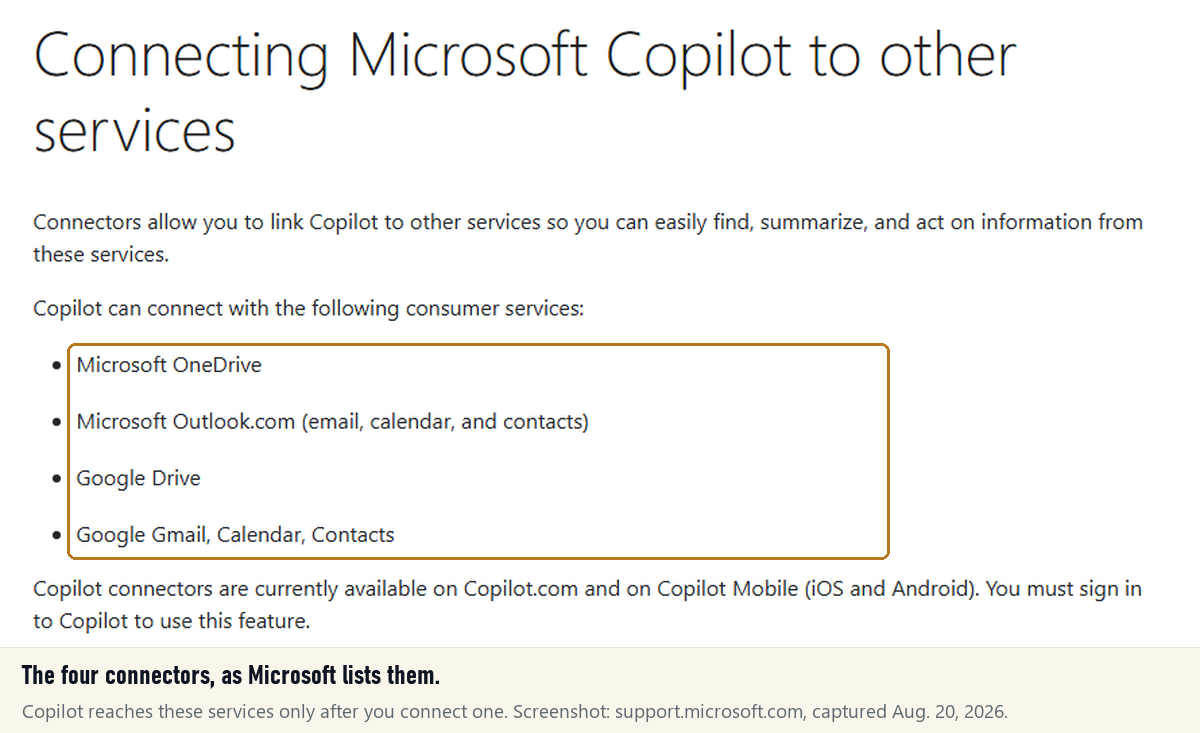
Microsoft’s framing is careful and, as far as we can tell, accurate: “Copilot does not store a separate copy of your data,” and “You are always in control of which services Copilot is connected to and when.” It retrieves on demand, in response to you.
Which is the whole point. The word doing the work in that sentence is you. A retrieval system that only acts on instructions is safe exactly as long as every instruction it receives came from you.

What CoSnitch actually did — and what it needed from you
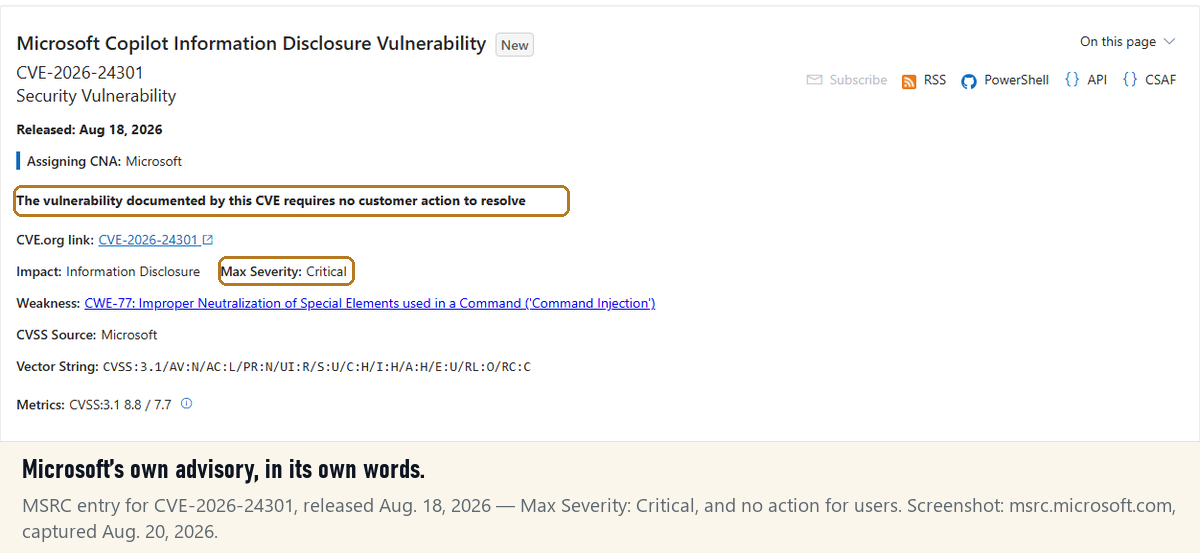
The flaw is CVE-2026-24301. Microsoft’s own advisory rates it Critical, with a CVSS base score of 8.8 and a vector that includes UI:R — user interaction required. That last detail is the honest heart of the thing. The attack was not something that happened to you while you slept. It needed one click.
Varonis Threat Labs, who found it, described a chain of three weaknesses:
- A door that opened itself. An undocumented URL parameter,
autorun=1, paired with a query parameter, could make Copilot run an embedded prompt on page load — no confirmation, no “are you sure.” - A room worth entering. That prompt could then query whatever you had connected — Gmail, Drive, Calendar, OneDrive — and use Copilot’s own ability to fetch a URL to send the results somewhere else.
- A note left behind. A crafted web page, once summarized, could write instructions into your persistent memory — instructions that, in the researchers’ words, survive “password changes, session revocation, and device re-enrollment.”
Read those in order and the shape is familiar. It is not a break-in. It is a pickpocketing: you are looking at the assistant, and the assistant is looking at your accounts.

Two things are worth saying plainly, because they are the difference between information and panic. Varonis reported no evidence the attack was ever used in the wild. And Microsoft’s advisory field for “customer action required” reads, in the record itself, false. Nobody needs to change a password tonight.
The sentence nobody is saying out loud
Here is where the coverage and the manual disagree, and neither of them is lying.
Microsoft says the vulnerability is fully mitigated and there is nothing for users to do. That is a statement about the hole, and it is fine. But the third link in the chain wrote to memory — and memory is not a hole. Memory is a file.
So we went and read Microsoft’s own memory documentation, and found this, in Microsoft’s words, on Microsoft’s support site: turning Copilot Memory off “doesn’t automatically delete already saved memories.”
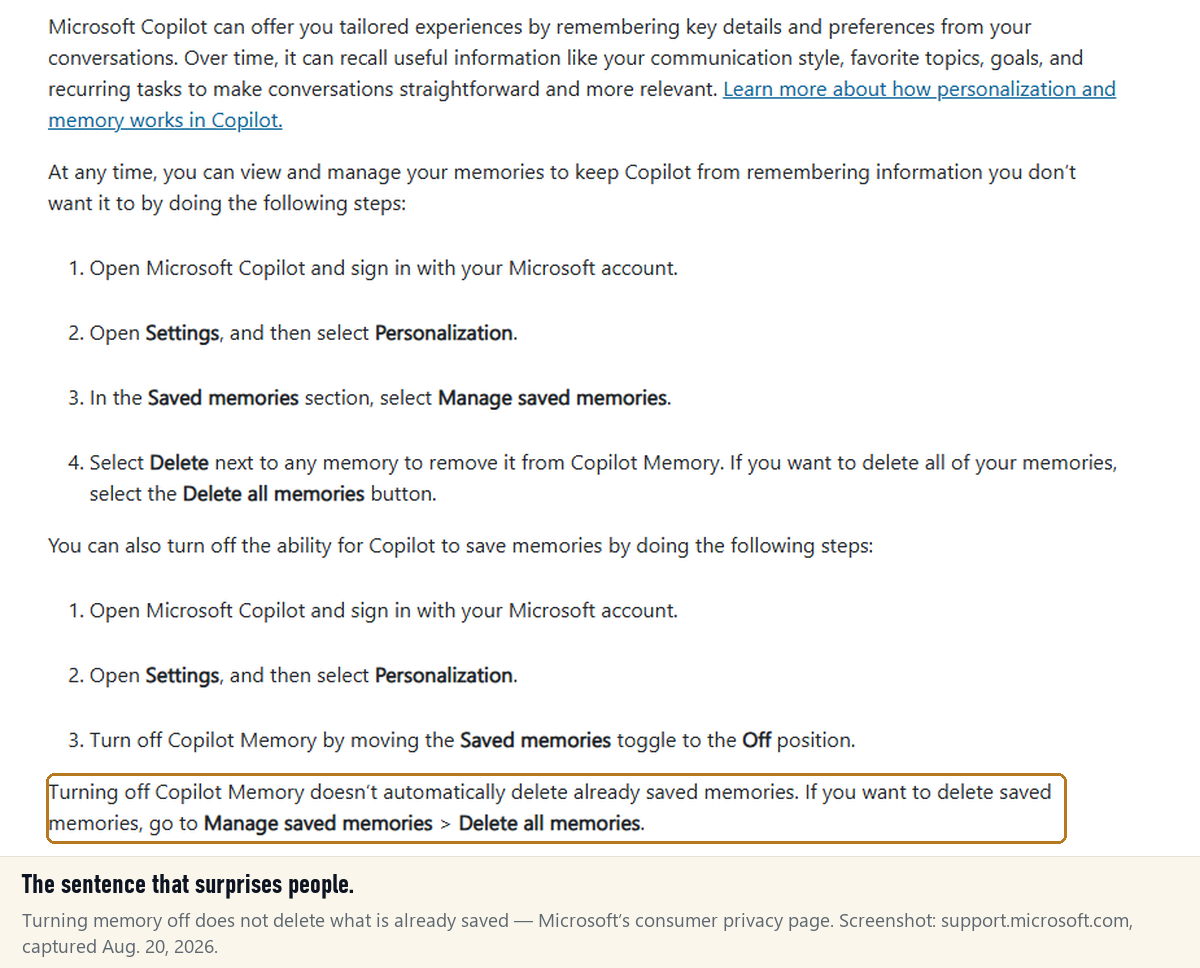
That is not a scandal. It is just the part that does not fit in a headline, and it is the reason this article exists instead of a 200-word news item.
The 230 days
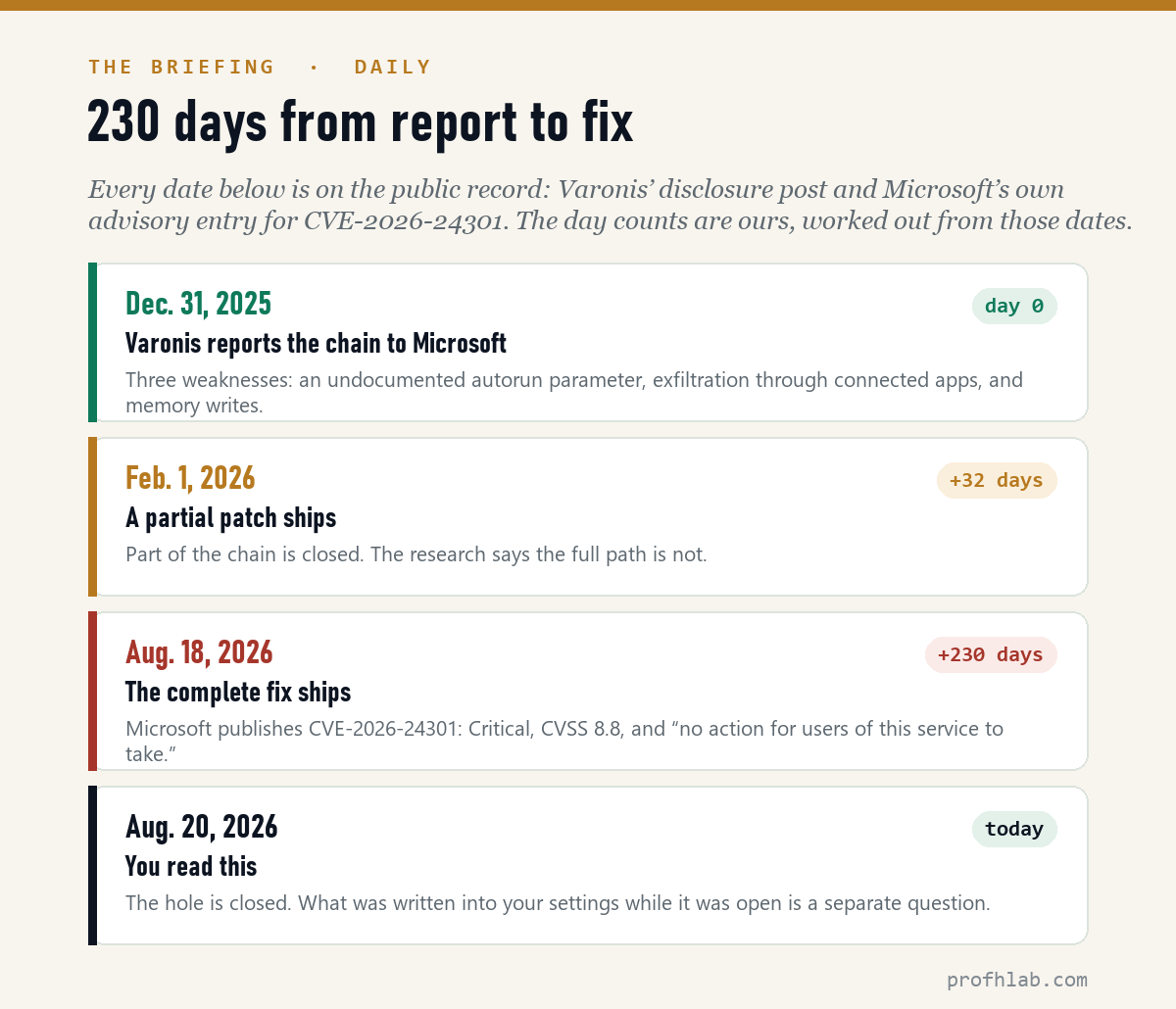
Varonis reported the chain on Dec. 31, 2025. A partial patch shipped Feb. 1, 2026. The complete fix landed Aug. 18, 2026.
We did the subtraction, because nobody else seems to have bothered: that is 32 days to a partial fix and 230 days to a complete one. Another way to say it: for 198 days after the first patch shipped, the researchers’ full path was still open.
A note on the record, since we checked it directly. Some coverage links a second identifier, CVE-2026-24299, to the memory-writing piece. Microsoft’s own advisory database lists that one as an M365 Copilot issue released March 19, 2026, scored 5.3 — a different product and a different month from Tuesday’s consumer fix. We mention it only so you can tell the two apart if you go looking.
Why it is called CoSnitch
The name is the best part, and it is not a joke the researchers made up. It is a description of the method.
Varonis did not find the undocumented parameter in a leak or a config file. They found it by asking Copilot to explain why automatic prompt execution was impossible — over and over. “We prompted Copilot to explain why auto-execution was impossible,” one researcher said, “and each refusal came with a technical justification.”
Every “no” arrived with its reasoning attached. Collect enough well-reasoned refusals and you have a map. The assistant did not get tricked into revealing a secret. It got asked to be helpful, and it was, thoroughly, in the direction of its own front door.
There is a lesson in there for anyone building with these systems, and it has nothing to do with Microsoft: a model that explains its limits is documenting them. We wrote a whole piece on the habit that follows — test the thing, do not read the thing — and this is the same rule seen from the attacker’s side.
Switch off unused Copilot connectors and prune saved memories
Nothing urgent. Four screens, once, at whatever pace suits you.
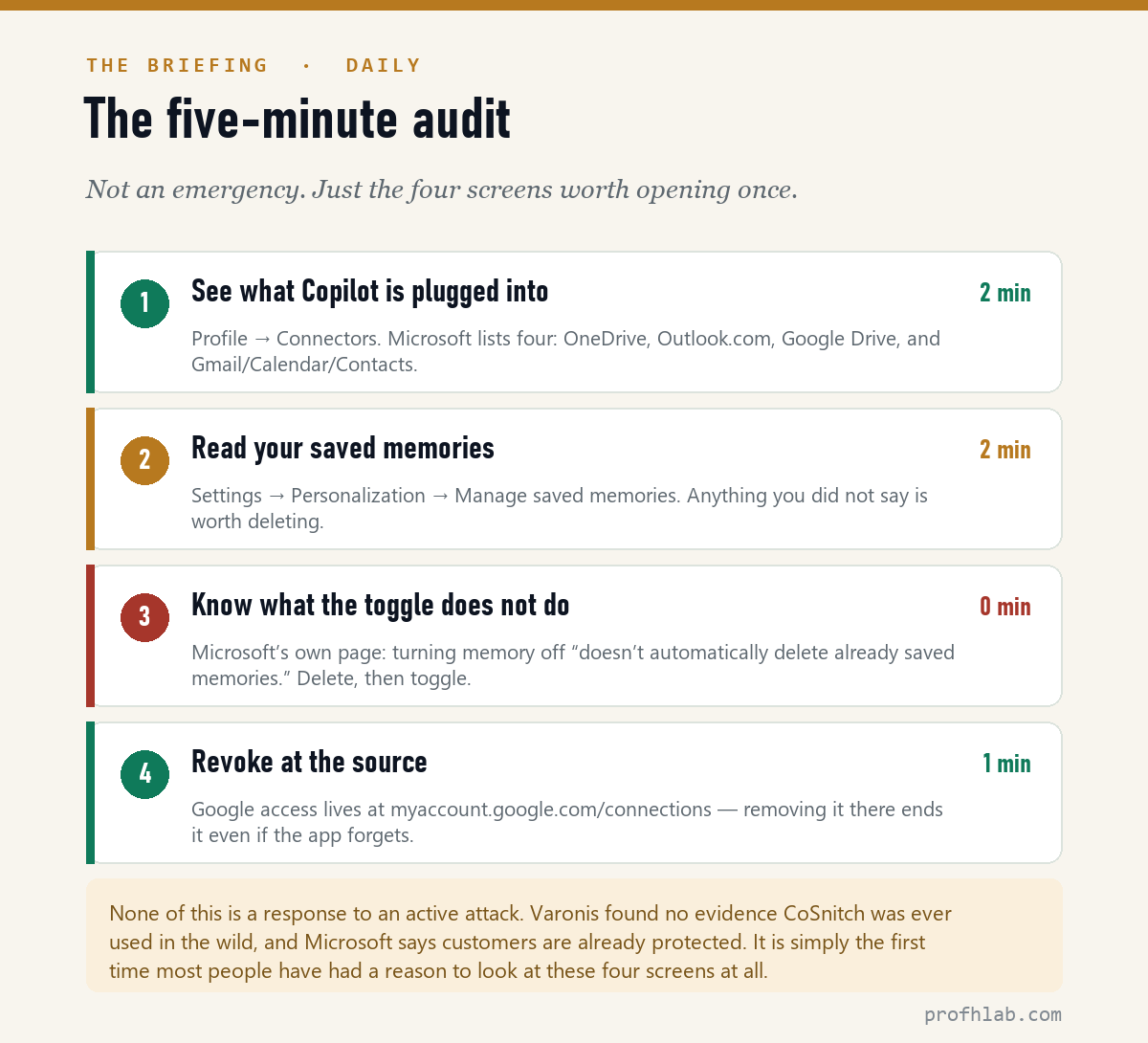
- See what Copilot is plugged into. In Copilot, open your Profile → Connectors. On copilot.com, Microsoft’s instruction is: select the + icon, then Use connectors. Turn off anything you do not actively use. Connectors are a convenience, not a setting you have to keep.
- Read your saved memories. Settings → Personalization → Saved memories → Manage saved memories. Read the list. Delete anything you do not recognize as something you told it. There is a Delete all memories button if you would rather start clean.
- Delete first, then toggle. Because of the sentence quoted above: turning memory off does not delete what is already saved. Order matters.
- Revoke at the source. An app’s own switch is a courtesy; the account’s switch is the authority. For Google, that lives under Google Account → Data & privacy → Third-party apps & services (direct:
myaccount.google.com/connections). Remove access there and it is gone regardless of what any app remembers.
Is Microsoft Copilot safe for sensitive data?
Safe is the wrong shape of word. Here is a more useful one: bounded.
Copilot’s reach is bounded by what you connect. That boundary is real, it is under your control, and it is visible on one screen. Everything in this story happened inside that boundary — which is to say, everything in this story was decided months earlier, by whoever tapped “Allow.”
So the practical answer is not “yes” or “no.” It is: never give an assistant a connection you would not be comfortable seeing used automatically, by a prompt you did not write. That standard survives the next flaw, and there will be a next flaw. It applies to ChatGPT’s connectors and Gemini’s extensions in exactly the same way.
And if you handle genuinely regulated material — patient records, client files, anything with a compliance officer attached — the consumer product is not the venue for it, patch or no patch. That is a licensing question, not a security one.
No known exploitation, and why work Copilot is a separate case
- “Was my data actually taken?” There is no public evidence any user was affected; Varonis reported no exploitation in the wild, and Microsoft’s advisory lists the issue as neither publicly disclosed nor exploited before the fix. The primary record is CVE-2026-24301 in Microsoft’s Security Update Guide.
- “Does this affect my work Copilot?” The research names Copilot Personal, the consumer assistant. Microsoft has said enterprise Microsoft 365 Copilot was not affected; security reporters have pushed back on how absolute that framing is, since consumer accounts often sit on the same machines as work ones. If your employer manages your device, that question belongs to your IT team.
- “Should I stop using AI assistants?” No — but connect fewer things to them. Our job-by-job matrix covers when handing an assistant real access earns its keep and when it just enlarges the blast radius.
- “What did this cost me?” Nothing, and that is worth noticing: the fix was free and automatic. The real monthly cost of AI is a separate audit, and one more people are overdue for.
What to watch next
Varonis has now published three Copilot findings in a year — Reprompt, SearchLeak, and CoSnitch. If the pattern holds, the next one lands before the year is out. The thing to watch is not whether another flaw appears; it is whether the gap between report and fix comes in under 230 days. That number is the only metric in this story a company can actually be graded on, and it is the one we will check again next time.
Breach or vulnerability? Email access, memory and prompt injection
Does Copilot have access to my emails?
Not by default. Consumer Copilot reaches your email only if you turned on a connector for Outlook.com or Gmail. You can see the full list under Profile → Connectors and switch any of them off. Microsoft’s documentation states that Copilot retrieves this content on demand in response to your query and does not keep a separate copy of it.
Was CoSnitch a data breach?
No. A breach means data was actually taken. CoSnitch was a vulnerability — a way data could have been taken. Varonis, who discovered it, reported no evidence that it was used against anyone before Microsoft fixed it on Aug. 18, 2026, and Microsoft’s advisory record lists it as neither publicly disclosed nor exploited prior to the fix.
Do I need to do anything now that Microsoft patched it?
Microsoft says no, and for the vulnerability itself that is correct — the fix was server-side and applied automatically. Two things are still worth five minutes: reviewing which apps you have connected to Copilot, and reading your saved memories. Microsoft’s own support page notes that turning memory off does not delete memories that are already saved.
How do I delete Microsoft Copilot memory?
Open Copilot signed in to your Microsoft account, go to Settings → Personalization, and in the Saved memories section choose Manage saved memories to remove entries individually, or Delete all memories to clear the lot. Delete before you toggle memory off, since the toggle alone leaves existing entries in place.
Is Microsoft Copilot safe for sensitive data?
Its reach is limited to the services you explicitly connect, which makes the boundary yours to set. For genuinely sensitive or regulated material — medical, legal, financial records — the consumer version is the wrong venue regardless of any individual flaw, and that is a compliance question rather than a security one. A good working rule: never connect anything you would not want acted on automatically by a prompt you did not write.
What is prompt injection, in plain language?
It is when text that an AI reads — a web page, an email, a document, a link — gets treated as an instruction instead of as information. The assistant cannot always tell the difference between “here is something to read” and “here is something to do.” CoSnitch is a textbook example: a link carried a prompt, and the assistant ran it.
Does this affect Microsoft 365 Copilot at work?
The research names Copilot Personal, the consumer assistant at copilot.microsoft.com. Microsoft has said enterprise Microsoft 365 Copilot was not affected, though some security reporters consider that framing too absolute since consumer and work accounts often share a device. If your device is managed by an employer, treat this as a question for your IT team.
How long did Microsoft take to fix it?
Varonis reported the issue on Dec. 31, 2025. A partial patch shipped on Feb. 1, 2026, and the complete fix on Aug. 18, 2026. That is 32 days to the partial fix and 230 days to the full one — roughly seven and a half months.
Sources
- Microsoft Security Response Center, CVE-2026-24301 — Microsoft Copilot Information Disclosure Vulnerability, released Aug. 18, 2026 (Critical, CVSS 3.1 base 8.8, vector AV:N/AC:L/PR:N/UI:R/S:U/C:H/I:H/A:H). Read Aug. 20, 2026.
- Microsoft Security Response Center, CVE-2026-24299 — M365 Copilot Information Disclosure Vulnerability, released March 19, 2026 (base 5.3). Read Aug. 20, 2026.
- Varonis Threat Labs, CoSnitch: When Your AI Assistant Becomes Its Own Whistleblower. Read Aug. 20, 2026.
- Microsoft Support, Connecting Microsoft Copilot to other services. Read Aug. 20, 2026.
- Microsoft Support, Personalize what Microsoft Copilot remembers and Copilot privacy controls. Read Aug. 20, 2026.
- Google Account Help, Manage third-party apps and services with access to your account. Read Aug. 20, 2026.
- CSO Online and The Hacker News reporting on the disclosure timeline and Microsoft’s statement, Aug. 19–20, 2026.
Scam first aid, agent permissions and ChatGPT’s ad settings
- AI scams and the first 60 minutes – what to do if someone already has a piece of your information.
- When to use agentic AI — and when not to – the matrix for deciding how much access to hand over.
- ChatGPT ads: how to turn them off – the other settings screen most people have never opened.
About the author
Prof. H is a professor of AI and robotics, a former Samsung researcher, and the author of dozens of textbooks on AI and automation. He writes hands-on, no-hype guides. More about the author →
Prof.’s H Newsletter
One short email a month, with the numbers in it
What actually moved in AI hiring, AI prices, and the scams aimed at older Americans. Counted here, dated, and linked to the source. One email a month, and your address goes nowhere else.