How to Make AI Photos With Grandparents Who Have Died: The Free Way, and the $935-a-Year Way
Somebody in the family has the photograph. Grandma at the kitchen table, or Grandpa in the yard with the hose. And somebody else — usually a grandchild — has seen a video where a phone puts the two of you side by side, in one frame, forty years apart.
Then you go looking for how it is done, and page one is app listings.
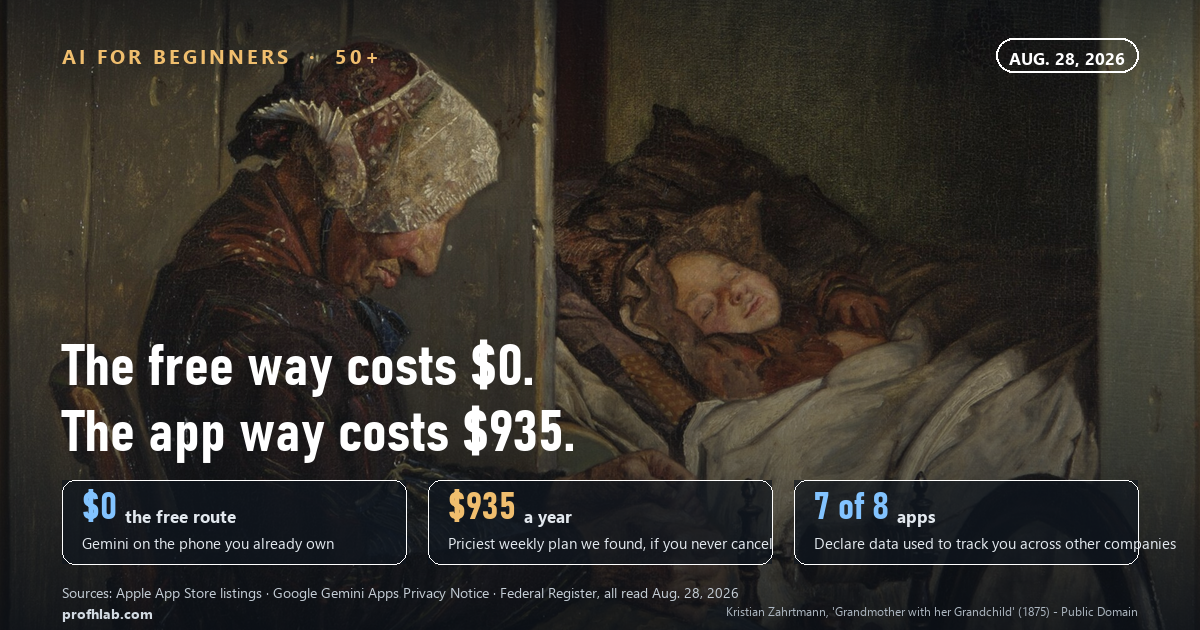
The short answer. You can do this for $0 in the Gemini app that is already free on your phone — upload the two pictures, ask in plain English for one picture that contains both people. On August 28, 2026 we opened eight App Store listings selling the same thing.
All eight were free to download. Between them they displayed 18 different weekly subscriptions, the most expensive at $17.99 a week — $935.48 a year if nobody remembers to cancel. Seven of the eight declare data used to track you across other companies’ apps. The free route has no card and nothing to cancel.
How to make AI photos with grandparents, free, on the phone you already own
These are the steps as Google documents them on its own help page, read on August 28, 2026. Nothing here needs a card.
- Photograph the old print first. Lay it flat, daylight from the side, phone directly above it. If the print is damaged or stuck to glass, stop and read our guide to restoring old family photos before you touch it — the National Archives is blunt about what makes damage permanent.
- Open gemini.google.com and sign in with the Google account you already use.
- Click Open Sidebar, then Library. Google’s wording: “Find the image you want to edit and click it.” You can upload your own image here.
- Under the image, click Chat. Then type your request in the text box at the bottom and click Submit.
- Ask in ordinary sentences. Not prompt-speak. Something like: Combine these two photographs into one picture of the two of us sitting together on a porch, warm afternoon light, keep both faces exactly as they are.
- Download it. Hover over the image and click Download full size. Free downloads come at 1K resolution; 2K needs a paid Google AI plan.
The rule almost nobody mentions. Google’s help page states plainly: “To generate and edit images, you must be 18 or over.” Generating starts at 13. Editing — which is what combining two family photographs is — is adults only. If a grandchild is doing this for you on their account and they are fifteen, that is the wall you are about to hit, and no amount of retrying will move it.
Expect to go a few rounds. The first result usually gets one face right and softens the other. Say what is wrong in plain words — her chin is not right, use the original face — and try again. This is the same conversational habit that makes ChatGPT work for beginners over 50: you are not writing commands, you are giving directions.

What the apps on page one actually charge
We searched the U.S. App Store on August 28, 2026 for the apps that advertise exactly this — adding a late relative to a photo, or bringing an old one to life — and opened eight listings. Every one of them is free to download. The money is inside.
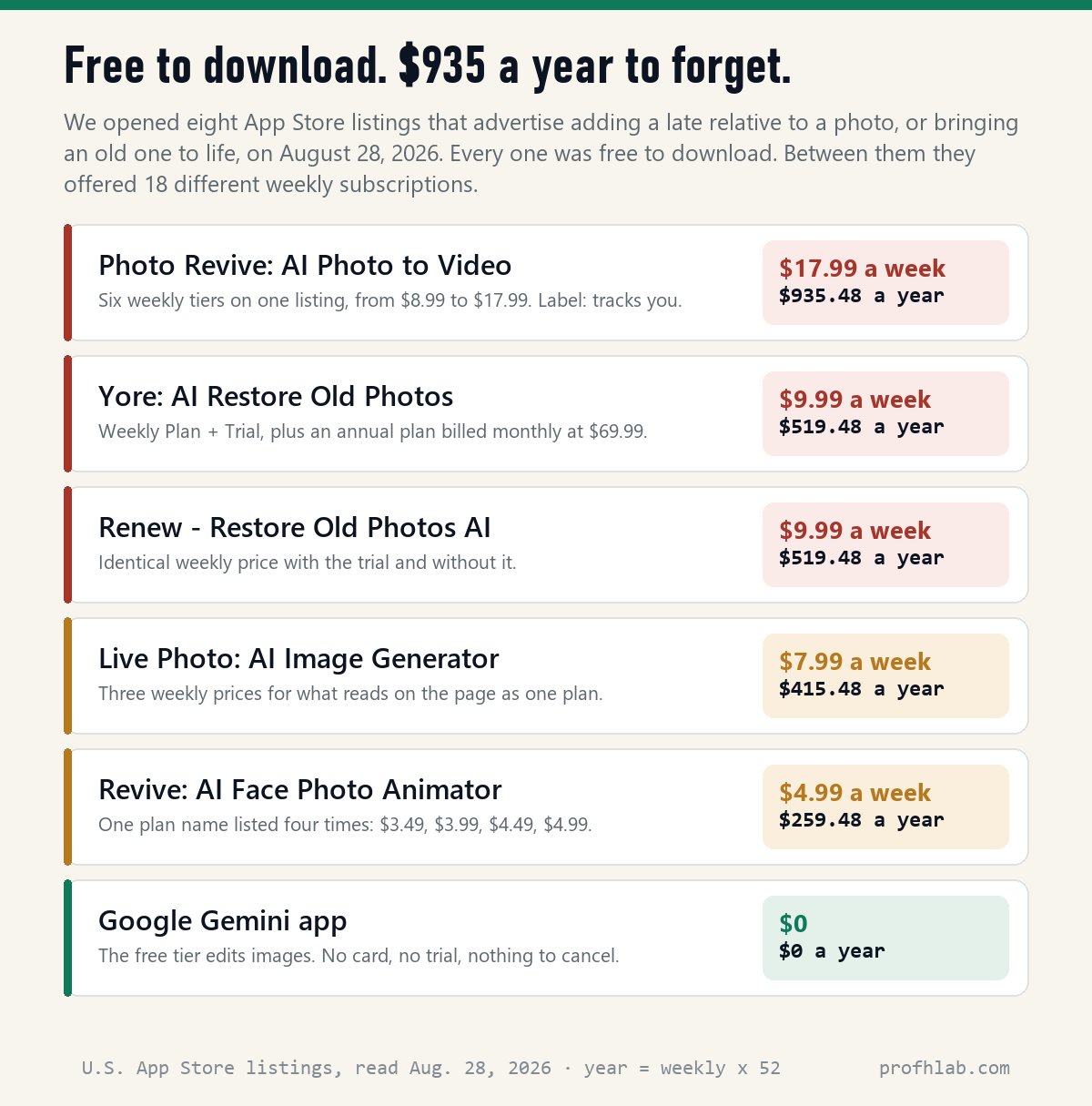
Three things in that table are worth saying out loud.
The billing period is weekly, not monthly. That is the whole trick. $9.99 reads like a monthly streaming service. It is charged every seven days, which is $519.48 a year. Eighteen of the plans on these eight listings are weekly.
The same plan is listed at several prices. On one listing, “Revive PRO Weekly Subscription” appears four times — $3.49, $3.99, $4.49 and $4.99. On another, one premium plan is listed at six different prices from $6.99 to $49.99. The price you are shown is not necessarily the price the next person is shown. Nothing about that is illegal, but it tells you the number on the screen is a test, not a tariff.
Free does not mean free of you. Seven of the eight listings declare Data Used to Track You in Apple’s privacy label — identifiers or usage data followed across other companies’ apps and websites. Five name third-party advertising. Five name Photos or Videos among the data the developer says the app may collect. This is the same arithmetic we ran on what AI really costs you per month: the subscription is only half the price.
Before you upload: where the photo of your mother goes
This is the part the tutorials skip, and for this particular picture it matters more than it usually does. You are not uploading a receipt. You are uploading the last good photograph of somebody who is gone.
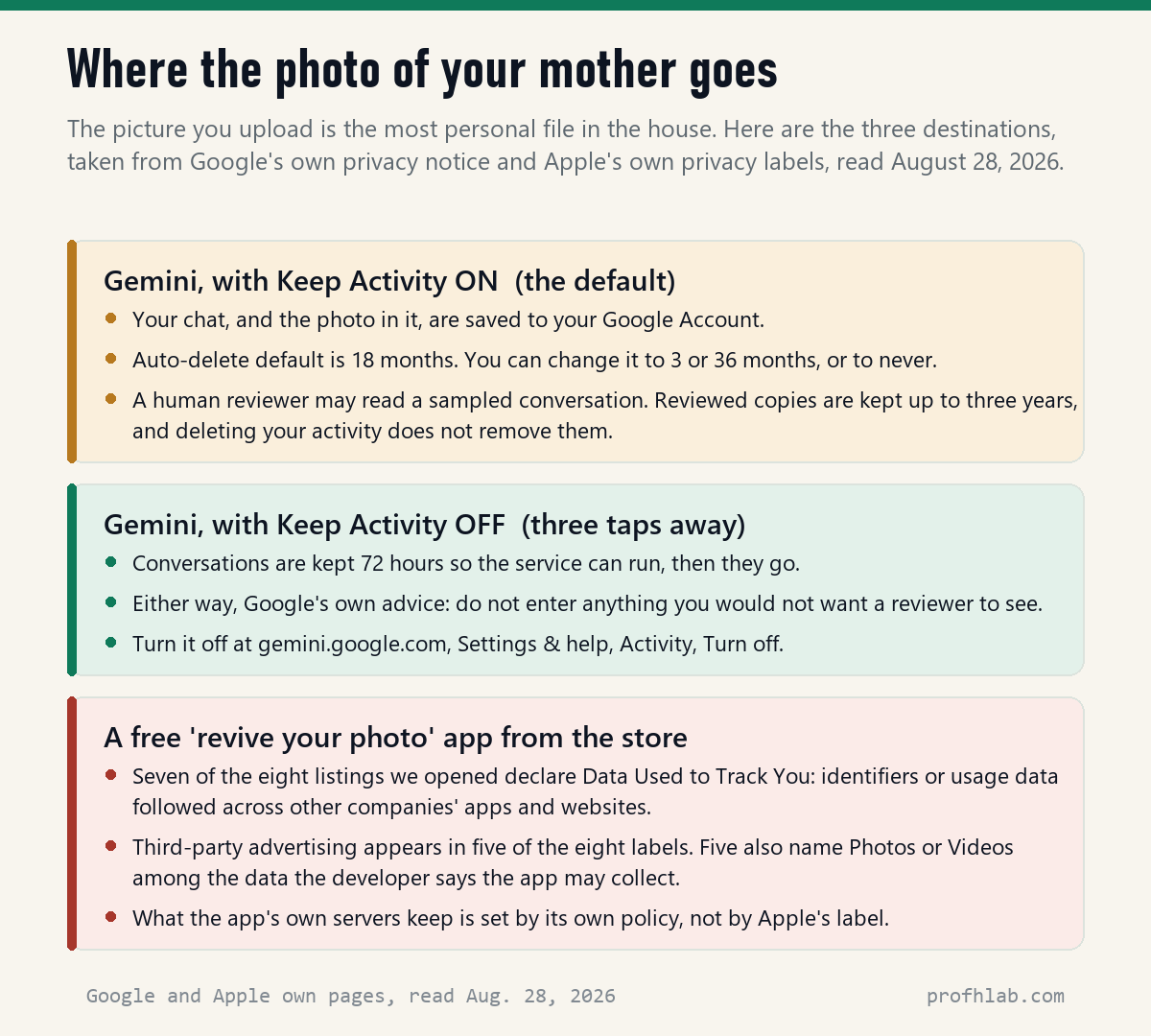
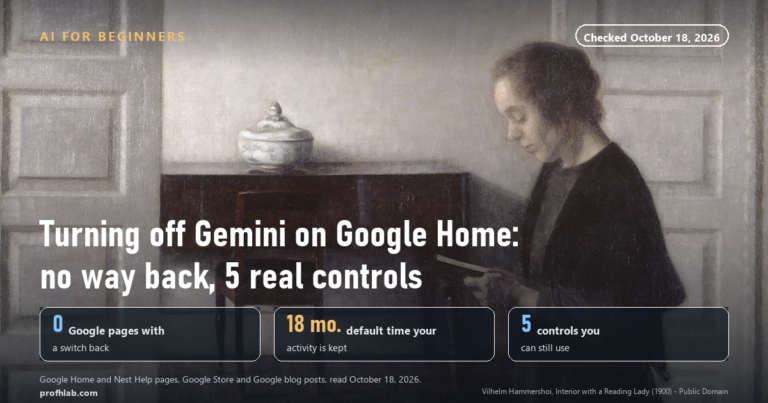
Google’s own notice is unusually direct about this. With Keep Activity on — the default — your conversations are saved to your account and auto-delete after 18 months unless you change it. A sample of conversations goes to human reviewers, and here is the sentence to read twice: chats reviewed by human reviewers “are not deleted when you delete your activity. Instead, they are retained for up to three years.”
Google’s advice, in its own words: “Please don’t enter confidential information that you wouldn’t want a reviewer to see.”
There is a switch. Go to gemini.google.com, then Settings & help → Activity, click On near the top, and choose Turn off or Turn off and delete activity. After that, Google says, “your conversations will be saved with your account for up to 72 hours” so the service can run, and then they go. Seventy-two hours instead of eighteen months, for three taps. If retention questions are new to you, our piece on whether deleted ChatGPT chats are really deleted walks through the same problem on the other big service.

If you already tapped Subscribe
Cancel through Apple or Google, not through the app. On an iPhone: Settings → your name → Subscriptions, pick the subscription, tap Cancel Subscription. Apple’s own note: “If there is no Cancel button or you see an expiration message in red text, the subscription is already canceled.” And the timing rule that catches people: “If you signed up for a free or discounted trial subscription and you don’t want to renew it, cancel it at least 24 hours before the trial ends.”
Do not wait for a federal rule to rescue you. The FTC’s “click-to-cancel” amendments were struck down in court, and on February 12, 2026 the Commission formally recodified the Negative Option Rule “as it existed before the effective date of the Commission’s 2024 final rule amending it.” A replacement is only at the proposal stage: the FTC asked for public comment on March 13, 2026, and comments closed on April 13. Translation: as of today there is no federal easy-cancel requirement in force. Your protection is the Subscriptions screen on your own phone.
Is it wrong to make a picture of someone who has died?
People ask this quietly, and they deserve a straight answer rather than a lecture.
Google’s Generative AI Prohibited Use Policy draws the line in one clause, and it is a sensible one: it forbids “impersonating an individual (living or dead) without explicit disclosure, in order to deceive.” The operative words are in order to deceive. A picture you make for your own mantelpiece, or to show your sister, deceives nobody. The same policy also forbids “misrepresenting the provenance of generated content by claiming it was created solely by a human, in order to deceive.”
So the practical ethic is short: make it, keep it, and say what it is. When you send it round the family, write one line — this is made, not found. That single sentence is the difference between a keepsake and a forgery, and it costs nothing.
Google also puts an invisible watermark, SynthID, into images from its generative products, and you can check any picture by uploading it to Gemini and asking whether it was created or altered by Google AI. That matters in both directions: it is also how you check a suspicious image someone sent you, the same instinct we apply to telling whether a YouTube video is AI generated and to telling whether a phone call is AI.
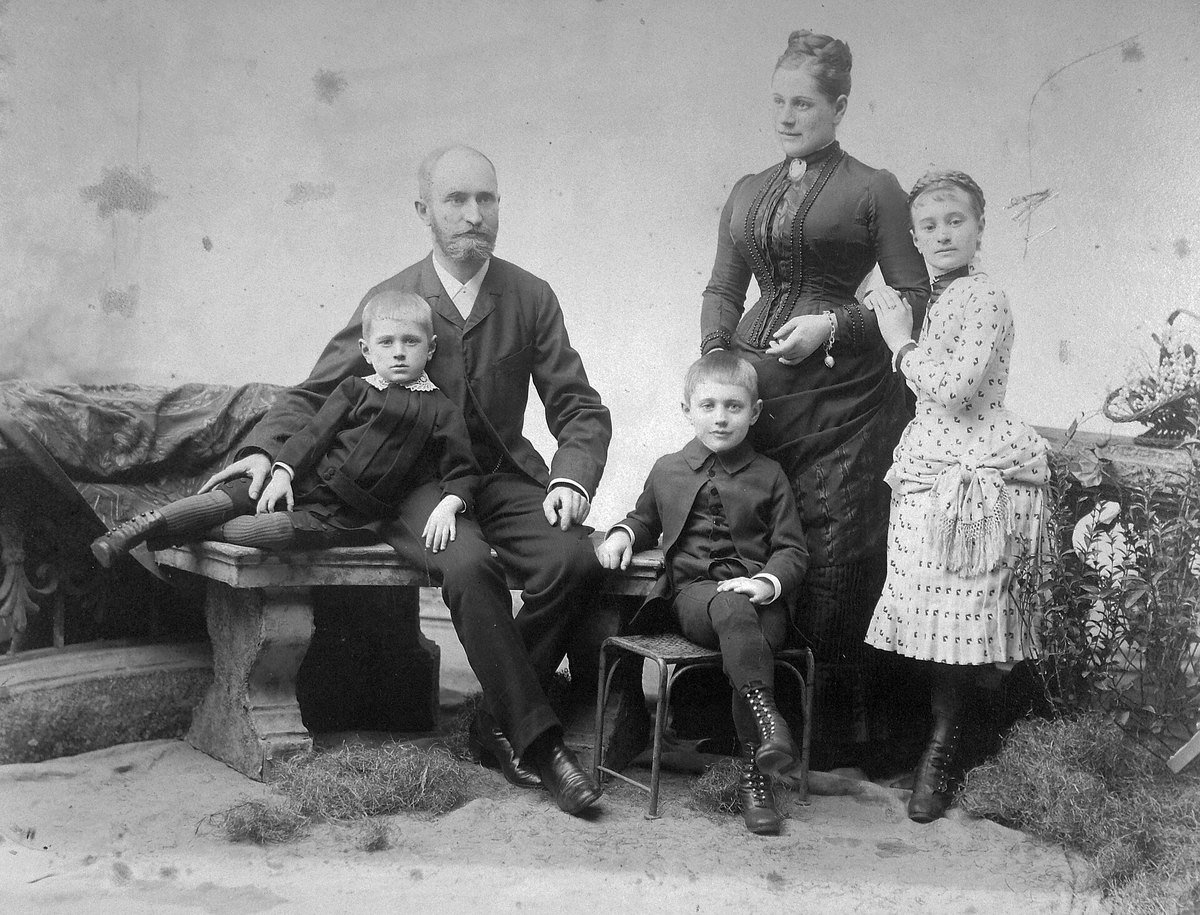
Cut Gemini’s retention to 72 hours before uploading anything
- Turn the retention setting down first, before you upload anything. gemini.google.com → Settings & help → Activity → Turn off. Eighteen months becomes 72 hours.
- Photograph the print, do not scan it badly. Flat, side light, no flash, phone parallel to the paper.
- Try the free route before you try anything with a price on it. If Gemini cannot do it, a $17.99-a-week app is unlikely to do it better.
- Check your Subscriptions screen tonight regardless. Settings → your name → Subscriptions. Most people find something. If a trial is running, note the date and cancel 24 hours before it ends.
- Write one line when you share it. “Made with AI from Mum’s 1974 photo.” Done.
- Keep the original print. Everything the software makes is a copy with opinions.
Repair a damaged photo first; compositing is a separate job
- “Can I do this to a damaged photo instead of a good one?” Yes, and repair and composite are different jobs — do the repair first. Our restoring old family photos guide has the exact prompts and the physical-handling rules from the National Archives.
- “Which free AI should I be using generally?” We keep a plain-English shortlist in the best AI tools for seniors, and a running comparison of what each paid tier is worth on the AI Price Tracker.
- “Somebody sent me a video of a relative asking for money.” Stop and read AI scams targeting seniors first. The safe word beats every clever detection trick, and grief is the exact emotional state these calls are built for.
- “How do you check your numbers?” Our method, including how we count listings and verify prices, is on How we count. New here? Start here.
Adding a late relative to a photo, and the weekly app charges
How do I add a deceased loved one to a photo?
Upload both pictures — the old photograph of them and the current photograph of you — into one Gemini chat, then ask in a plain sentence for a single picture containing both people, and say the faces must stay as they are. Expect three or four rounds of corrections. The whole thing is free; the apps advertising the same job on the App Store were charging up to $17.99 a week on August 28, 2026.
Is Gemini free to edit photos?
Yes for the editing itself. Google’s help page prices the difference by resolution rather than access: free downloads come at 1K, and 2K resolution needs a paid Google AI plan. There is also a daily quota on image generations. The rule that stops more people is age, not money — “To generate and edit images, you must be 18 or over.”
Is it safe to upload photos to Gemini AI?
Safe in the sense that it is Google rather than an unknown developer, but not private by default. With Keep Activity on, your uploads are kept in your account and auto-delete at 18 months, a sample goes to human reviewers, and reviewed copies are retained up to three years even after you delete your activity. Google’s own line is not to enter anything you would not want a reviewer to see. Turning Keep Activity off cuts retention to 72 hours.
Does Gemini keep the photos you upload?
Yes, as part of the conversation, for as long as your activity setting says — 18 months by default, changeable to 3 or 36 months or to never auto-delete, or 72 hours if you turn Keep Activity off. The exception is anything a human reviewer has looked at: those copies sit outside your delete button for up to three years.
How do I know if a photo is AI generated?
For images made by Google’s tools there is a real answer: upload the picture to Gemini and ask whether it was created or altered by Google AI. SynthID, Google’s invisible watermark, is embedded across its generative products, and there is also a separate SynthID Detector portal. It will not catch every AI image from every company, but it settles the Google-made ones without guesswork.
Why is a free photo app charging me every week?
Because free referred to the download. Of the eight listings we opened on August 28, 2026, all were free to install and all sold subscriptions inside, 18 of them billed weekly. Cancel through Settings → your name → Subscriptions on iPhone, not inside the app, and cancel at least 24 hours before a trial ends. Do not count on regulation: the FTC’s click-to-cancel rule was struck down and formally rolled back on February 12, 2026.
Sources
- Google, Gemini Apps Help, “Generate images in Gemini Apps” — the editing steps quoted above, the 1K/2K download difference, the daily quota note, and “To generate and edit images, you must be 18 or over” (read August 28, 2026).
- Google, Gemini Apps Privacy Notice — the 18-month default with 3, 36 and indefinite options, the 72-hour retention when Keep Activity is off, the three-year retention of human-reviewed chats, and the instruction not to enter confidential information (read August 28, 2026).
- Google, Gemini Apps Help, “Keep Activity” — the exact menu path to turn activity off and delete it (read August 28, 2026).
- Google, Generative AI Prohibited Use Policy — sections 4.2 and 4.5, quoted verbatim (read August 28, 2026).
- Google DeepMind, SynthID — watermarks embedded across Google’s generative AI consumer products, and checking an image by uploading it to Gemini (read August 28, 2026).
- Apple, “How to cancel a subscription from Apple” — the Subscriptions path, the red expiration message, and the 24-hour trial rule (read August 28, 2026).
- Apple App Store, eight U.S. listings read on August 28, 2026: Add Loved: One to Photo AI; Lover Snap: AI Photo Maker; Photo Revive: AI Photo to Video; Photica — Live Photo AI Animator; Revive: AI Face Photo Animator; Renew — Restore Old Photos AI; Yore: AI Restore Old Photos; Live Photo: AI Image Generator. Prices and privacy labels are taken from the listings themselves. Note that a listing displays at most ten in-app purchases, so the 18 weekly plans we counted is a floor, not a ceiling.
- Federal Register, “Revision of the Negative Option Rule… To Conform These Rules to Federal Court Decisions,” final rule published and effective February 12, 2026; and “Rule Concerning the Use of Prenotification Negative Option Plans,” proposed rule published March 13, 2026, comments closed April 13, 2026.
- Our own read of the page-one results for “how to make ai photos with grandparents,” August 28, 2026: TikTok discovery pages, AI image-generator marketing pages and App Store listings. Not one of them mentioned retention, the age rule, or the weekly billing.
For the rest of the album: restoration prompts and scam safety
- How to restore old family photos with AI: the exact prompts
- How to use ChatGPT: a step-by-step guide for beginners over 50
- AI scams targeting seniors: the safe word that beats them all
- The best AI tools for seniors in 2026
- How to write letters and emails with ChatGPT
- How to prep for a doctor visit with ChatGPT
- How to plan a trip with ChatGPT
- How to stop Meta AI from using my photos on Facebook
- How do I get rid of AI on my phone?
- How to tell if a Facebook ad is fake
- Is ChatGPT Plus still worth it?
- The FAQ library · Ask a question · AI Jobs Tracker
Written by Prof. H, who went looking for the free way first and found that nobody on page one had priced the paid way. Every price, policy line and menu path above was copied from the source named beside it on August 28, 2026. This is not legal advice, and it is not advice about grief — only about the software.
Prof.’s H Newsletter
One short email a month, with the numbers in it
What actually moved in AI hiring, AI prices, and the scams aimed at older Americans. Counted here, dated, and linked to the source. One email a month, and your address goes nowhere else.