How to Turn Off Gemini on Google Home: You Can’t Switch Back, but 5 Controls Still Work
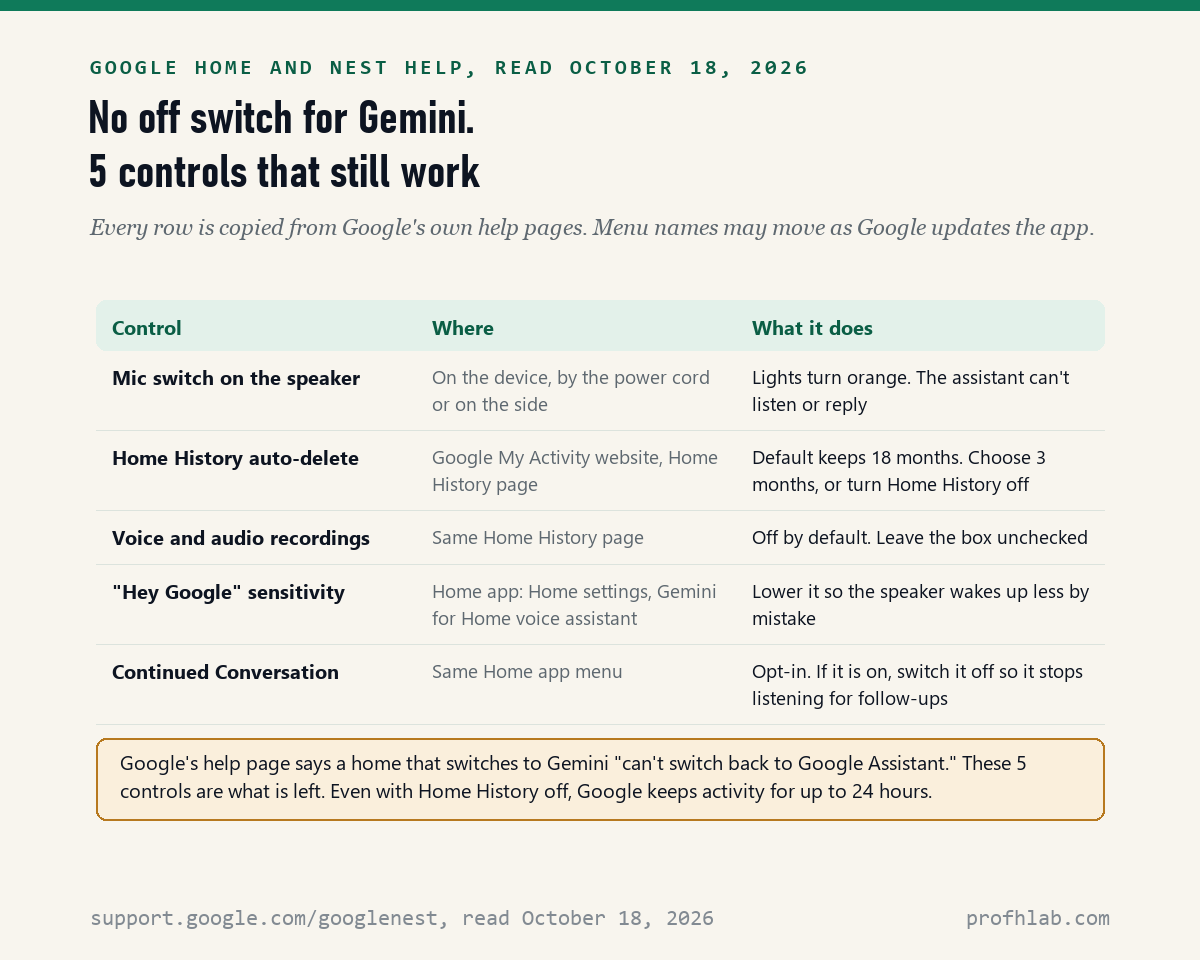
You cannot turn Gemini off on Google Home once your home has switched: on October 18, 2026 we read 6 Google Home and Nest Help pages, and the main one says a home that moves to Gemini “can’t switch back to Google Assistant.” None of the 6 describes a way back. What you can still do is limit Gemini with 5 real controls, and if your home has not switched yet, you can simply not start the switch.
If a speaker in your kitchen suddenly sounds different, you did nothing wrong. Google has been moving homes to Gemini since October 2025. Below are the exact menu names, how to tell which assistant you have, what is free, and what Google keeps from your voice requests.
What we checked on October 18, 2026
We read 6 Google Home and Nest Help pages (the Gemini for Home voice assistant page, the Gemini for Home activity page, the Privacy Hub, two speaker-controls pages and the Nest display controls page), the Google Home Premium page on the US Google Store, and 3 posts on Google’s blog from October 1, 2025, October 28, 2025 and June 17, 2026.
Our own count: 0 of 6 help pages gives a way back to Google Assistant. Google’s device list has 11 entries: 7 get the complete Gemini assistant and 4 get it without Gemini Live. The early access list names 20 countries and 10 languages. We did not sign in to a Google Home account, so menu names are copied from Google’s pages, not tested on our own speaker.
Written and checked by Prof. H. An AI assistant helped draft this article and ran the page reads; every quote was read on the source’s own page on the date shown.
Can I turn off Gemini on Google Home and go back to Google Assistant?
No: Google’s help page “Learn about Gemini for Home voice assistant,” read October 18, 2026, says “Once you switch your home to Gemini for Home voice assistant, it can’t switch back to Google Assistant.” The page shows no date of its own, and we found no other Google page that offers a switch back.
The same page says the change covers the whole home at once. It is “immediately available to everyone in your home,” and devices you add later always use Gemini. A device that is not compatible today will switch on its own once it becomes compatible.
Think of it like a new phone system at an apartment building. The landlord changed it for every unit, and there is no old handset to put back. You can still choose how loud it rings and when you unplug it.
Some tech sites have described a workaround: delete your whole home in the Google Home app and set it up again from scratch. Google’s own pages do not describe this, it would erase every device, room and routine you set up, and we did not test it. We do not recommend it.
How do I know if my speaker already switched to Gemini?
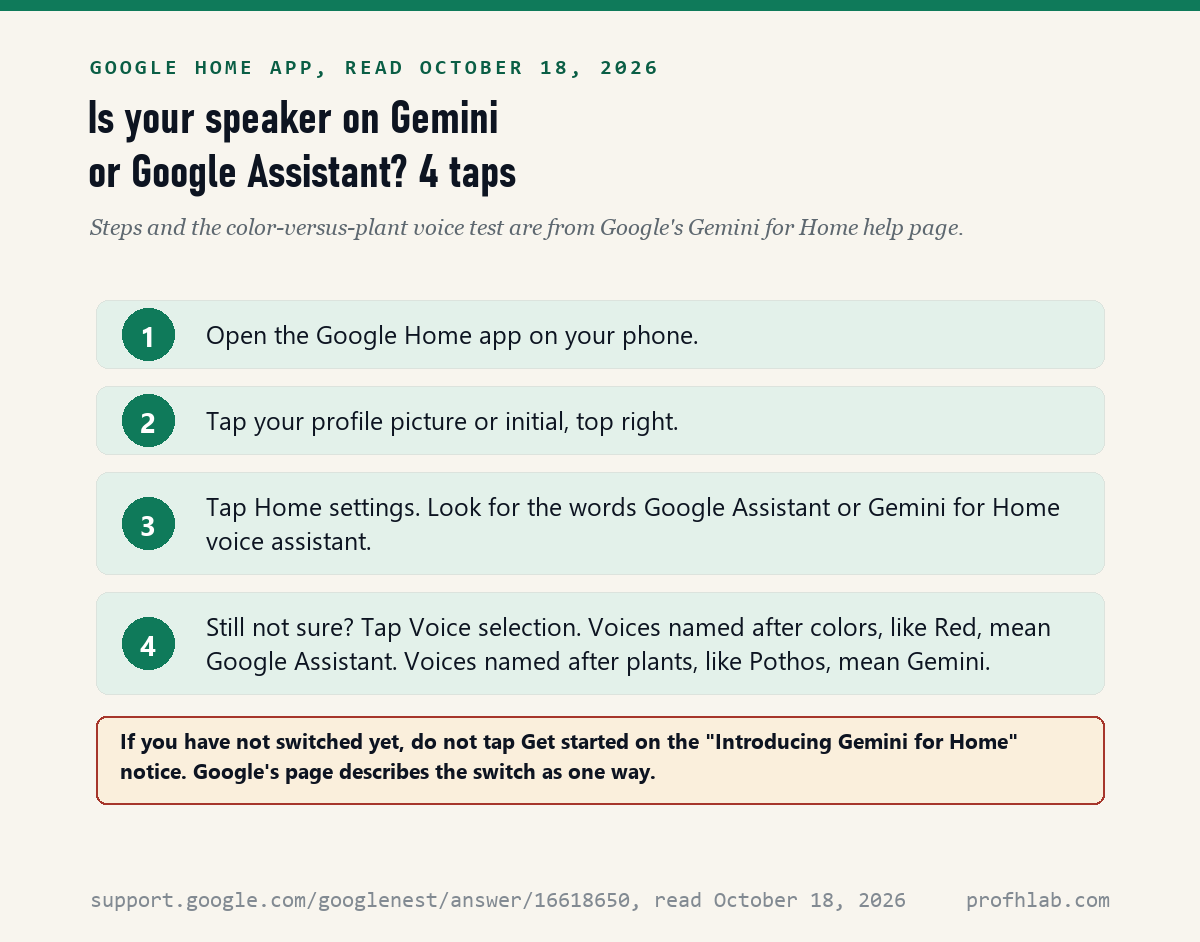
Google’s Gemini for Home help page, read on October 18, 2026, gives a simple test: open Home settings in the Google Home app and see whether it says “Google Assistant” or “Gemini for Home voice assistant.” If you are still unsure, the voice names give it away.
- Open the Google Home app on your phone.
- Tap your profile picture or initial at the top right.
- Tap Home settings. Read which assistant is named.
- Tap Voice selection. Voices named after colors, like “Red,” mean you are still on Google Assistant. Voices named after plants, like “Pothos,” mean Gemini.
You can also just ask the speaker who it is. Google’s page says Gemini should answer that it is a language model.
If my home has not switched yet, how do I keep Google Assistant?
Do not tap Get started: Google’s help page, read on October 18, 2026, says the switch begins with a Google Home app notice reading “Introducing Gemini for Home,” followed by Get started, a few prompts and a step to acknowledge disclosures. Until someone in your home finishes that, the page describes no change.
Two cautions. First, any member who manages the home could tap through, and the page says the change then applies to everyone. Tell your household. Second, this is our reading of the steps, not a promise from Google. Google’s October 1, 2025 blog post says Gemini “will upgrade and replace the Google Assistant on your speakers and smart displays.” We found no date for when that becomes automatic.
If you joined Early Access by mistake, note that Google’s page explains how to join but does not explain how to leave. We could not confirm that leaving is possible, so we will not tell you it is.
The mic switch is the one real “off” you still have
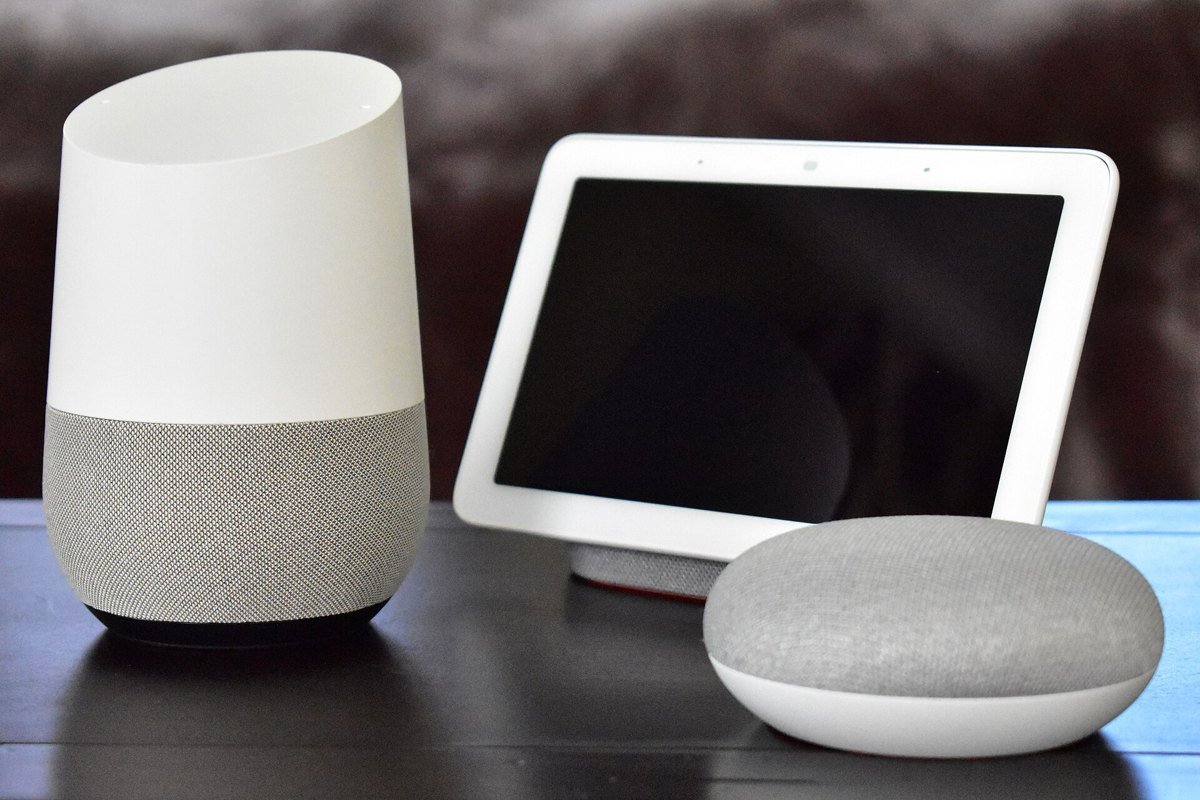
Every Google speaker on the “Control Google smart devices by touch” help page, read on October 18, 2026, has a physical mic control, and the page says that when you turn the microphone off, “your assistant can’t listen or interact with you.” This works the same with Gemini or Google Assistant.
- Nest Audio, Nest Mini (2nd gen) and Home Mini (1st gen): slide the switch next to the power cord.
- Google Home Speaker (2026): the switch is on the base.
- Original Google Home: press the microphone mute button on the back.
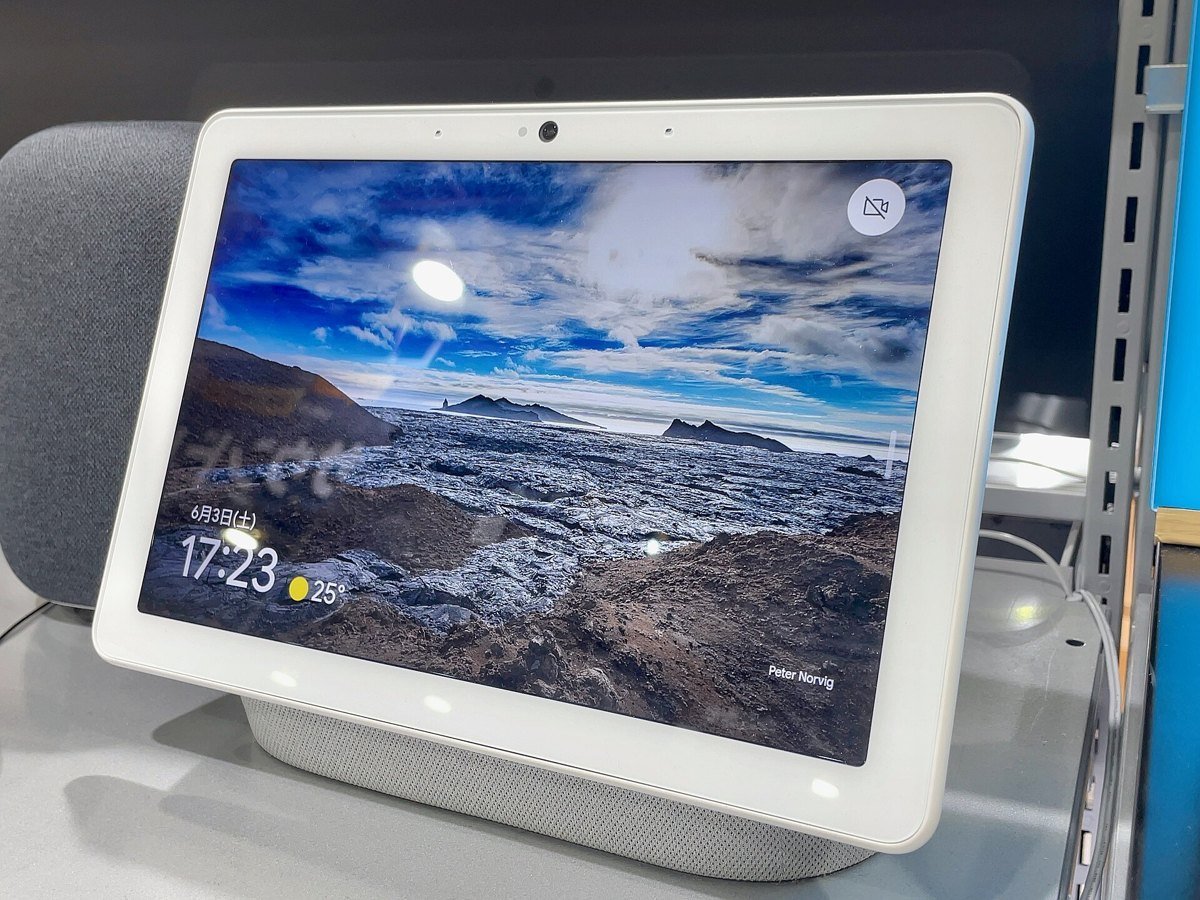
- Nest Hub and Nest Hub Max: Google’s display page says the switch on the back turns the microphone off, and on the Hub Max the camera too.
You will know it worked because the lights and the switch turn orange. The trade-off is plain: with the mic off, the speaker will not answer “Hey Google” at all. Slide it back when you want the speaker again.
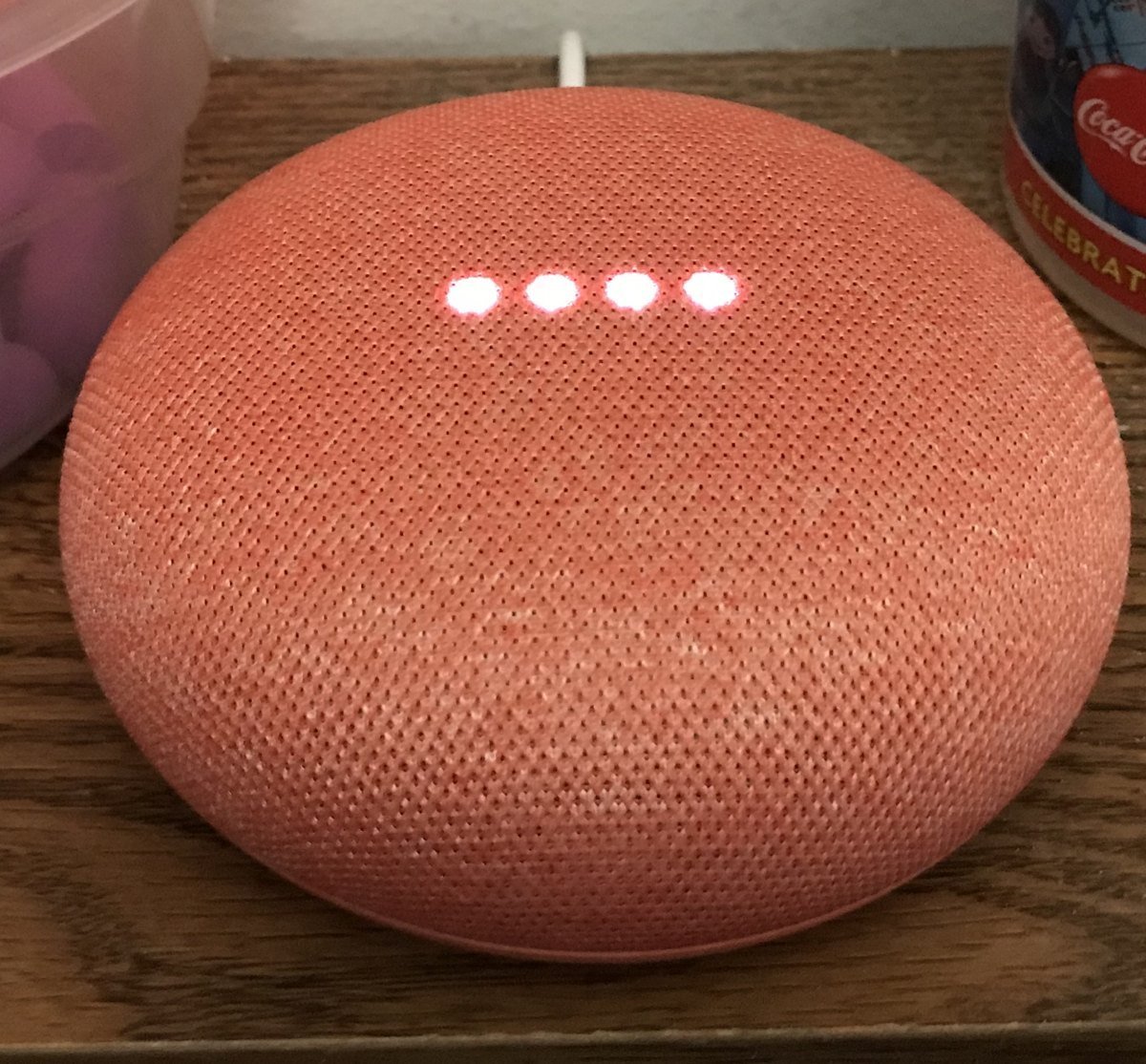
How do I stop Google from keeping my Gemini for Home voice requests?
By default Google keeps your Gemini for Home activity for 18 months, according to Google’s “Manage & delete your Gemini for Home activity” page, read October 18, 2026. You can shorten that to 3 months, keep it 36 months, or turn Home History off.
- On a computer or phone browser, go to myactivity.google.com/product/home.
- Near the top, choose the auto-delete option and pick 3 months. Or turn Home History off.
- To clear what is already saved, use Delete and choose Last hour, Last day, All time or a custom range.
In the Google Home app, the same page is under your profile picture, Home settings, then Privacy and Home History. One detail matters: the page says that when Home History is on, Google uses your activity to improve its services, “including training generative artificial intelligence (AI) models.”
Turning Home History off does not make it zero. Google’s Privacy Hub page, read the same day, says activity “is saved in your account for up to 24 hours, whether Home History is on or off.”
Is Google recording my voice through the speaker?
Google says audio recordings are not kept for improving its services unless you opt in: the setting “Improve Google services with your voice, audio, and Gemini Live recordings” is marked “off by default” on Google’s activity help page, read October 18, 2026. If you never checked that box, leave it alone.
Text is a different story. Google’s Privacy Hub lists “Transcripts of your interactions with Gemini for Home” among what it collects, and adds that “Human reviewers (including trained reviewers from our service providers) review some of the data” collected for these purposes. So do not say passwords, card numbers or medical details to the speaker.
Two reassuring lines from the same page: your Gemini for Home interactions “are not used to show you ads,” and in standby mode the assistant “won’t send what you are saying to Google or anyone else.” Standby means before it hears “Hey Google” or something that sounds like it.
Is Gemini on Google Home free, or will I be charged?
The basic Gemini assistant is free: Google’s help page, read on October 18, 2026, says basic features are “available at no cost,” including smart home controls, music, alarms, timers, calendars, notes, lists and reminders. You are only charged if you choose to subscribe to Google Home Premium.
| Plan | US price | What it adds |
|---|---|---|
| No subscription | $0 | Basic Gemini voice assistant |
| Premium Standard | $10 a month or $100 a year | Gemini Live on speakers and displays, 30 days of camera event history |
| Premium Advanced | $20 a month or $200 a year | Everything in Standard, plus camera history search, Home Brief and 60 days of event history |
Prices are from the Google Home Premium page on the US Google Store, read October 18, 2026. Google’s October 1, 2025 post says plans are also included with Google AI Pro and Ultra subscriptions. If you already pay for one of those, check before you buy Premium. Our guide to what is still free in Gemini covers the phone app side.
Which Google Home and Nest speakers get Gemini?
Google’s list, read on October 18, 2026, names 7 devices that get the complete Gemini assistant and 4 entries that get most features but not Gemini Live, the back-and-forth chat mode that needs Premium. No device on the list is said to stay on Google Assistant.
- Complete Gemini (7): Google Home Speaker (2026), Nest Hub (2nd gen), Nest Audio, Nest Mini (2nd gen), Nest Hub Max, Nest Hub (1st gen), Google Home Mini (1st gen).
- Most features, no Gemini Live (4): Nest Wifi point, Google Home Max, the original Google Home, and third-party speakers.
The page also sets firmware minimums: Cast firmware 3.76 or higher for speakers and Fuchsia firmware 28 or higher for displays. If you are thinking of buying a speaker to avoid AI, see our 2026 smart speaker comparison first. Amazon’s Alexa Plus is a similar upgrade.
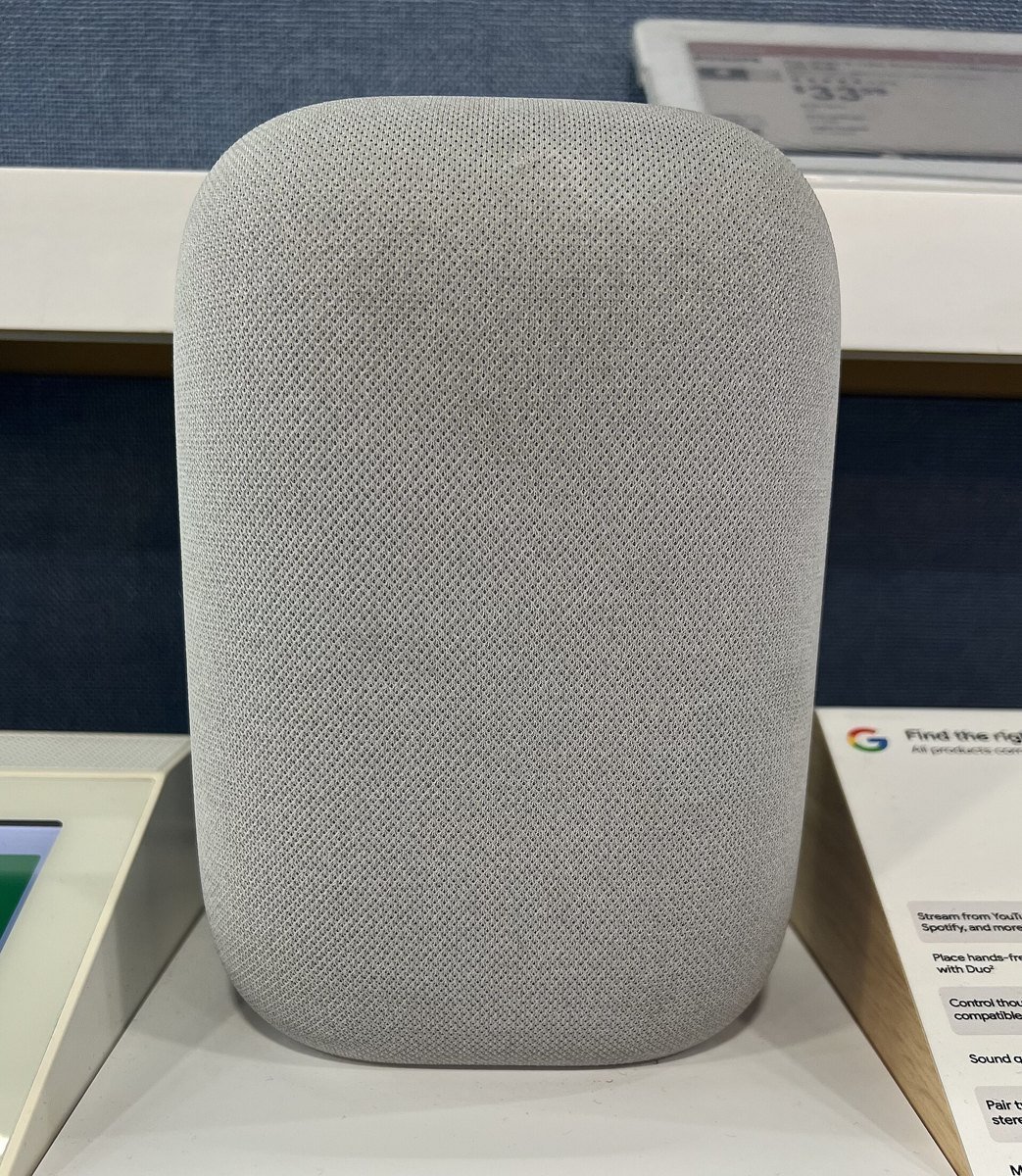
Settings that make Gemini quieter without turning it off
Google’s help page, read on October 18, 2026, puts the assistant’s settings in one menu: Google Home app, profile picture, Home settings, then Gemini for Home voice assistant. You may need to scroll. Three settings there matter most if you want less of it.
- “Hey Google” sensitivity. Lower it so the speaker wakes up less often by mistake, for example when the TV says something similar.
- Continued Conversation. When on, the speaker keeps listening a few more seconds after each answer. Google’s page calls it something you turn on; if someone did, switch it off here.
- Response filtering. The default filters answers on sensitive topics for guests. You can apply the filter to everyone, which some families prefer when grandchildren visit.
The same menu has Voice Match, Face Match and Personal Results. Tap each to see which devices have them on. On a display in a shared room, it is worth checking which of the three are on.
Google’s own podcast on the change, and a 28-minute hands-on test
The first video is Google’s Made by Google podcast with Anish Kattukaran, a senior director on Google’s home team, explaining the Gemini upgrade. The second, from an independent reviewer, shows the switch on real speakers, which is useful if you want to see the screens before anyone in your home taps Get started.
Nest Mini, Nest Hub and the money questions
Can I turn off Gemini on Google Home?
No. Google’s help page, read on October 18, 2026, says a home that switches to Gemini for Home cannot switch back to Google Assistant. You can still mute the mic with the switch on the device, shorten or turn off Home History, and lower Hey Google sensitivity.
How do I turn off Gemini on Google Nest Hub?
There is no Gemini off switch on a Nest Hub. Use the switch on the back of the display to turn the microphone off; on a Nest Hub Max it turns the camera off too. Google says the Nest Hub 1st and 2nd gen both get the complete Gemini assistant.
How do I go back to Google Assistant on Google Home?
Google gives no way back. Its help page, read on October 18, 2026, says that once a home switches to Gemini for Home it cannot switch back to Google Assistant. If your home has not switched, do not tap Get started on the Introducing Gemini for Home notice.
Does Google Home Gemini cost money?
Basic Gemini on Google Home is free. Google Home Premium is optional and costs $10 a month or $100 a year for Standard, and $20 a month or $200 a year for Advanced, on the US Google Store page read October 18, 2026.
Is Gemini on my Google Home Mini?
It can be. Google lists the Google Home Mini (1st gen) and Nest Mini (2nd gen) among the 7 devices that get the complete Gemini assistant. Check in the Google Home app under Home settings, or look at Voice selection: plant names mean Gemini.
Other devices in your house where we counted the AI settings
Smart speakers are one of several places AI arrived without much warning. Each of these guides gives the exact menu names and the date we checked them.
- How to turn off Alexa Plus and whether you can get Alexa Plus without Prime
- What is Gemini on my Android phone?
- How to get rid of AI on your phone, place by place
- How to turn off AI on a Ring doorbell
- How to turn off AI on your TV and on a Samsung TV
- How to turn off AI in Google Photos
- How to stop AI from reading your Gmail
- How to turn off AI in Chrome
- How to get the old Google Search back
- How to turn off AI on Amazon
- How to turn off AI on Spotify
- Is it safe to give ChatGPT your personal information?
- How to set up parental controls on ChatGPT, if grandchildren share your devices
A safety note. A smart speaker will never call you to ask for money or a code. If a voice on the phone sounds like a relative in trouble, hang up and call them back on a number you know. Our family safe word guide and AI scams targeting seniors show how. New to AI? Start at Start Here. We also count real AI job postings on our AI jobs tracker.
Ten Google help pages, store listings and blog posts that Google itself wrote
- Google Home and Nest Help, Learn about Gemini for Home voice assistant (no date shown), read October 18, 2026.
- Google Home and Nest Help, Manage & delete your Gemini for Home activity (no date shown), read October 18, 2026.
- Google Home and Nest Help, Google Home and Nest Privacy Hub (no date shown), read October 18, 2026.
- Google Home and Nest Help, Control Google smart devices by touch (no date shown), read October 18, 2026.
- Google Home and Nest Help, Learn about the lights on your speaker (no date shown), read October 18, 2026.
- Google Home and Nest Help, Control your Google Nest display (no date shown), read October 18, 2026.
- Google Store, Google Home Premium, prices read October 18, 2026.
- Google blog, Gemini for Home launch post, October 1, 2025, read October 18, 2026.
- Google blog, Gemini for Home early access in the U.S., October 28, 2025, read October 18, 2026.
- Google blog, Google Home Speaker ($99.99, mic toggle switch), June 17, 2026, read October 18, 2026.
Featured image: Vilhelm Hammershøi, Interior with a Reading Lady, 1900, public domain, via Wikimedia Commons, cropped.
About the author. Prof. H writes profhlab’s AI for Beginners guides for readers who are new to AI or over 50. Each guide is built from the pages it quotes, read on the date shown. Did Google add a way back, or move a menu? Tell us on the Ask page and we will fix it with a dated correction. More about Prof. H on the About page.
Prof.’s H Newsletter
One short email a month, with the numbers in it
What actually moved in AI hiring, AI prices, and the scams aimed at older Americans. Counted here, dated, and linked to the source. One email a month, and your address goes nowhere else.