How to Turn Off Gemini on Android Auto: 0 of 19 Google Help Pages Show a Car Switch, So Use These 3 Phone Settings
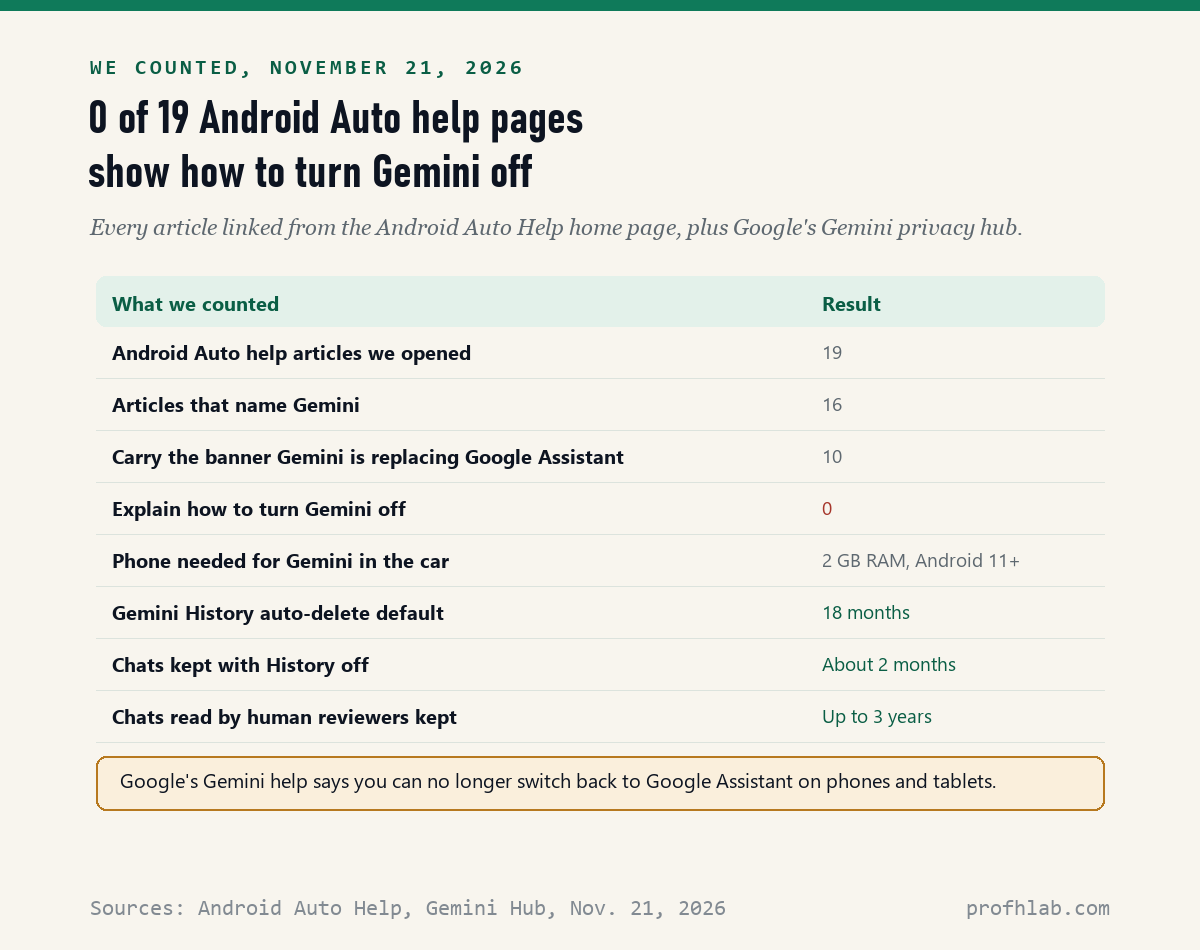
There is no off switch for Gemini inside Android Auto: on November 21, 2026, we opened all 19 articles linked from Google’s Android Auto Help home page, and 0 of them explain how to turn Gemini off. Google’s Gemini help also says you can no longer switch back to Google Assistant on phones, so the 3 settings that matter live on your phone, not in your car.
That sounds worse than it is. Gemini in the car only wakes up when you call it. If you never say “Hey Google” and never press the microphone, it stays quiet. The steps below make it harder to start by accident, limit what it keeps, and show where the choice really sits.
What we checked on November 21, 2026
We opened every article linked from the Android Auto Help home page, 19 in all, and searched each for Gemini, Google Assistant and the words turn off, disable and switch. We then read Google’s Gemini Apps Help pages Chat with Gemini in your car, Manage or delete the Gemini app on your Android device, and the Gemini Apps Privacy Hub.
We did not drive a car with Gemini for this test. Every menu path below is Google’s wording, and Google notes that the steps vary by phone maker.
Written and checked by Prof. H. An AI assistant helped draft this article and ran the page reads; every quote was read on the source’s own page on the date shown.
Can you turn off Gemini on Android Auto?
Not from the car screen: none of the 19 Android Auto help articles we read on November 21, 2026 describe a setting that turns Gemini off, and 10 of them open with the same notice that Gemini is replacing Google Assistant.
Here is the reason. Android Auto does not have its own assistant. It borrows the one on your phone. Google’s page Chat with Gemini in your car lists the things you need, and one of them is “Gemini set as your digital assistant” on the phone. So the switch is not in the dashboard. It is in your pocket.
Think of Android Auto as a TV and your phone as the cable box. If you want a different channel, you change it on the box, not on the TV.
Android’s own video from November 20, 2025 says the same thing in plainer words: anyone who has upgraded from Google Assistant to Gemini on their phone “will now have Gemini in Android Auto.”
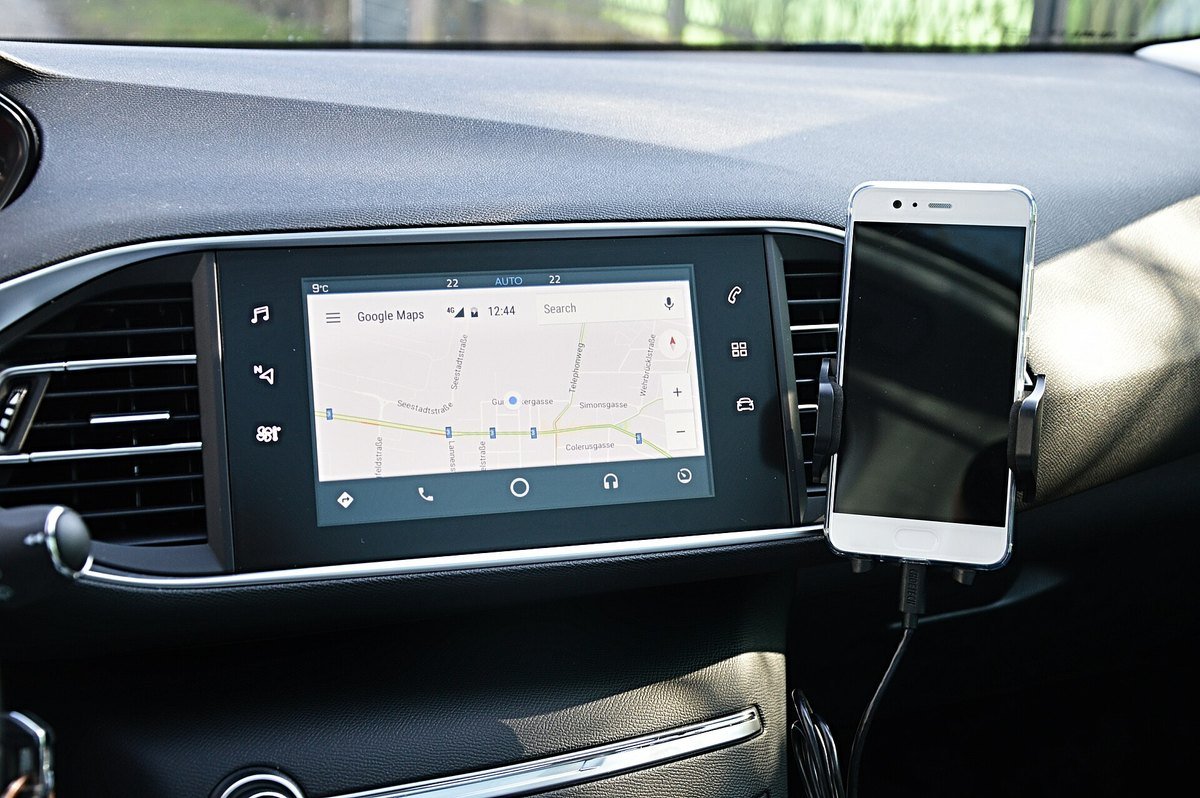
How do I stop Gemini from starting when I say Hey Google in the car?
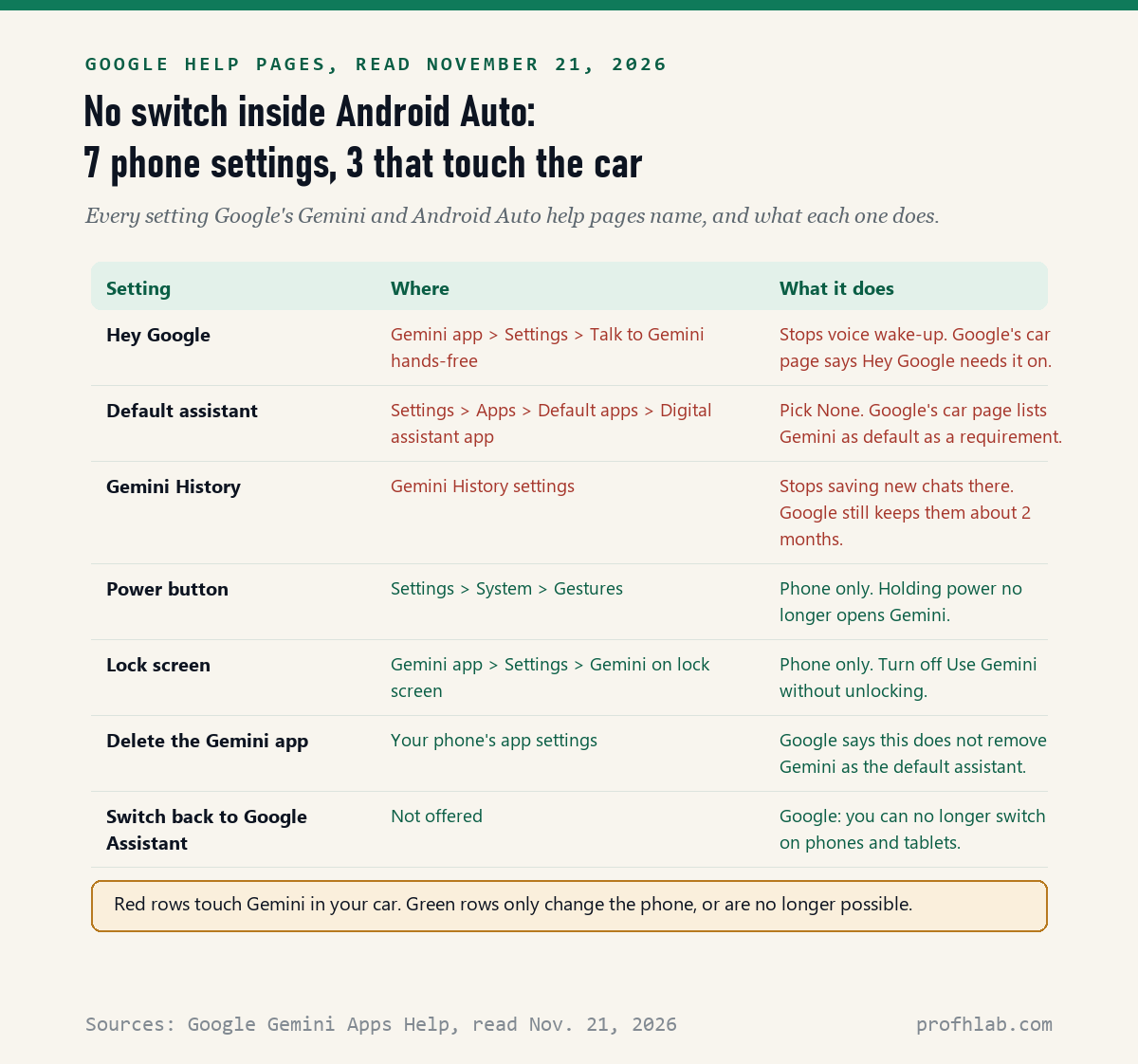
Turn off “Hey Google” in the Gemini app on your phone: Google’s Gemini help, read November 21, 2026, says the path is Menu, your profile picture, Settings, Talk to Gemini hands-free, then turn off Hey Google.
Google’s car page adds the key line: “Hey Google” only works when Voice Match and “Hey Google” are turned on. With it off, a radio host or a passenger saying something close to “Hey Google” should no longer wake Gemini.
- Park the car, or do this before you leave home.
- Open the Gemini app on your Android phone.
- Tap your profile picture or initial, then Settings.
- Tap Talk to Gemini hands-free.
- Turn off Hey Google.
What this does not do: the microphone button on the car screen and the voice button on your steering wheel still start Gemini. Google’s car page lists all three ways to begin, and only the voice one depends on this switch.
Can I set my phone’s digital assistant to None?
Yes: Google’s page Manage or delete the Gemini app on your Android device, read November 21, 2026, says you can open Settings, Apps, Default apps, Digital assistant app, and select a different assistant app or None.
This is the closest thing to an off switch Google documents. Because the car page lists Gemini as your digital assistant as a requirement for Gemini in Android Auto, removing it takes away that requirement. That is our inference from Google’s wording. We could not test what the car’s microphone button does afterward, and Google’s pages do not say.
Two catches. First, Google warns that “Google” is shown in that menu whether you use Google Assistant or Gemini, so the label may not read Gemini. Second, choosing None also affects the phone. Voice dialing and voice texting from the steering wheel may stop working too, so try it on a short drive in your own neighborhood first.
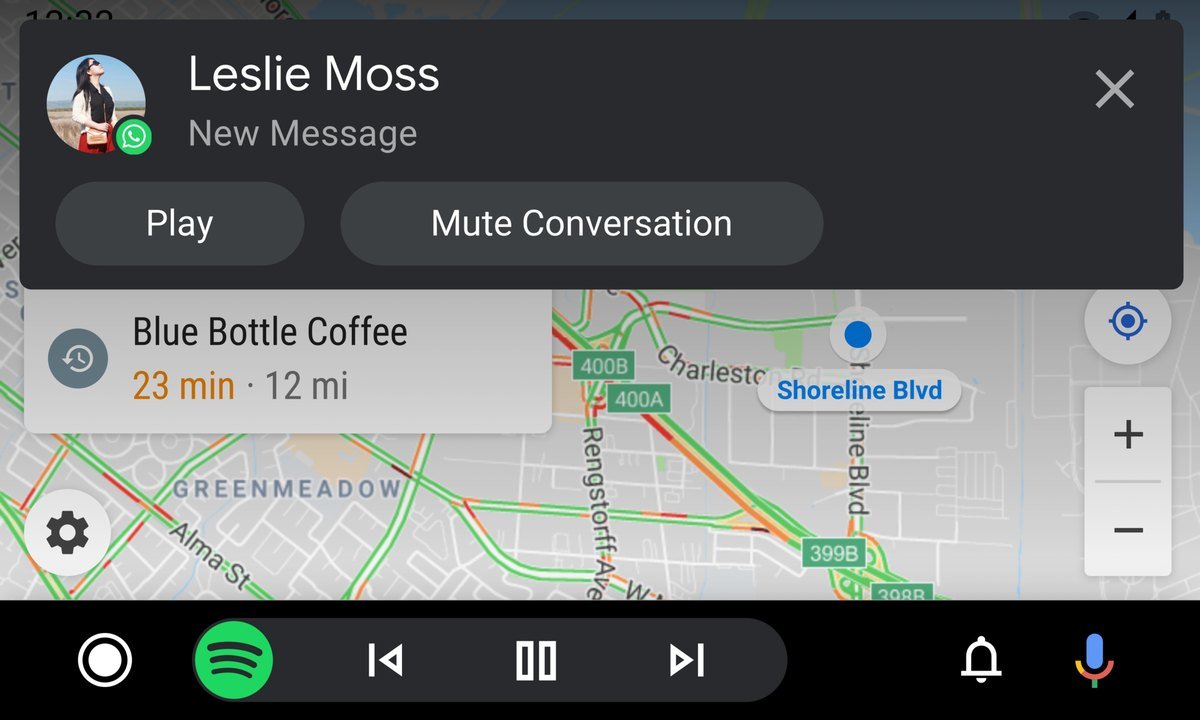
Can I get Google Assistant back on Android Auto?
No, according to Google: the Gemini help page we read on November 21, 2026 has a section called Switch from Gemini to Google Assistant, and the whole section is one sentence, “You can no longer switch to Google Assistant on phones and tablets.”
Some of the top search results we saw on November 21 still tell you to open the Google app and pick Google Assistant. Those steps were written before this change. If your phone still offers the option, it is an older version, and Google’s own help no longer promises it.
Cars with Google built-in are a separate case. Google says you turn Gemini on there in the car’s Settings, under Google Assistant. The page does not describe turning it back off, so we cannot confirm that it can be done.
Google’s own safety warning
Google’s car page says Gemini in Android Auto “can hallucinate,” meaning it can state wrong things as fact, and should not be relied on for safety matters while driving. It also says children in the car can hear Gemini too. If you keep it on, use it for music and calls, and check road closures and medical questions elsewhere.
What does Gemini keep from my drives?
Google’s Gemini Apps Privacy Hub, read November 21, 2026, lists Gemini in Android Auto as one of the Gemini apps it covers, and says your history is deleted after 18 months by default, while chats read by human reviewers are kept for up to 3 years.
You can turn off Gemini History. Google says future chats are then still saved for about 2 months to answer you and keep the service safe. Deleting your history also does not delete chats a reviewer already read.
One more line from the same page is worth knowing. Google says Gemini may get your precise location from another Google service, like Android Auto, even if the precise location settings are off. A driving app needs your location, so this is expected, but it is not obvious.
Why did Gemini show up in my car without asking?
Because it came with your phone: Google’s Android Auto help pages, read November 21, 2026, say Gemini is replacing Google Assistant on most mobile devices, and the upgrade for Assistant users runs through 2026.
You did not break anything, and your car did not install it. The change rode in with an app update. Google’s car page says your phone needs at least 2 GB of memory and Android 11 or newer,.
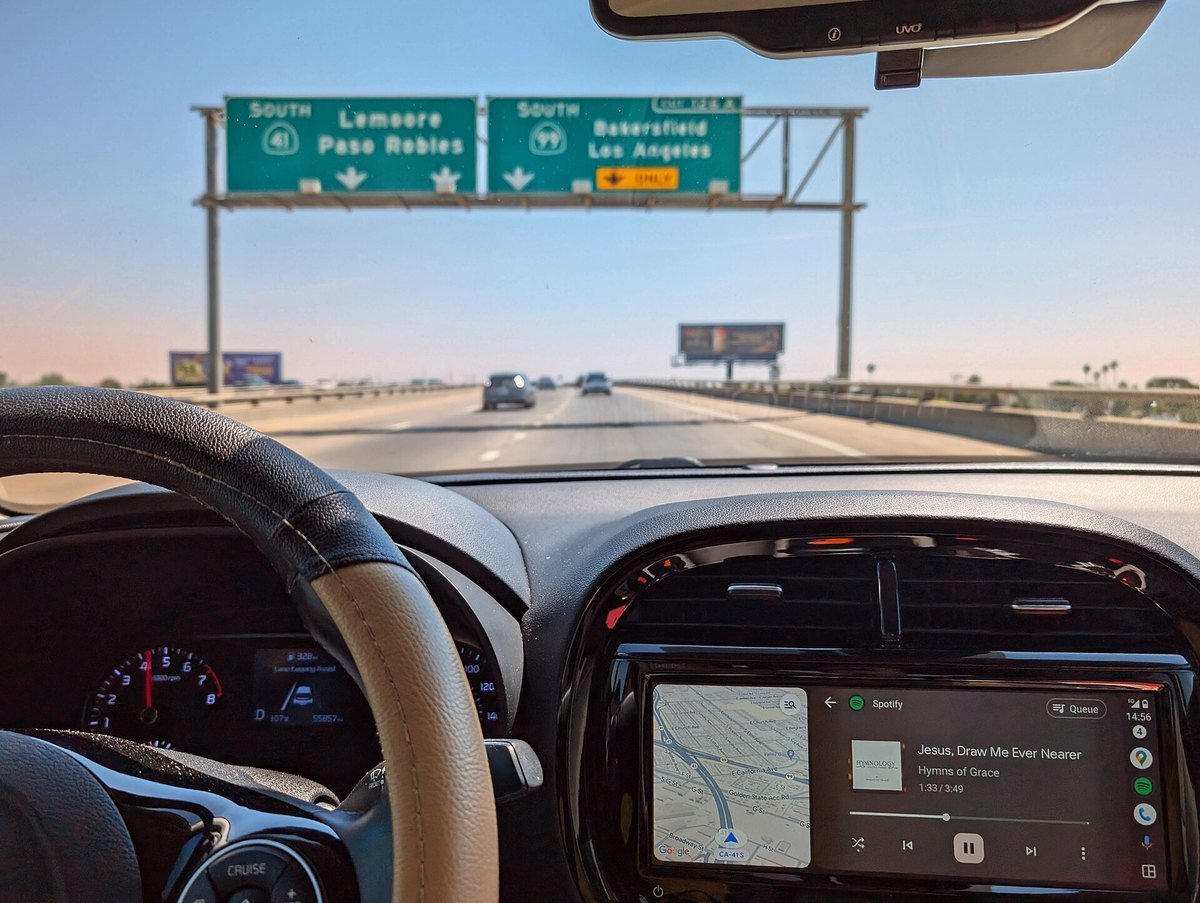
A five-minute check to run in the driveway
On November 21, 2026, Google’s help named 3 phone settings that touch Gemini in the car, so this list has 5 steps and takes about five minutes, parked.
- Open the Gemini app and turn off Hey Google under Talk to Gemini hands-free.
- Decide on the default assistant. Leave it, or set Settings, Apps, Default apps, Digital assistant app to None.
- Turn off Gemini History, or change its auto-delete to 3 months.
- Connect to the car and tap the microphone once to see what answers.
- Tell family members who borrow the car what you changed.
If you are helping a parent with this, do it together, in the driveway, with the phone they use. Write the steps on an index card for the glove box.
Messages, Maps and Gmail on that phone each carry their own Gemini
Google’s privacy hub, read November 21, 2026, lists Gemini in Android Auto next to Gemini in Google Messages, Chrome and Google TV, so the phone has more switches than the car. These guides walk through them one at a time.
- What is Gemini on my Android phone? explains the switch from Assistant.
- How to turn off Gemini in Google Messages, for the texts you send from the car.
- How to turn off AI in Google Maps, the app Android Auto opens for directions.
- How to turn off AI on a Samsung phone, where some menus differ.
- How to turn off AI on Google Keyboard and how to stop AI from reading your Gmail.
- How do I get rid of AI on my phone? covers the whole phone in one place.
- How to turn off Gemini on Google Home, for the speaker in the kitchen.
- How to turn off AI in Google Photos, and whether you need to pay at all: is Gemini still free?
If a call in the car sounds like a family member asking for money, it may be a cloned voice. Read our guides to AI scams targeting seniors and how to tell if you are talking to AI on the phone. New here? Start with Start Here or the ChatGPT guide for beginners over 50. Have a question we did not answer? Ask Prof. H.
Drivers searching for Gemini and Android Auto type these six questions
How do you turn off Gemini on Android Auto?
Not from the car screen. On November 21, 2026, 0 of 19 Android Auto help articles showed a switch. On the phone, turn off Hey Google in the Gemini app, or set the default digital assistant app to None.
How to get Google Assistant back on Android Auto?
Google’s Gemini help, read November 21, 2026, says you can no longer switch to Google Assistant on phones and tablets. Older guides that show a Google Assistant option describe a choice Google no longer offers.
Why is Gemini on my Android Auto now?
Android Auto uses your phone’s assistant. Google says Gemini is replacing Google Assistant on most phones during 2026, and Android said anyone who upgraded their phone will now have Gemini in Android Auto.
How to turn off AI summary on Android Auto?
Google’s messages page says Gemini summarizes messages when you ask it to. We found no separate summary switch in the 19 articles. Tap a message to hear it read, or tap Play aloud.
Is Gemini live available on Android Auto?
Yes. Google’s car page says you tap the microphone and say “Let’s talk Live.” To end it, say “Stop.” Google says, for now, Live can only be started and stopped by voice.
How to turn off Gemini in CarPlay?
Google’s privacy hub lists Gemini in Apple CarPlay as part of the Gemini app on iPhone. We did not find Google steps for turning it off in CarPlay, so we cannot confirm a switch; our iPad guide covers Apple’s own AI settings.
Each Google page quoted here, with the date we read it
- Google, Android Auto Help, all 19 linked articles opened and searched, November 21, 2026, including Talk to Gemini or Google Assistant and Send and receive messages.
- Gemini Apps Help, Chat with Gemini in your car; read November 21, 2026.
- Gemini Apps Help, Manage or delete the Gemini app on your Android device; read November 21, 2026.
- Google, Gemini Apps Privacy Hub; read November 21, 2026.
- Android on YouTube, Gemini in Android Auto, your AI assistant in the car, video description; posted November 20, 2025, read November 21, 2026.
Prof.’s H Newsletter
One short email a month, with the numbers in it
What actually moved in AI hiring, AI prices, and the scams aimed at older Americans. Counted here, dated, and linked to the source. One email a month, and your address goes nowhere else.