How to Get Microsoft 365 Without Copilot: The $30 Plan Behind the Cancel Button
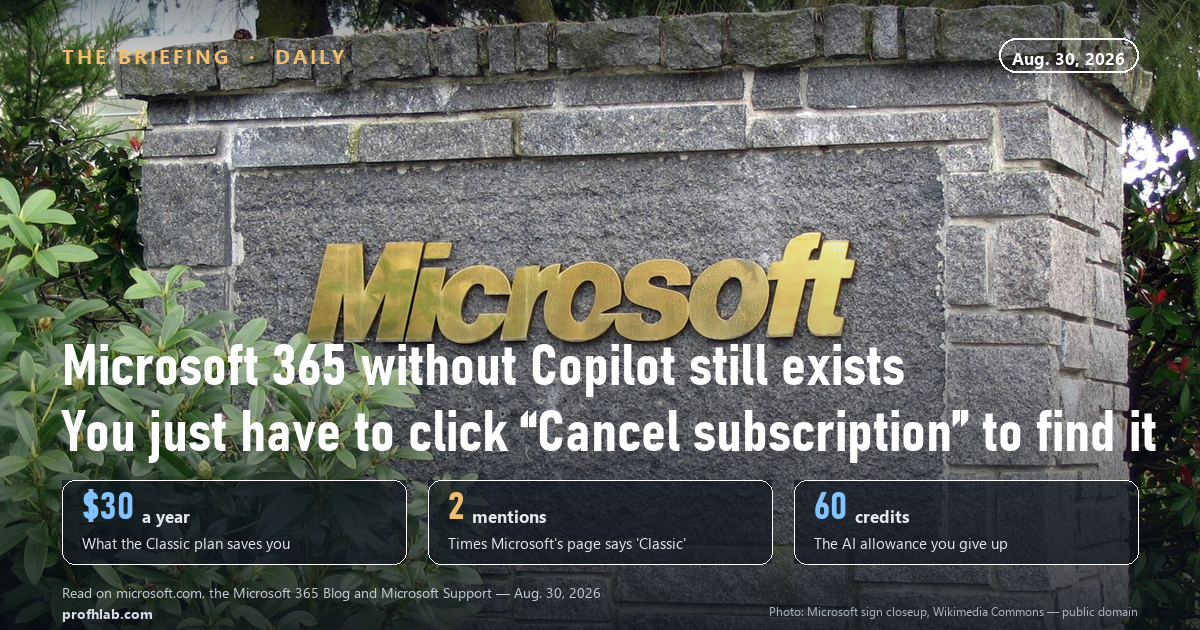
To get Microsoft 365 without Copilot, you click “Cancel subscription.” That is not a joke and it is not a workaround — it is the only route Microsoft documents, and it leads to the Classic plans that cost $69.99 a year for Personal and $99.99 for Family instead of today’s $99.99 and $129.99. Two conditions decide whether it works for you: you have to be an existing subscriber, and your recurring billing has to be switched on.
That second condition is the one that sends people away empty-handed, and you will not find it in any news story about the price increase. We will get to it. First, the part Microsoft did say out loud.
What Microsoft actually announced, in its own words
On January 16, 2025, Microsoft put Copilot inside the consumer Office apps and raised the price in the same breath. The blog post is still up, and the sentence is unusually direct:
“To reflect the extensive subscription benefits that we’ve added over the past 12 years and enable us to deliver new innovations for years to come, we’re increasing the prices of Microsoft 365 Personal and Family in the US for the first time since its release by $3 USD per month.”
— Microsoft 365 Blog, January 16, 2025
Three dollars a month. Thirty-six dollars a year if you pay monthly, thirty if you pay annually. Then, four sentences later, the escape hatch:
“Existing subscribers with recurring billing enabled with Microsoft can switch to plans without Copilot or AI credits like our Basic plan, or, for a limited time, to new Personal Classic or Family Classic plans.”
— Microsoft 365 Blog, January 16, 2025
Read that clause again: with recurring billing enabled with Microsoft. Nineteen months later, that phrase is still doing more work than anything else on the page.

What each plan costs today
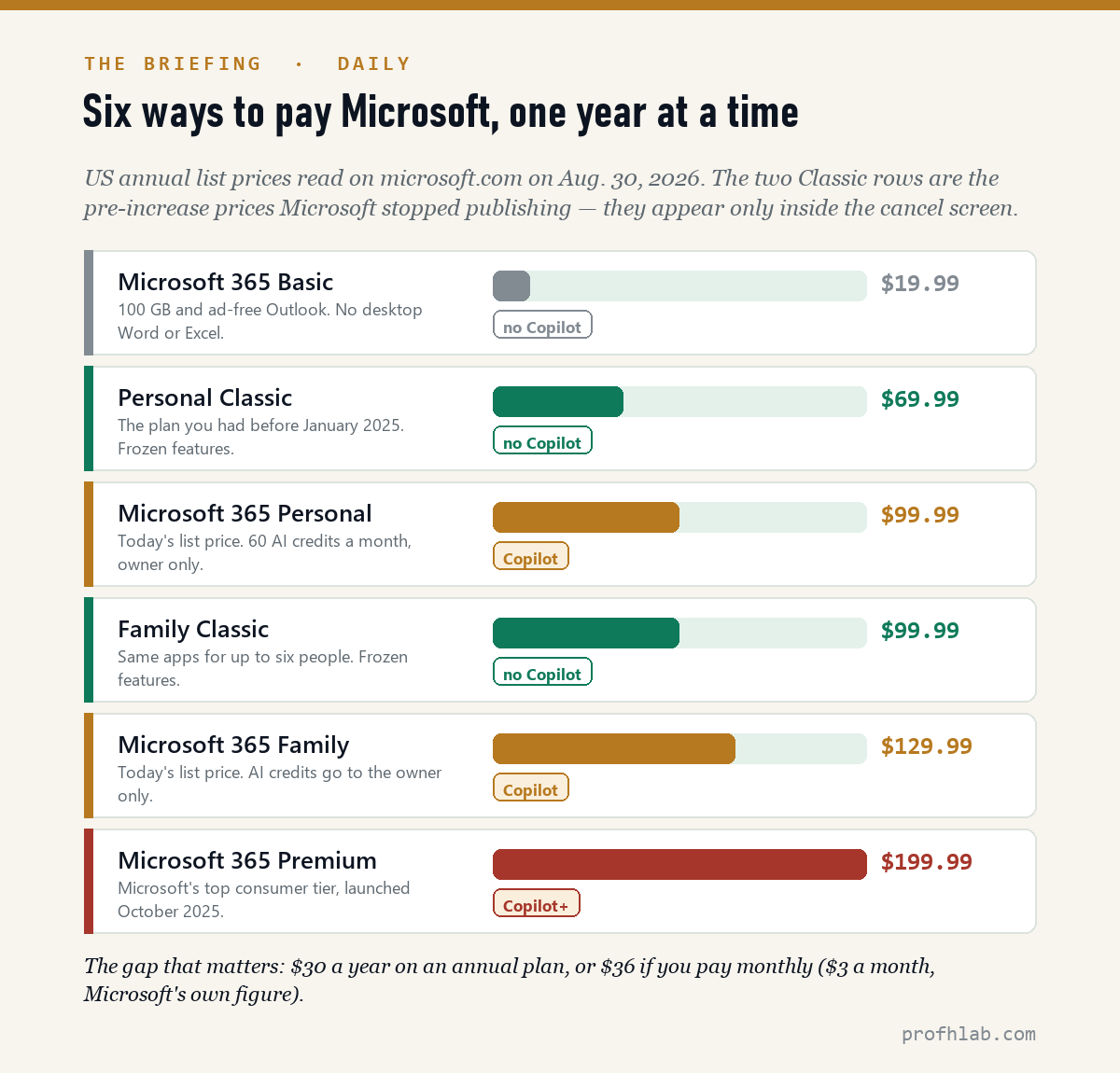
We read the US pricing page on August 30, 2026. Personal is $99.99 a year, Family is $129.99, and Premium — the tier Microsoft added in October 2025 — is $199.99.
A small detail on that page is worth noticing, because it lets you check Microsoft’s arithmetic against itself. Each card carries a yellow “Save $19.89 with a yearly plan” badge. Add $19.89 to $99.99 and you get $119.88, which is exactly twelve months of $9.99. The Family badge ($25.89) and the Premium badge ($39.89) resolve the same way, to $12.99 and $19.99 a month. The monthly prices are on the page whether Microsoft prints them or not.
We followed Microsoft’s own link. It goes nowhere.
When Microsoft’s forum moderators answer this question, they cite a support article whose URL ends in switching-to-microsoft-365-personal-and-family-classic-plans. It is the obvious place to look.
On August 30, 2026 we requested that URL. It returns two consecutive 301 redirects and lands on a general page titled “Switch between Microsoft 365 subscriptions.” On that page, the word “Classic” appears exactly twice — both times inside a table of proration percentages, in the rows “Microsoft 365 Personal Classic” and “Microsoft 365 Family Classic.” There are no instructions. There is no price. There is no eligibility note.
So the plan is real enough to have its own proration math, and invisible enough that the only page named after it no longer exists. That is the whole story of this feature in one redirect chain.
Two things follow. The generic switching page does give you the mechanism, and it is unambiguous: “To switch to a Microsoft 365 subscription with fewer features, you must cancel your existing subscription and then buy another subscription.” And the cancel page itself, Microsoft says, “will show you the features of your current subscription plan. If you’re switching to another plan with fewer features, select the plan that works for you.”
That is the doorway. You have to walk through a button labelled Cancel to find it.
The exact path, and the five ways it closes
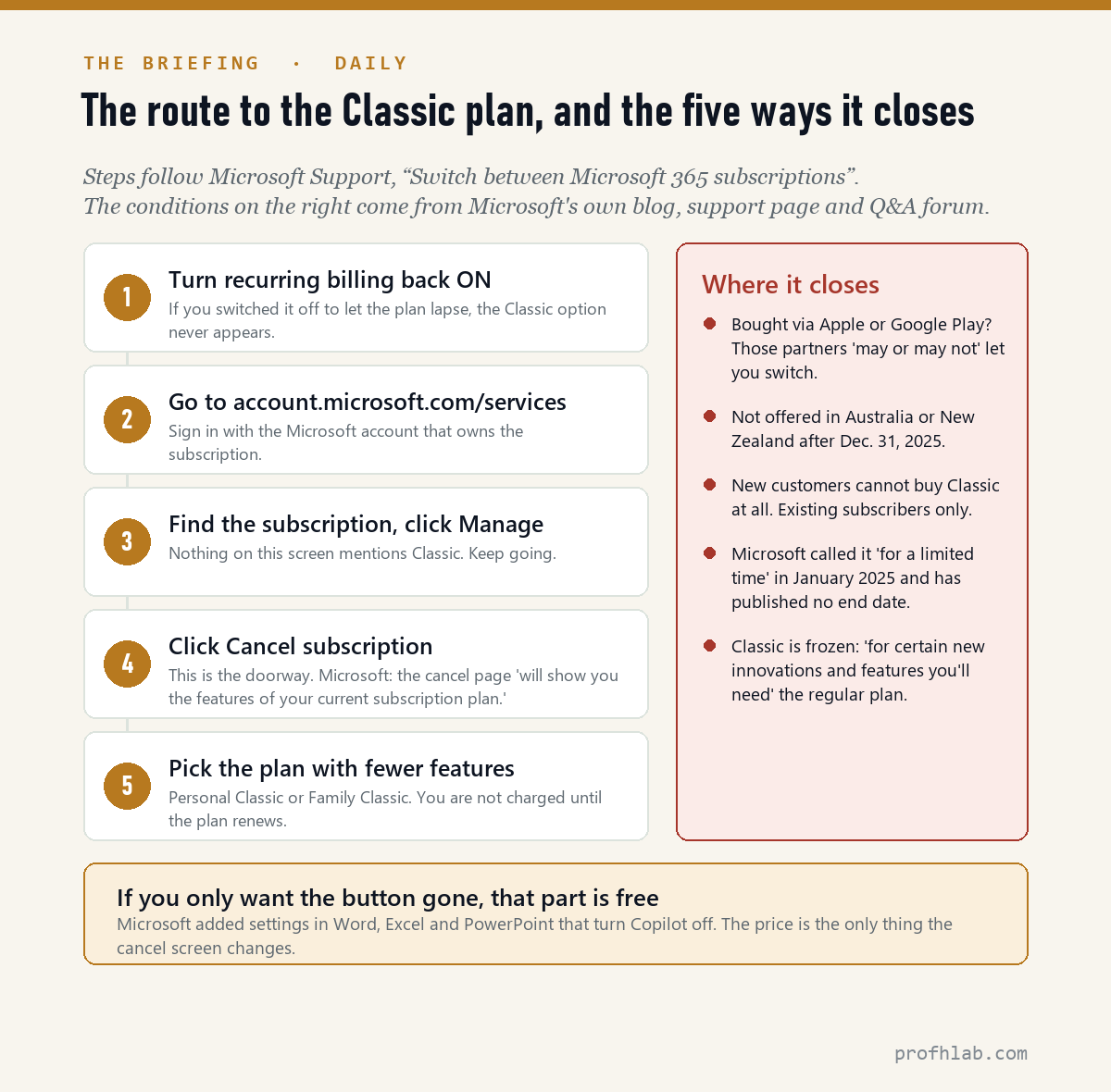
Step one is the one nobody warns you about. In Microsoft’s own Q&A forum in January 2026, a subscriber reported that the Classic option simply was not there when he clicked cancel — and then worked out why and posted the answer himself. He had switched recurring billing off, planning to let the subscription run out. Once he turned billing back on, he wrote, he was able to click cancel and change plans.
Which is exactly what the January 2025 blog said, in a clause most people skimmed. If you already decided to let the subscription lapse and switched auto-renew off, you have switched off your own escape hatch. Turn it back on first.
The other four conditions are limits rather than mistakes, and they are worth knowing before you spend twenty minutes on this:
- Third-party billing. If you bought the subscription through the Apple App Store, Google Play or certain retailers, Microsoft says those partners “may or may not provide the ability to switch to another subscription.” Your billing lives with them, not with Microsoft.
- Geography. A Microsoft volunteer moderator, answering this question in the company’s forum, notes the offer is not available in Australia or New Zealand after December 31, 2025.
- New customers. Classic is a downgrade path, not a product. There is no page where you can buy it.
- Time. Microsoft wrote “for a limited time” in January 2025 and has not published an end date since. That cuts both ways: no deadline announced, no guarantee either.
One more honest note, since this site is built on saying what we did and did not verify: we do not hold a consumer Microsoft 365 subscription, so we have not seen the cancel screen with our own eyes. Everything above comes from Microsoft’s published instructions and from subscribers reporting the result in Microsoft’s own forum. How we handle that distinction is described on our how we count page.
What $30 a year actually buys
Before you go through all this, it is worth pricing the thing you would be giving up. Microsoft 365 Personal and Family include 60 AI credits a month. A credit is spent each time you ask Copilot to do something in Word, Excel, PowerPoint, Outlook, OneNote, Designer, Paint or Photos.
Sixty a month is 720 a year. If you burned every single one, the $30 premium works out to about 4.2 cents per credit — genuinely cheap. If you use ten a month, which is closer to how most households behave with a feature they did not ask for, you are paying about 25 cents each. If you use none, you are paying $30 for a button.
There is a second catch on the Family plan that surprises people. The AI credits belong to the subscription owner and are not shared with the other five people on the plan. Six people, one allowance.

If you only want the button gone, that part is free
Plenty of people searching this phrase do not care about $30. They care that a Copilot icon appeared in a document they have been writing in for fifteen years. That is a different problem with a much easier fix, and Microsoft announced it in the same January 2025 post: “we’re adding settings in apps like Word, Excel, and PowerPoint that allow you to disable or enable Copilot as needed.”
So the two questions come apart cleanly. Hiding Copilot is a setting. Not paying for Copilot is a cancel screen. If your complaint is visual, stop here and save yourself the trouble.
The cheaper doors, ranked by what you lose
| Option | US price | What you give up |
|---|---|---|
| Personal / Family Classic | $69.99 / $99.99 a year | Copilot, AI credits, and future features. Microsoft: these plans stay “as they exist today.” |
| Microsoft 365 Basic | $19.99 a year | The desktop apps. You keep 100 GB of storage and ad-free Outlook, but Word and Excel become browser-only. |
| Turn Copilot off, keep the plan | No change | Nothing, except the $30. The icon goes away; the bill does not. |
| A one-time Office purchase | Paid once | The cloud storage and the yearly upgrades. Suggested by a Microsoft forum moderator as the durable alternative. |
If you run a small business, this door is not for you
Classic is a consumer offer. On the commercial side Microsoft went the other direction: a December 4, 2025 announcement set new list prices for Microsoft 365 business and enterprise suites effective July 1, 2026, applied globally with local adjustments. There is no Business Classic.
Which is its own kind of answer. If a household can opt out of paying for AI and a company cannot, you are looking at where Microsoft thinks the resistance is.

Turn recurring billing on before you look for Classic
- Find your renewal date and price first. Sign in at account.microsoft.com/services. If the renewal is months away, you have time; the switch takes effect at renewal either way.
- Check recurring billing. If it is off, turn it on before anything else. This is the single most common reason the Classic option does not appear.
- Check who bills you. If the charge comes from Apple or Google, handle it there — Microsoft says it may not be able to switch you.
- Then go through Manage → Cancel subscription and look for the lower-feature plan on the cancel page. Do not confirm a plain cancellation.
- If nothing appears, ask a human. Microsoft’s billing support is at support.microsoft.com/contactus. Say the words “Microsoft 365 Personal Classic” or “Family Classic” — the plan names exist in their system even though they are not on the website.
- Take a screenshot of the confirmation. You are changing a recurring charge on a plan Microsoft does not publish. Keep the receipt.
Most households already pay over $30 for AI without noticing
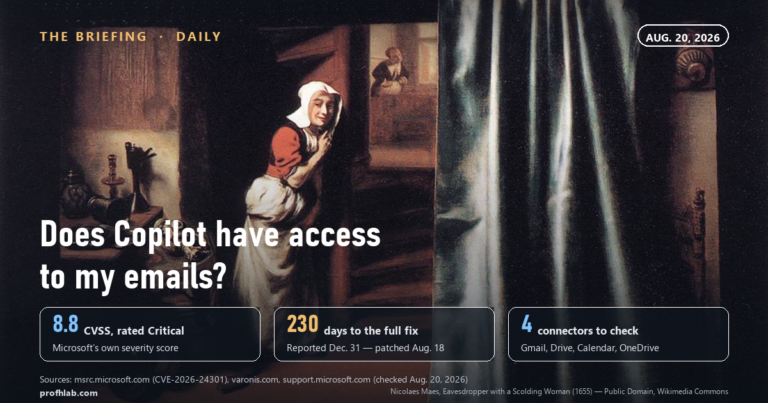
- “Is Copilot reading my email?” Different question, different answer, and the honest version depends on which Copilot you mean. We took it apart in does Copilot have access to my emails.
- “How much am I paying for AI in total?” Most households are past $30 without noticing. We added up the whole stack in the real monthly cost of AI, and the same logic applies to whether ChatGPT Plus is still worth it and to paying per use instead of per month.
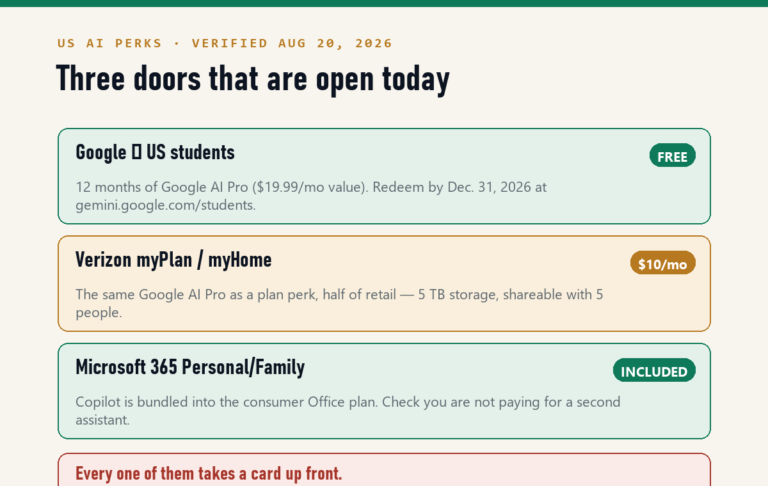
- “Is the AI in my other subscriptions free?” Sometimes, briefly. See Google AI Pro with Verizon, YouTube Premium with Google AI Pro, and the running list of free AI subscription offers. Current prices for the major tools sit on our AI price tracker.
- “Can I just turn all of it off?” We have walked through the switches on your phone, your TV, Gmail, ChatGPT ads and your electric bill.
- “I want Word to do more, not less.” Fair. Start with ChatGPT for Excel formulas, ChatGPT for beginners over 50 and our picks of the best AI tools for seniors.
What Classic costs, and why it may not show up when you cancel
How do I get Microsoft 365 without Copilot?
Sign in at account.microsoft.com/services, make sure recurring billing is on, select your subscription, choose Manage, then Cancel subscription. The cancel page lists plans with fewer features, and that is where Microsoft 365 Personal Classic or Family Classic appears. You are not charged for the new plan until your current one renews.
How much is Microsoft 365 Classic?
Classic keeps the price you were paying before the January 2025 increase — $69.99 a year for Personal and $99.99 for Family in the US, against $99.99 and $129.99 today. Microsoft does not publish Classic pricing on any public page; the figure you see is the one shown in your own cancel screen.
Can new customers buy Microsoft 365 Classic?
No. Microsoft’s January 2025 announcement limited the option to “existing subscribers with recurring billing enabled with Microsoft.” There is no storefront listing for Classic, and no way to sign up for it directly.
Why doesn’t the Classic option appear when I click cancel?
The most common reason is that recurring billing is switched off — turn it back on and the option returns. Other causes: your subscription is billed by Apple, Google Play or a retailer rather than by Microsoft, or you are in a market where the offer is not available, such as Australia and New Zealand after December 31, 2025.
Will switching to Classic change anything right away?
No. Microsoft says your existing subscription may not change immediately and will move to the new plan when it renews, and that you will not be charged for the new plan until that renewal.
Can I keep my current plan and just turn Copilot off?
Yes, and it is free. Microsoft added settings in Word, Excel and PowerPoint that disable or enable Copilot. That removes the feature from your screen but not the $3 a month from your bill — only the Classic switch changes the price.
Sources
- Microsoft 365 Blog, “Copilot is now included in Microsoft 365 Personal and Family,” January 16, 2025 — price increase of $3 per month, the Classic option, the recurring-billing condition, the frozen-features clause, and the in-app Copilot toggle.
- Microsoft Support, “Switch between Microsoft 365 subscriptions” — the cancel-page route, the third-party billing warning, the renewal timing, and the proration table listing Personal Classic and Family Classic. Read August 30, 2026.
- Microsoft Store, “Compare Microsoft 365 plans” — Personal $99.99, Family $129.99, Premium $199.99 per year, and the yearly-saving badges. Read August 30, 2026.
- Microsoft Support, “AI credits and limits for Microsoft 365 Personal, Family and Premium” — 60 credits a month.
- Microsoft Store, Microsoft 365 Basic product page — $19.99 a year, 100 GB, ad-free Outlook.
- Microsoft Q&A (learn.microsoft.com), “How do I change to classic subscription (without Copilot)?” — subscriber report that recurring billing must be on; moderator note on Australia and New Zealand after December 31, 2025.
- Microsoft 365 Blog, “Advancing Microsoft 365: new capabilities and pricing update,” December 4, 2025 — commercial list price changes effective July 1, 2026.
Copilot and your inbox, reaching a human, and scams to know
- Does Copilot have access to my emails?
- The real monthly cost of AI
- How do I talk to a real person?
- AI scams targeting seniors
- How to turn off Alexa+ ads on Echo Show
- More from The Briefing · Start here
Written and edited by Prof. H, who teaches robotics and writes about the AI tools ordinary households end up paying for. Prices and page text in this article were read on August 30, 2026 and are listed in Sources above; subscription terms change, so check your own renewal screen before acting. Nothing here is financial advice.
Prof.’s H Newsletter
One short email a month, with the numbers in it
What actually moved in AI hiring, AI prices, and the scams aimed at older Americans. Counted here, dated, and linked to the source. One email a month, and your address goes nowhere else.